
Disclosure: Hushread is our app. We’ve tried to be fair, and we say where the others are the better choice.
When Google News is not working, first open news.google.com in a browser. If the site loads and the app does not, the problem is on your phone: update the app, then clear its cache on Android or reinstall it on iPhone, which is what Google’s own troubleshooting page tells you to do (Google News Help). If neither loads, check your connection and the account you are signed in with before you blame Google. Work, school and child accounts can be blocked, and Google documents it.
The steps below are the ones on Google’s, Android’s and Apple’s help pages, opened on 9 October 2026, in the order worth checking them.
1. Compare the app with news.google.com
Google News is two things: an app for Android and iPhone, and the website. Testing both tells you where to look.
| What you see | Where the problem probably is | Go to |
|---|---|---|
| Site loads, app does not | The app on your phone | Steps 3 and 4 |
| App loads, site does not | Your browser | The browser steps just below |
| Neither loads, other sites do | Your account, or Google | Steps 2 and 7 |
| Nothing loads at all | Your connection | Wi-Fi or mobile data |
For the website on a computer, Google lists four things to try, retrying after each: restart your computer, check whether you can open other websites, quit your browser and reopen it, then clear your browsing data (Google News Help). In Chrome that last one is More, then Delete browsing data, where you choose a time range and select “Cookies and other site data” (Google Account Help). Google warns that deleting site data also deletes saved settings, and you will have to sign in to sites again.
2. Check for an outage: Google’s status dashboards do not list News
We looked at two of Google’s public status dashboards, and neither lists Google News.
The Google Workspace Status Dashboard says it covers “the services that are part of Google Workspace”, such as Gmail, Drive and Meet. News is not in its list. The Google Search Status Dashboard covers “the services that are part of Google Search” under four headings: crawling, indexing, ranking and serving. News is not named there either.
So neither dashboard will confirm a Google News outage. The practical test is step 1 on a second network: if news.google.com fails on both your Wi-Fi and your mobile data while other sites open, the fault is probably not yours, and no setting on your phone will fix it.
3. Update the app
Under “Can’t open Google News app”, Google’s whole answer is one line: “Try updating your Google News app.”
On Android, open the Play Store, tap the profile icon at the top right, then Manage apps & devices, and look under “Updates available” (Google Play Help).
On iPhone and iPad, check the App Store. The listing says the app “Requires iOS 17.0 or later” (App Store), so an iPhone that cannot run iOS 17 cannot get the current version.
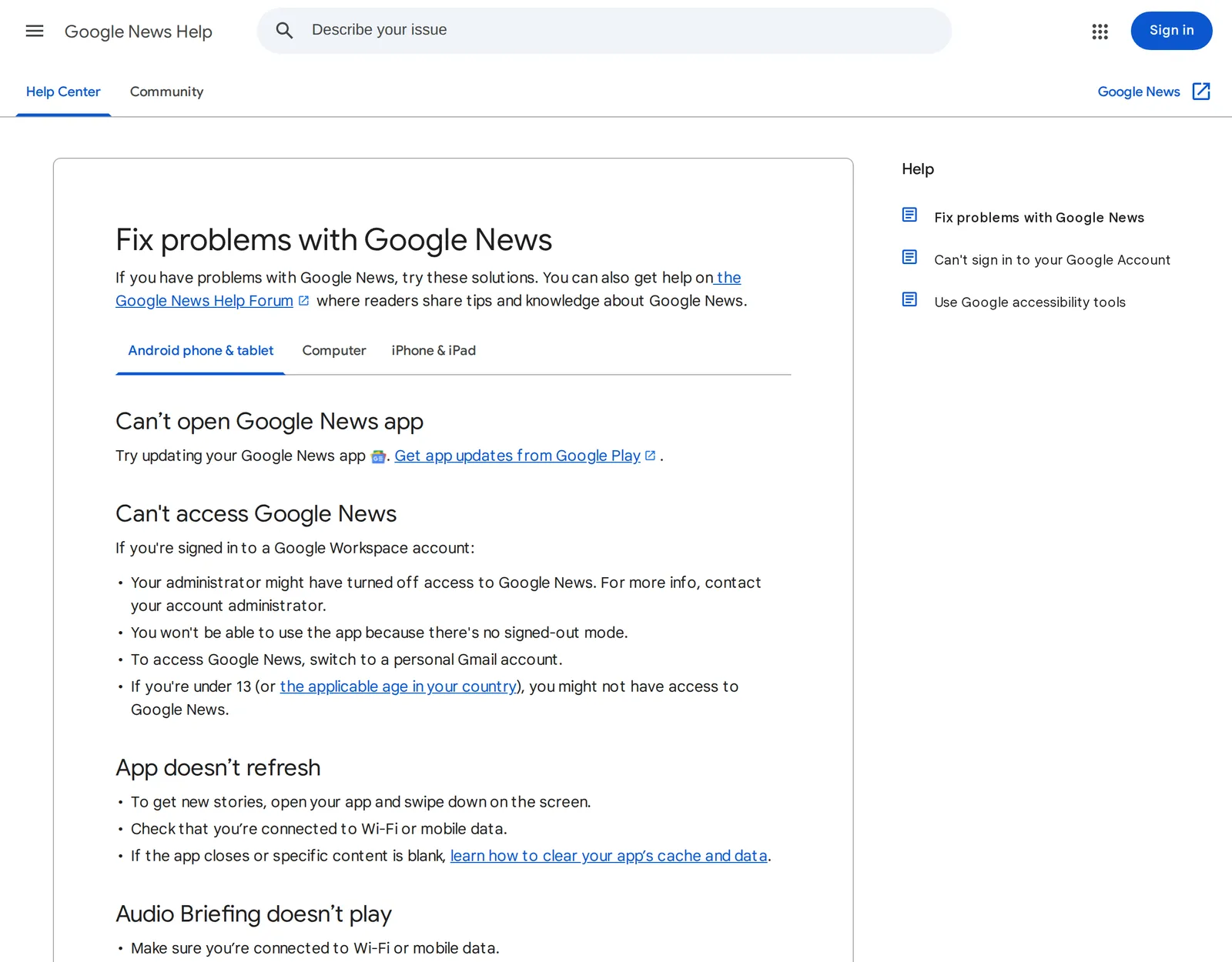 Google’s troubleshooting page for the Google News app on Android, captured 9 October 2026. Source: support.google.com
4. The feed will not refresh, or parts of it are blank
Google’s steps for “App doesn’t refresh” are the same on both platforms up to the last one:
- Open the app and swipe down on the screen to get new stories.
- Check that you are connected to Wi-Fi or mobile data.
- If the app closes or specific content is blank, clear the app’s cache and data (Android) or remove the app and install it again (iPhone and iPad).
Clear the cache on Android
Google does not publish one menu path for this, because, in its words, “Settings can vary by phone”. What it does say is that you can usually clear an app’s cache and data with your phone’s Settings app, and that the two options differ (Android Help):
- Clear cache: “Deletes temporary data. Some apps may be slow the next time you open them.”
- Clear storage: “Permanently deletes all app data.”
Try the cache first. For the exact taps on your phone, that page points you to the manufacturer’s support.
If that does not help, Google’s general advice for an Android app that is misbehaving is to restart the phone, check for an Android update, update the app, then force stop it, restarting after each step (Google Play Help).
Reinstall on iPhone
Google’s iPhone page has no cache step. Its instruction is to remove the app and get it again from the App Store, with a note: “You’ll need to save any saved content again” (Google News Help).
5. Google News notifications not working
Alerts have two switches, one inside the app and one in your phone’s settings. Both must be on, and you must be signed in.
Inside the app on Android: tap your Profile picture or initial at the top right, then News settings, then under “Alerts” tap Notifications and turn on Get notifications. Under “Number of notifications” you choose an amount between “Low” and “High”, and each notification type has its own switch (Google News Help).
Inside the app on iPhone: the same path, Profile picture or initial, News settings, Notifications, Get notifications. Google adds: “To change your notifications, you must sign in to your Google Account” (Google News Help).
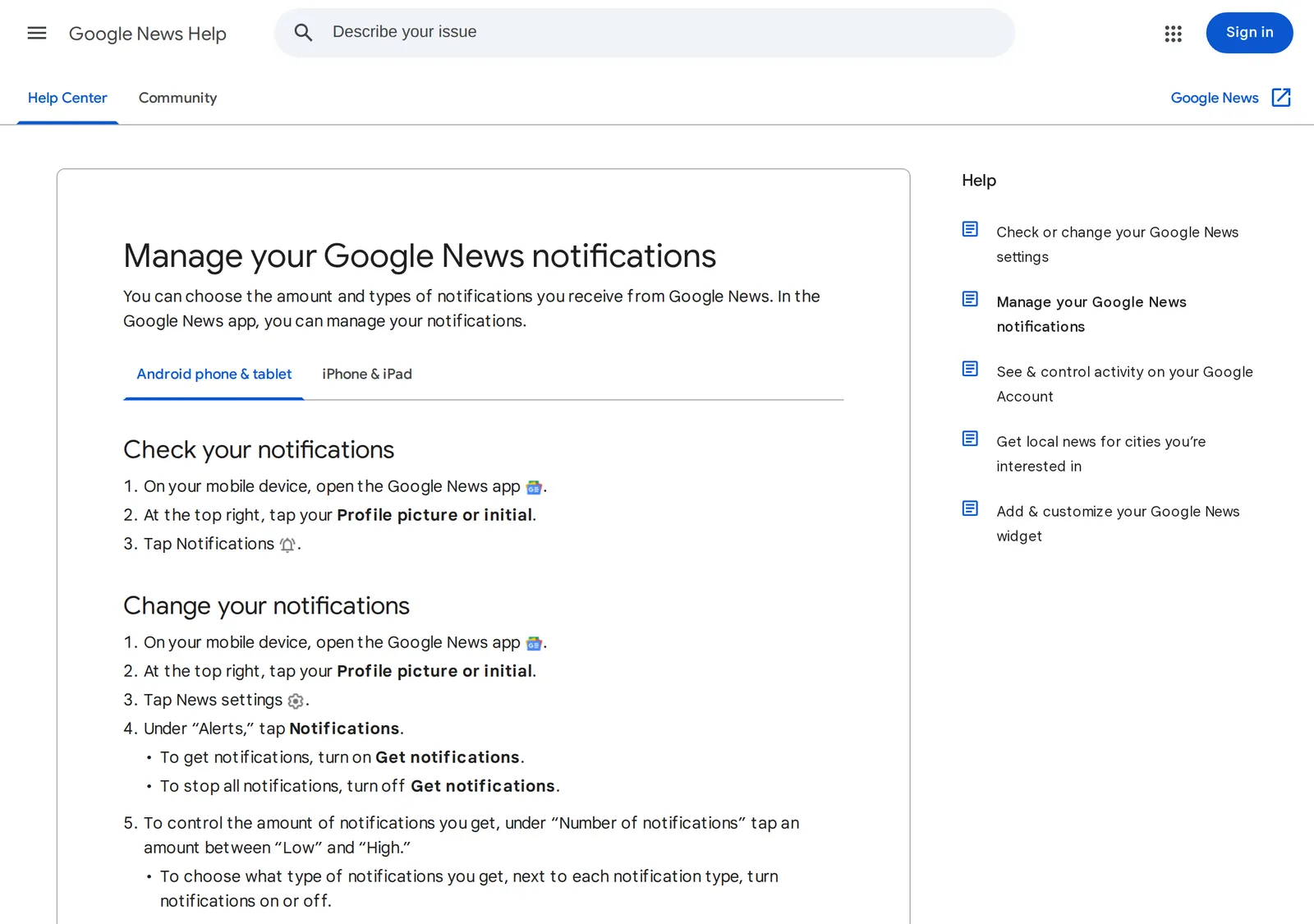 Google’s notification steps for the Google News app on Android, captured 9 October 2026. Source: support.google.com
In Android’s settings: open the Settings app, tap Notifications, then App notifications, tap the app, and turn its notifications on. Android lets you switch off single categories too, so check those (Android Help).
In iPhone’s settings: go to Settings, tap Notifications, and under Notification Style tap the app (Apple Support).
The daily briefing is a separate switch: Profile picture or initial, News settings, Daily briefing emails. There is nothing to fix on the website here. Google says you can change more settings in the app than on the web, “including notifications” (Google News Help).
6. Wrong country or language in the feed
If Google News loads but shows another country’s headlines, it is doing what it was told. Google says that for Headlines, local news and several other sections, “people who use the same language and region get news for the same subjects” (Google News Help).
On the website, click Settings, then Language & region, and select your language. In the app, tap your Profile picture or initial, then News settings, and look for “Languages & regions of interest” (the iPhone page’s wording), which covers up to 2 languages and regions (Google News Help).
Availability is a different matter. Google’s getting started page says: “In selected countries, the Google News app isn’t available but Google Play Newsstand is available”, and gives Denmark and Finland as examples (Google News Help). It names no other countries, and the mention of Google Play Newsstand suggests the sentence is old, so treat that as what Google’s help page says and no more.
7. Check the account you are signed in with
This is the fix people miss, and it is on Google’s troubleshooting page under “Can’t access Google News”. If you are signed in to a Google Workspace account, the kind an employer or school hands out:
- “Your administrator might have turned off access to Google News.”
- On Android, “You won’t be able to use the app because there’s no signed-out mode.” Google’s fix is to switch to a personal Gmail account.
- On iPhone and iPad, “You can still use the app while in signed-out mode”, so signing out works too.
- On a computer, news.google.com “won’t be accessible unless you sign out of the account”.
Age is the other account limit. In the same list of Workspace account notes, the Android page says: “If you’re under 13 (or the applicable age in your country), you might not have access to Google News.”
If the app works but your personalized content is missing, Google’s three steps are to make sure you are signed in to your Google Account, to try the new name if you recently renamed a conflicting account, and to reset your Google News interests.
If it works but you do not like what it shows
Stories you would not have picked, or sources you cannot get rid of, are a design choice and not a fault, and no step above changes them. Our Google News alternatives post compares the other options, including readers such as Hushread where you choose every source. If the broken feed is the one in the Google app or on your home screen, that is Discover, a different product: see Google Discover not working.
FAQ
Why is Google News not working?
The usual causes are an out-of-date app, a stale cache, a dropped connection, or a work, school or child account that is not allowed to use Google News. Open news.google.com in a browser first to see whether the problem is the app or the service.
Why is my Google News feed not working?
If the feed will not refresh, swipe down on the screen and check that you are on Wi-Fi or mobile data. If it stays blank, clear the app’s cache and data on Android, or remove and reinstall the app on iPhone. If your personalized content is missing, check that you are signed in.
Why are Google News notifications not working?
Check both switches. In the app, tap your Profile picture or initial, then News settings, then Notifications, and turn on Get notifications. Then confirm that notifications are allowed for the app in your phone’s own Settings, and that you are signed in to your Google Account.
Why is Google News not working on iPhone?
Update the app first: its App Store listing says it requires iOS 17.0 or later. If it closes or shows blank content, Google’s advice is to remove the app and install it again, after which you will need to save your saved stories again.
Is Google News down right now?
Google’s status dashboards will not tell you: neither the Workspace dashboard nor the Search dashboard lists Google News. The closest test is to load news.google.com on two different networks.
If you have been through all seven steps and it still fails, post in the Google News help community, linked from Google’s help pages, and say which step failed and on which device. For a problem with a single story, Google’s advice is to contact the publisher, since news organizations publish what you see there.