
Disclosure: Hushread is my app. I’ve tried to be fair, and I say where the others are the better choice.
If your YouTube RSS feed is not working, the likeliest cause in 2026 is YouTube itself. Its feed server at youtube.com/feeds/videos.xml has been failing for anywhere from a few minutes to several hours at a time, often more than once a day, answering every channel with a 404 or 500 error. A public monitor that checks it every 15 minutes puts its uptime at 83.4% over the last 30 days (UptimeRobot). To check, open a feed you know is correct, such as https://www.youtube.com/feeds/videos.xml?channel_id=UC_x5XG1OV2P6uZZ5FSM9Ttw. If that fails too, it’s an outage: leave your feeds alone and wait. If only yours fails, the URL is wrong, and the fix is usually the channel ID.
Is it YouTube or your feed URL?
The trap is that an outage and a wrong URL look the same. On 26 October I requested that feed, which belongs to the Google for Developers channel. YouTube answered 404 Not Found. A made-up channel ID got the identical 404 page. A few minutes later the real feed switched to a 500 error instead.
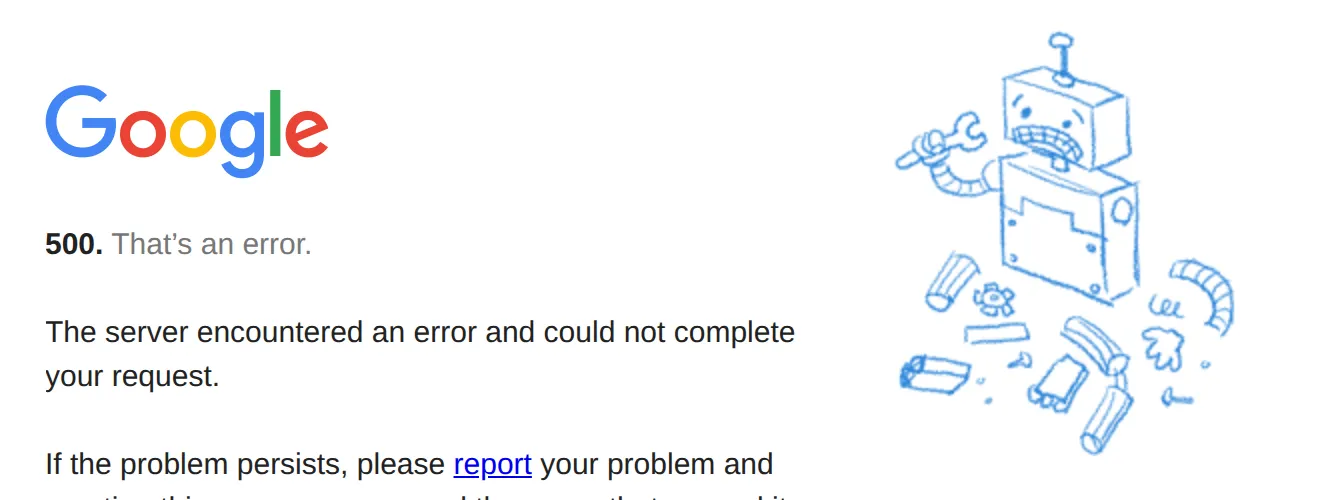 The feed of a valid channel failing during an outage, 26 October 2026. Source: the feed address listed on the Google for Developers channel page
Meanwhile the channel page itself loaded normally and still pointed to that same feed address in its rss+xml link. So the status code alone can’t tell you whether your URL is right. A comparison can:
- Open the Google for Developers feed above in a browser, or look at the UptimeRobot monitor.
- If the feed shows XML with
<entry>tags, the server is up. Your own URL is the problem: skip to the fixes below. - If it shows a Google error page, or the monitor says down, the server is failing for everyone. Nothing you change will help until it comes back.
The status code narrows it down:
| What you see | What it means |
|---|---|
| 400 Bad Request | The URL uses a parameter YouTube doesn’t have, such as handle= |
| 404 Not Found, known-good feed works | Wrong or mistyped channel ID |
| 404 or 500, known-good feed also fails | YouTube feed outage |
XML with no <entry> tags, titled “YouTube video feed” | You used the /xml/feeds/ address, which is a static placeholder |
| Feed loads, but a video is missing | The 15-video window, or your reader hasn’t refreshed yet |
The /xml/feeds/ address deserves a warning. Google’s own developer guide gives https://www.youtube.com/xml/feeds/videos.xml?channel_id= as the “topic URL” for push notifications (YouTube Data API). It loads even during an outage, which makes it look like a working feed. Open it and the file says “This is a static file”: it holds a title and a hub link, and no videos.
YouTube’s RSS outages in 2026
There’s no official status page for the feed. The best record is a public UptimeRobot status page titled “YouTube RSS feed outages”.
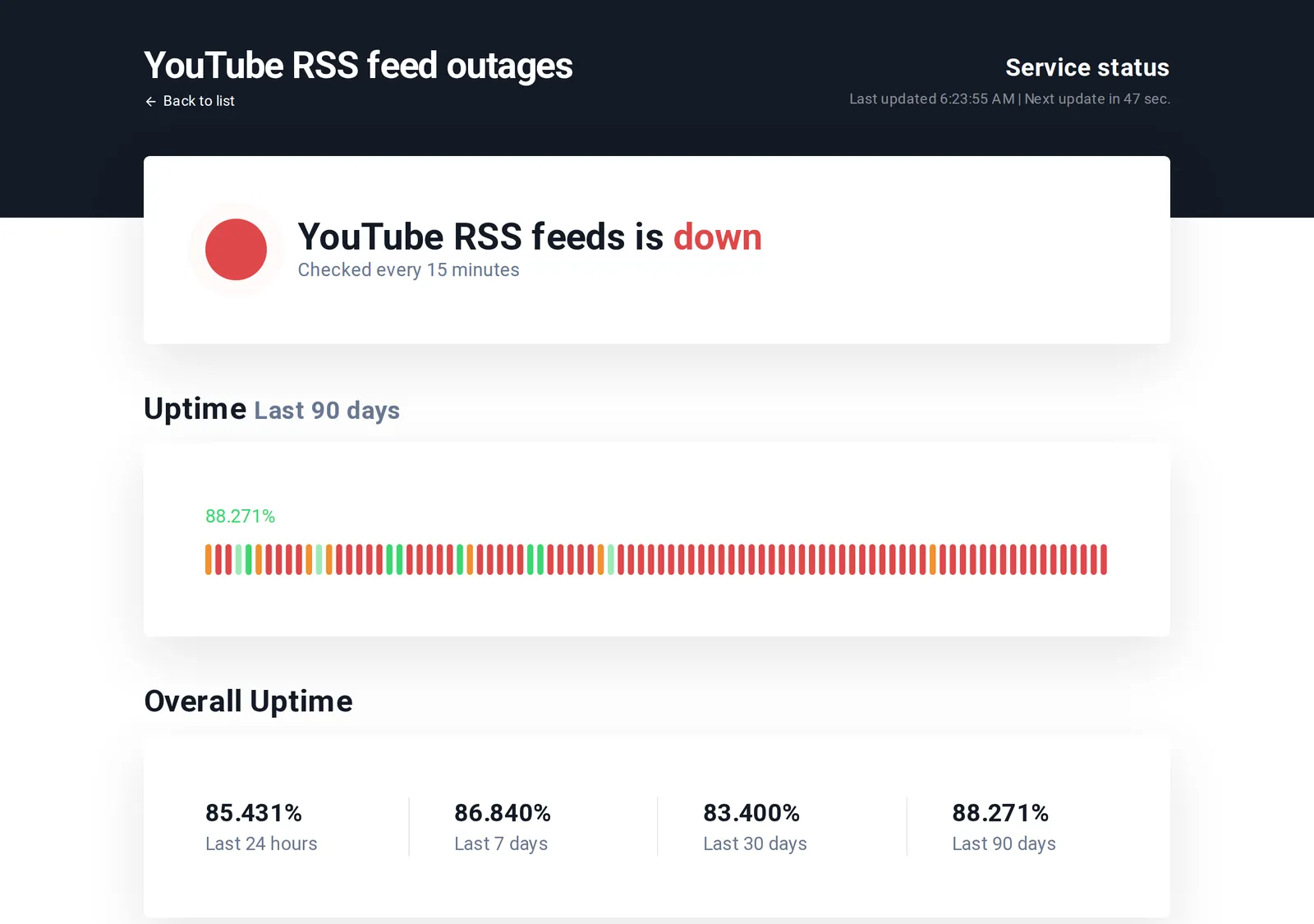 The public YouTube RSS outage monitor during an outage, 26 October 2026. Source: stats.uptimerobot.com
When I opened it on 26 October, it showed the feed down, with uptime of 85.431% for the last 24 hours, 86.840% for 7 days, 83.400% for 30 days and 88.271% for 90 days. 83.4% over 30 days works out to about five days of failures in a month, or roughly four hours a day. Its recent events were short, repeated outages with the reason “Not Found”: 1 hour 16 minutes from 22:48 Pacific time on October 24, then 46 minutes from 16:40 on October 25, then another starting at 17:42 the same evening.
Users have reported the pattern for most of a year:
- December 2025. On the Google AI Developers Forum, a developer wrote that the feed “returns 404 errors for channels that are clearly active and have public videos”, mostly “between 09:00 - 12:00 UTC” (Google AI Developers Forum). In May 2026 another user on the same thread, following 159 channels, said the errors came “near the end of every single day”, mostly 404 with “1 in 10” a 500.
- February to April 2026. In a Newsboat bug report, a contributor wrote that “this is a youtube problem, there’s nothing newsboat can really do about it” (GitHub). Users in Europe and Canada each said it happened at about the same time every day, their own morning in one case and late at night in the other.
- May 2026. A FreshRSS user reported YouTube feeds returning 404, including the long-videos-only
UULFplaylist feeds. A maintainer’s guess was that “it might be related to a high number of requests towards YouTube” (GitHub).
The time windows don’t agree from one report to the next, and nobody outside YouTube knows the cause. The reports agree that each failure is temporary, and that they keep recurring.
What to do during an outage
Don’t delete and re-add the feed. The URL is fine, and the re-added feed will fail the same way. The same goes for a new subscription: if your reader says it can’t find a feed for a channel, try again in an hour before deciding the link is wrong.
Don’t switch to a “fixed” URL from a forum. The /xml/feeds/ placeholder above is the usual one. Playlist feeds go down with channel feeds, so swapping to a playlist_id= URL doesn’t route around an outage either.
Check your reader didn’t give up. Some readers stop polling a feed after repeated errors. Miniflux, for one, stops after 3 failed refreshes by default (the setting calls them parsing errors), and “once the limit is reached, the user must refresh the feed manually” (Miniflux docs). After an outage, refresh any YouTube feed that’s flagged, rather than deleting it.
Check less often, if you run your own reader. The forum user with 159 channels moved from checking every 30 minutes to every 90. FreshRSS’s maintainer pointed users to a rate-limiting extension. Nobody has shown that this prevents the outages, but it’s cheap to try, and it cuts the number of errors you see.
Expect a short gap, not lost videos. A channel feed holds the 15 most recent uploads, so when the server comes back, your reader catches up on anything posted in between, unless a channel uploaded more than 15 videos during the outage. Why an RSS feed stops updating covers the general checks for feeds that stay broken.
Or follow the channel without the feed. In Hushread you paste the channel link, @handle included, and it reads the channel’s videos page instead of the feed server, so uploads keep arriving during these outages (Hushread docs). Shorts generally don’t come through. The free plan has no limit on sources, so you can follow every channel you watch; Pro, at $2.08 a month billed yearly, adds instant alerts when a source you pick publishes. If your reader handles the outages quietly and a few hours’ delay doesn’t bother you, there’s no reason to move.
Fixes when the feed URL is the problem
If the known-good feed loads and yours doesn’t, check the URL against the formats that work:
- Channel:
https://www.youtube.com/feeds/videos.xml?channel_id=UC..., with the 24-character ID that starts withUC. - Playlist:
https://www.youtube.com/feeds/videos.xml?playlist_id=PL.... - No handle parameter: a URL with
handle=gets a 400 error. Feeds need the channel ID, not the @name.
If the ID is the problem, the free YouTube RSS feed generator finds it from a channel link, and YouTube channel RSS feed covers the other ways to get it, plus the unofficial trick for a feed without Shorts.
If you’re a developer: the Data API
The only route that doesn’t touch the feed server is the YouTube Data API. A channel’s uploads live in a playlist whose ID the API returns as contentDetails.relatedPlaylists.uploads in a channels.list call (YouTube Data API). Fetching that playlist with playlistItems.list costs 1 quota unit per call and returns up to 50 items (YouTube Data API), and a project gets 10,000 units a day by default (quota costs). That covers a few hundred channels checked every hour. It needs an API key and code, so it’s no help inside an ordinary RSS reader.
FAQ
Why is my YouTube RSS feed not working?
Most often because YouTube’s feed server is down: it fails for minutes to hours at a time, often more than once a day, with 404 or 500 errors. Open a feed you know is correct; if it fails too, wait. If only yours fails, the channel ID in your URL is wrong.
Is YouTube RSS down right now?
Check the public UptimeRobot monitor, which tests the feed every 15 minutes, or open a feed you know is correct. If either shows an error, the problem is on YouTube’s side.
Why does my YouTube RSS feed return a 404 error?
Either the channel ID is wrong or the feed server is having an outage, and both give the same 404 page. Test a known-good feed to tell them apart.
What is the YouTube RSS feed URL?
https://www.youtube.com/feeds/videos.xml?channel_id= followed by the channel ID that starts with UC. The /xml/feeds/ version is a placeholder for push notifications and never lists videos.
When the feed is down, wait it out, then check your reader hasn’t paused it. If you’d rather not depend on the feed server at all, Hushread follows channels from the channel link, free with no limit on sources.