
Disclosure: Hushread is our app. We’ve tried to be fair, and we say where the others are the better choice.
The best alternative to MSN News depends on which part of MSN bothers you. If it’s the feed that appears in Edge and Windows unasked, you can switch it off in two settings and stop there. If it’s the ads, Kagi News, Inoreader’s free plan and Hushread show none. If it’s not knowing why a story was put in front of you, an RSS reader or Hushread shows only sources you chose. And if you want the same free, ready-made headline page from a different company, Google News and Yahoo News are the closest swaps.
Why people look for an alternative to MSN
Many people never chose MSN. Its feed is on the default homepage and new tab page in Microsoft Edge, and Microsoft’s help page also describes reaching it “from the taskbar” in Windows (Microsoft support).
Ads. Microsoft says advertising money “is shared with those publishers in order to help sustain a free press, and to pay the costs of providing the content to you”, and that sponsored stories “sit alongside editorially programmed stories and are marked with an Ad label” (Microsoft support). That page links to ad settings for how your data is used. It does not describe a way to remove the ads or a paid ad-free plan.
When we opened msn.com on 7 October 2026, the first screen had three shortcut tiles marked “ad” (Booking.com, Walmart and eBay), a large banner marked “Sponsored”, and a second “Sponsored” tile next to Top stories.
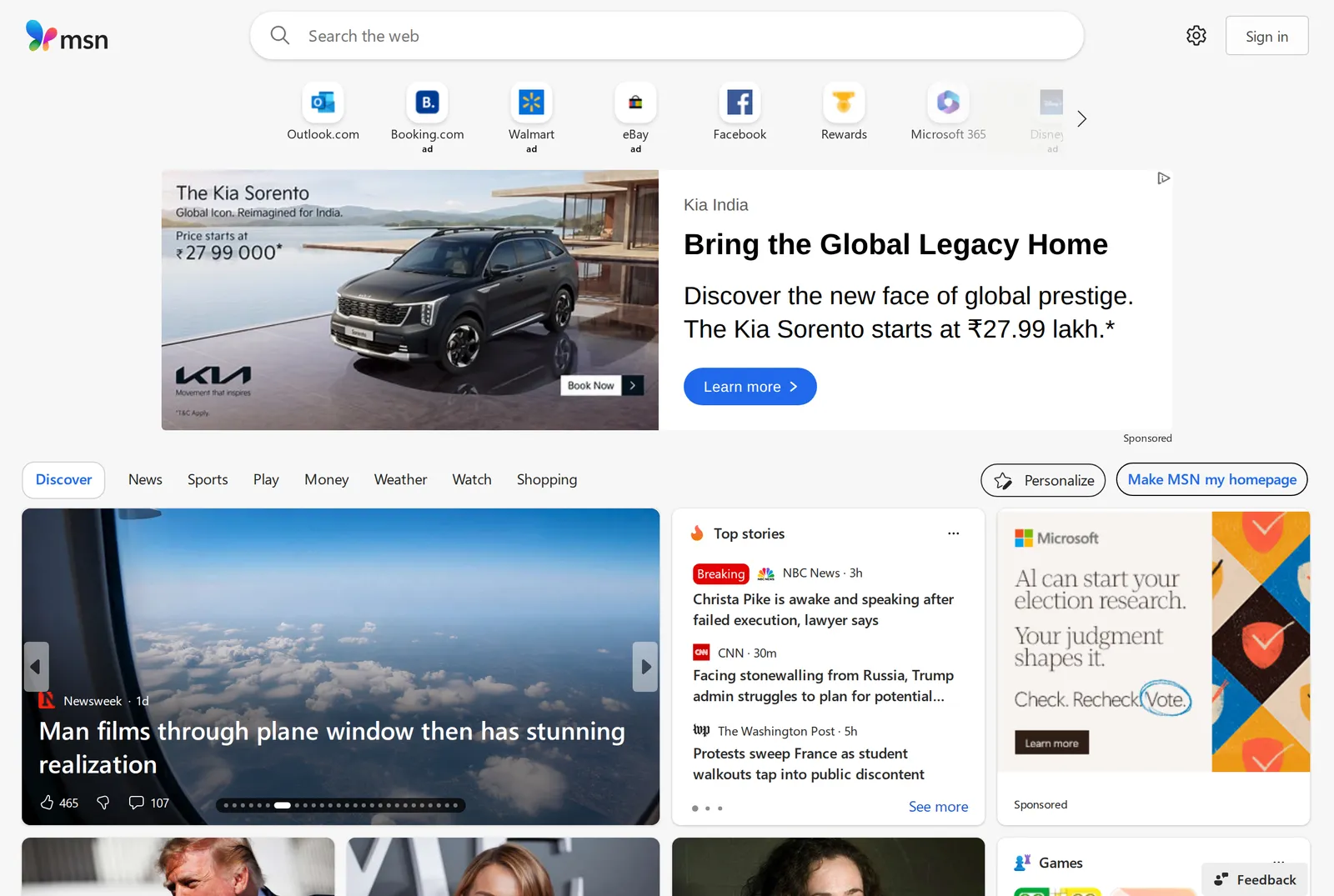 The top of the MSN US edition as served to an address in India on 7 October 2026; the ads shown vary by location. Source: msn.com
A feed chosen for you. Microsoft says it collects “data about how you interact with MSN services, such as usage frequency and articles viewed, to provide you with relevant content” (Microsoft support). The same page explains how to pick topics and hide a publisher. It describes no way to add an outlet MSN does not carry.
Tracking. The MSN app’s privacy label on the US App Store lists identifiers under “Data Used to Track You” (App Store), and its Google Play listing is marked “Contains ads” (Google Play).
How accurate is MSN News?
MSN does not write most of what it shows. Microsoft says the content “is created by thousands of the world’s best-known publishing brands” and that their work “usually is not changed or altered in any way by our content teams or algorithms” (Microsoft support). So an article on MSN is as accurate as the outlet that wrote it, and the publisher’s logo sits above the headline.
The documented problems are about what gets selected and what gets attached to it. In May 2020, The Verge reported that Microsoft was “laying off dozens of journalists and editorial workers at its Microsoft News and MSN organizations” as part of a push to rely on artificial intelligence to pick news (The Verge).
In November 2023, CNN listed stories Microsoft had published, including false claims that President Joe Biden fell asleep during a moment of silence for victims of the Maui wildfire, and tied them to its growing reliance on automation over human editors (CNN).
Two days earlier, the Guardian reported that an AI-generated poll had appeared beside one of its articles on Microsoft Start, asking readers to speculate about the cause of a young woman’s death. Anna Bateson, chief executive of Guardian Media Group, wrote to Microsoft’s president about it. A Microsoft spokesperson said: “We have deactivated Microsoft-generated polls for all news articles” (The Guardian).
Those reports are from 2020 and 2023. We found no independent accuracy audit of MSN from 2026, so we can’t tell you how it performs today.
First, the fix that needs no new app
If the feed in Edge or Windows is the whole problem, turn it off.
- Edge new tab page and default homepage. Select the settings cog in the corner of the page. “Focused” mode hides the feed until you scroll down. To remove it, Microsoft says to “select Custom mode and choose the Content Off setting” (Microsoft support).
- Windows Widgets. Open Widgets, select the settings button on the navigation bar, and under Dashboards toggle Discover to Off (Microsoft support).
MSN News alternatives at a glance
Prices and plan details checked on 7 October 2026. App prices are from US App Store listings. Inoreader’s are from its pricing page, which showed the same US dollar figures in a US capture on 6 October.
| Option | Who picks the stories | Ads | Price |
|---|---|---|---|
| MSN | Microsoft’s personalization, from its publisher partners | Yes, labelled | Free |
| Google News | Google’s algorithms | Data used for third-party advertising | Free |
| Yahoo News | Yahoo, with a personalized feed | Data used for advertising | Free |
| Kagi News | AI digest of community-curated RSS feeds, once a day | None, per its App Store listing | Free |
| Inoreader | You, by adding RSS feeds | None on Free | 150 feeds free; Pro $7.50/mo billed annually |
| Hushread | You, by adding sources | None | 5 sources free; Pro $1.25/mo billed yearly |
| Flipboard’s curation plus what you follow | Data used for advertising | Free |
1. Google News: the same idea from a different company
Google News is the nearest like-for-like replacement: a free page of headlines with nothing to set up. Google says “Computer algorithms determine which stories show up on Google News and in what order”, and that personalization draws on your settings and your past activity on Google services and YouTube (Google support).
The app is free on the US App Store, and its privacy label lists data linked to you for “Third-Party Advertising” (App Store). Pick it if your complaint is with MSN’s layout or publisher mix, not with algorithmic feeds as such. We compared the ways out of Google’s feed in Google News alternatives.
2. Yahoo News: the other portal
If you like a ready-made front page from a big portal, Yahoo is the obvious second choice. The Yahoo News app is free on the US App Store, and its listing describes a personalized feed drawing on publishers such as CNN and Time, an AI-generated morning audio digest, and AI-generated article takeaways (App Store).
The trade is similar to MSN’s: the same listing’s privacy label says location, contact and usage data are collected for advertising.
3. Kagi News: one edition a day, no ads
Kagi News publishes once a day, around noon UTC, as a short briefing built by AI from “thousands of community curated RSS feeds”, with sources cited. Kagi says of it: “We don’t track, profile, or monetize your attention.” It runs on the web, iOS and Android, and you can choose and reorder categories (Kagi blog).
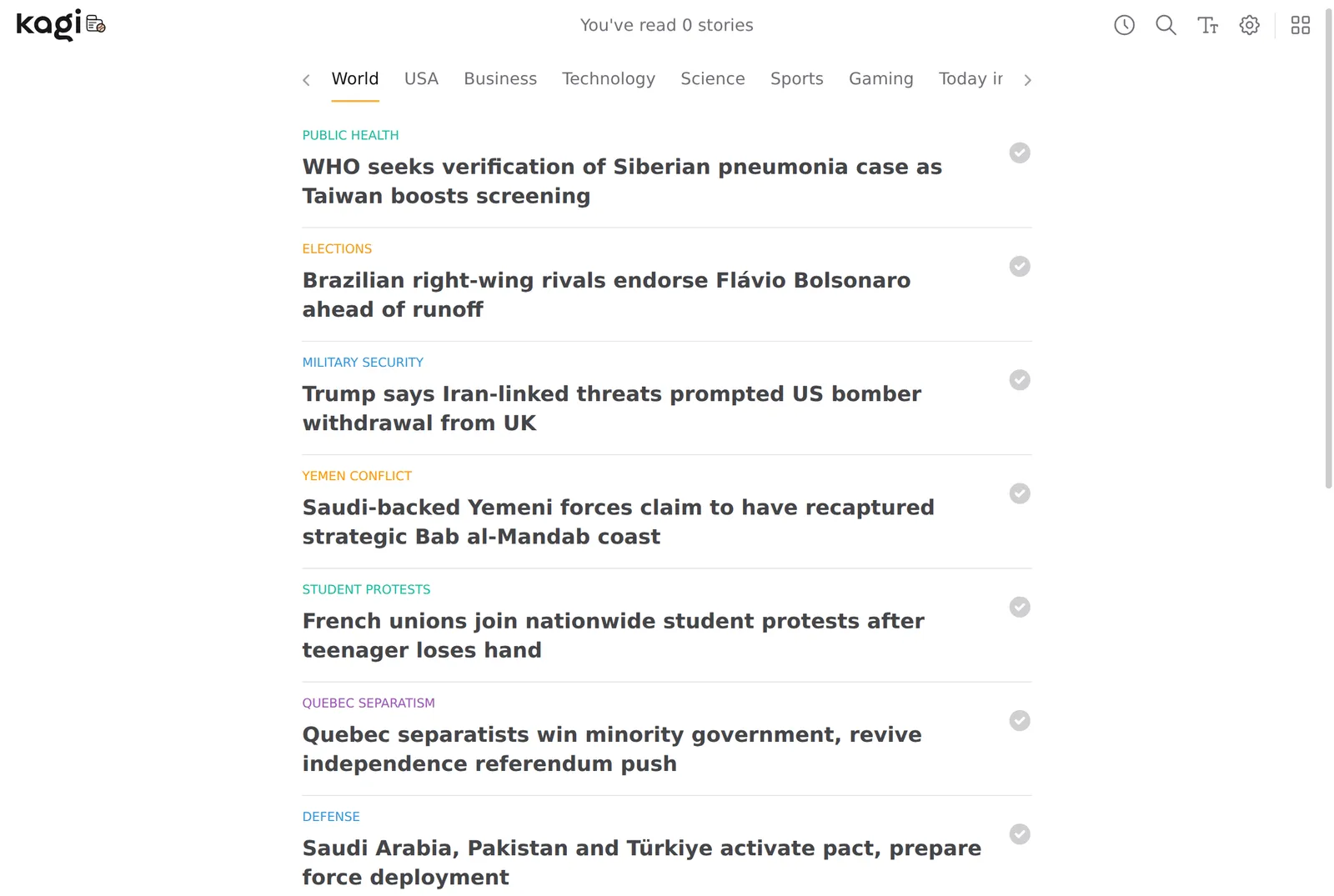 The Kagi News World section, 7 October 2026. Source: news.kagi.com
Every item is an AI summary, so you are trusting a model to compress several articles correctly, and a story that breaks after the edition waits for the next one. The app is free on the US App Store, where its listing says “No ads. No trackers.” (App Store). We read the web edition without signing in.
4. Inoreader: pick the outlets yourself, free
An RSS reader removes the selection layer entirely. You add the feeds of outlets you trust and see what they publish. Inoreader’s free plan covers 150 feeds (Inoreader pricing), with no ads since October 2024, when Inoreader announced that “The Free plan no longer contains ads” (Inoreader blog). Pro is $7.50 a month billed annually, or $9.99 month to month, for 2,500 feeds.
You start with an empty list, and a big event arrives as one headline per outlet. Feedly is the other well-known reader of this kind; its plans are laid out in our Feedly pricing post, and the wider field is in best RSS reader.
5. Hushread: your sources, grouped into stories
Hushread is an RSS and news reader for iPhone, iPad, Android and the web. You choose the sources: RSS feeds, websites without a feed, topics, subreddits, YouTube channels and public Facebook pages. The feed shows every article from them, newest first, with nothing ranked or injected, no ads and no ad tracking.
Articles about the same event from different outlets are linked into one story with a timeline. Trending ranks stories by how many different publishers are covering them, not by clicks.
The limits: the free plan holds 5 sources; Pro is $1.25 a month billed yearly ($14.99 a year in the US). There is no Windows or Mac app, so on a PC you use the web app in a browser. Grouping is automatic and occasionally splits one event into two stories, and it is built by one person. More in news app without an algorithm.
6. Flipboard: a magazine layout
Flipboard is free on the US App Store. Its listing describes following topics, local news and other curators, saving articles into your own magazines, and following accounts on “Threads, Mastodon and other fediverse services” (App Store). It is not an escape from ads: the privacy label lists data collected for advertising.
FAQ
What is the best alternative to MSN News?
For the same free, ready-made headline page, Google News or Yahoo News. For no ads and no personalized feed, Kagi News if one AI-written briefing a day is enough, or an RSS reader such as Inoreader or Hushread if you would like to choose the outlets yourself.
What are the alternatives to the MSN homepage?
In Edge you can keep the page and remove the news by choosing Custom mode and the Content Off setting. If you want a different page to open instead, set your browser’s homepage to Kagi News, or to the web app of a reader such as Inoreader or Hushread.
How accurate is MSN News?
MSN republishes articles from other publishers, so accuracy depends on the outlet named above each headline. CNN reported in November 2023 that false stories had appeared on the homepage after Microsoft leaned more on automation, and we found no independent audit from 2026.
Can you get MSN News without ads?
Microsoft’s MSN help page does not describe a way to remove ads, only a link to settings for how your data is used for ads. The dependable ways to read news without ads are a service that does not sell them, such as Kagi News, Inoreader’s free plan or Hushread.
If a free page of headlines with no setup is what you want and the ads don’t bother you, stay with MSN, or use Google News for the same idea. Kagi News is the better pick for a single ad-free briefing. An RSS reader or Hushread only makes sense if you are willing to spend ten minutes choosing your own sources.