
Disclosure: Hushread is our app. We’ve tried to be fair, and we say where the others are the better choice.
If you want an RSS reader with no AI at all, the safest picks are NetNewsWire (free, for Mac, iPhone and iPad), Feedbin ($70 a year, web plus Apple apps), Miniflux (free to self-host, or $15 a year hosted) and the new Reeder. Feeder’s AI summaries and Readwise Reader’s automatic feed summaries need your own API key. Hushread is not on the no-AI list: it uses AI for quick takes at the top of articles you open, story titles and summaries, the News briefing, and grouping. The quick takes can be switched off in Settings since October 2026; the rest can’t. We set out exactly where below.
Why people want an RSS reader without AI
The big hosted readers have made AI a headline feature. Inoreader launched “Inoreader Intelligence” article summaries on Pro in March 2025 (Inoreader blog), then added podcast and video transcripts (Inoreader blog), suggested tags (Inoreader blog) and, in September 2026, “Mentions” (Inoreader blog). Since the second quarter of 2026 you can pick OpenAI, Anthropic or Mistral models, and intelligence reports and email digests are paid add-ons even on Pro (Inoreader blog). Feedly’s Pro+ plan bundles Feedly AI, AI Feeds and “AI Core Skills” for topics, deduplication and mute filters (Feedly pricing). NewsBlur keeps Ask AI and a daily briefing on its $99-a-year Premium Archive plan and the $29-a-month Premium Pro plan above it (NewsBlur pricing).
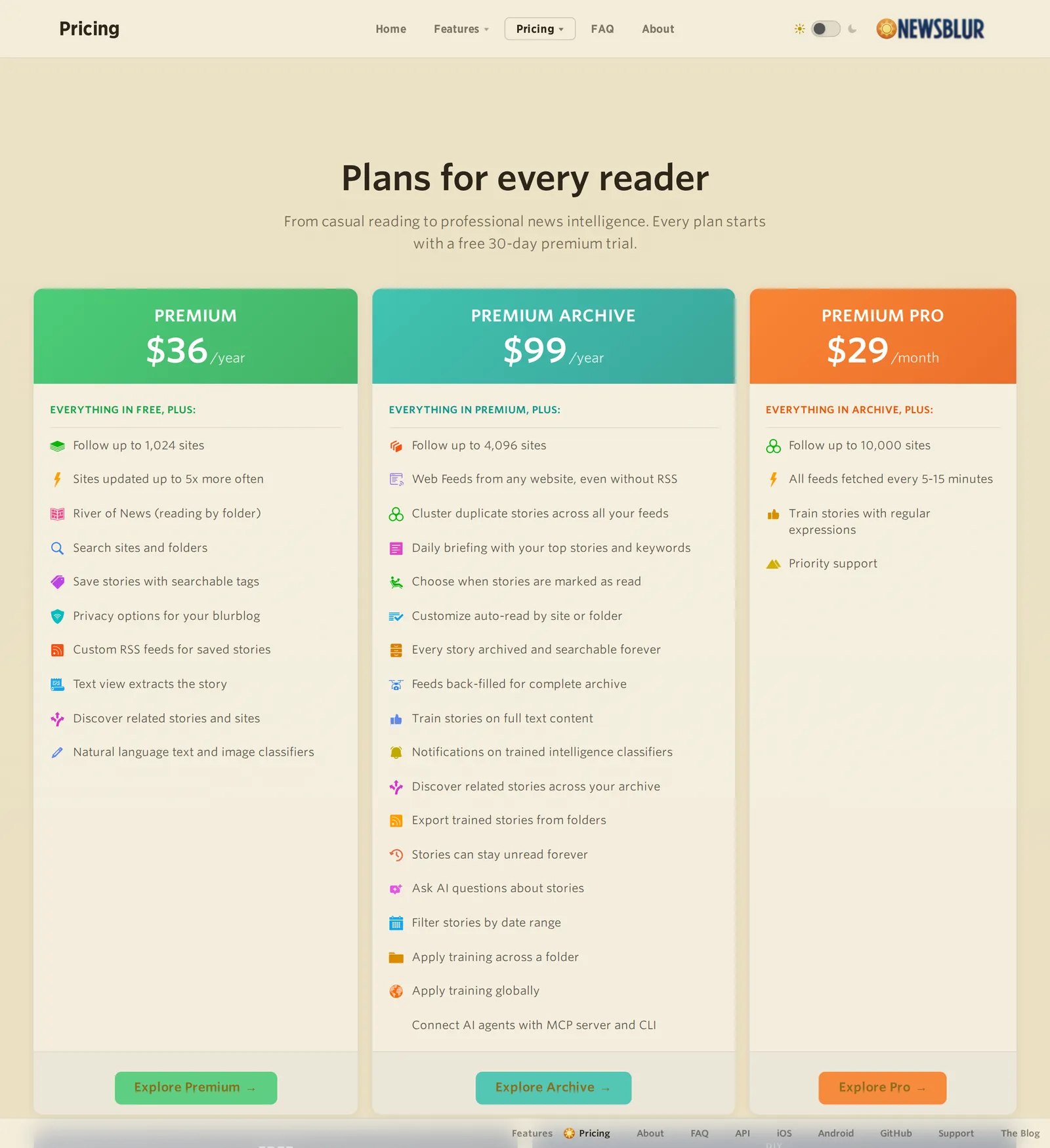 NewsBlur’s paid plans as shown to an address in India on 9 October 2026. Source: newsblur.com
Not everyone wants that, and “rss reader without ai” shows up in Google’s autocomplete. A four-star Feedly review on the App Store in July 2026 said “I hate how it tries to shove AI down my throat” (App Store). A Feedly user on Reddit, sent to an upgrade page when trying to add a feed, put it in four words: “I don’t want AI” (Reddit). On the Inoreader side, one user in August 2026 complained about “all the AI slop they keep shoving in my face” (Reddit).
The objections go beyond clutter. When Inoreader added its AI button in March 2025, one user said that for people not paying, it amounted to an ad on every post (Reddit), and another doubted LLMs could be trusted to summarize accurately (Reddit). Another user in the same thread wanted the summaries and told critics to simply switch them off (Reddit). That is the real split: some people want no AI anywhere, others want it opt-in and out of the way. This guide covers both.
RSS readers without AI, compared
Prices are as of October 2026.
| Reader | AI | Platforms | Price |
|---|---|---|---|
| NetNewsWire | None | Mac, iPhone, iPad | Free, open source |
| Feedbin | None | Web, iPhone, iPad (Mac and Android via third-party apps) | $7/mo or $70/yr |
| Miniflux | None | Web, self-hosted or hosted | Free to self-host; $15/yr hosted |
| Reeder (new) | None | iPhone, iPad, Mac | 10 feeds free; $14.99/yr |
| The Old Reader | None that we found | Web | Not listed on its site |
| Feeder | Summaries need your own key | Android | Free |
| Readwise Reader | Auto-summaries of feeds need your own OpenAI key | Web, iOS, Android, Mac, Windows | $9.99/mo billed annually |
| NewsBlur | None on Free or Premium; AI on the $99/yr plan | Web, iOS, Mac, Android | Free 64 sites; $36/yr |
| Hushread | Quick takes (switch off in Settings), story titles and summaries, briefing, grouping and section tagging | iOS, Android, web | Free 5 sources; Pro $1.25/mo billed yearly |
Readers with no AI at all
NetNewsWire
NetNewsWire is free and open source for Mac, iPhone and iPad, with no AI and no duplicate handling. It syncs through iCloud or with Feedbin, Feedly, Inoreader, NewsBlur, BazQux, The Old Reader and FreshRSS. Its creator, Brent Simmons, retired in June 2025 and has worked on it since, with the past year spent on speed, battery life and iCloud sync (inessential). The catches: it’s Apple only, one Hacker News user found iCloud sync flaky (HN), and some 2026 App Store reviewers dislike the Liquid Glass redesign.
Feedbin
Feedbin costs $7 a month or $70 a year after a 30-day trial with no card, up from $5 a month earlier in 2026. It follows RSS, newsletters, podcasts, YouTube and Mastodon, with no AI. Feedbin’s own app is for iPhone and iPad; Mac and Android are covered by third-party apps (Feedbin apps). It also works as a sync backend for apps such as NetNewsWire and Unread (Feedbin), so you can pair it with the app you like. It’s the priciest plain RSS service here.
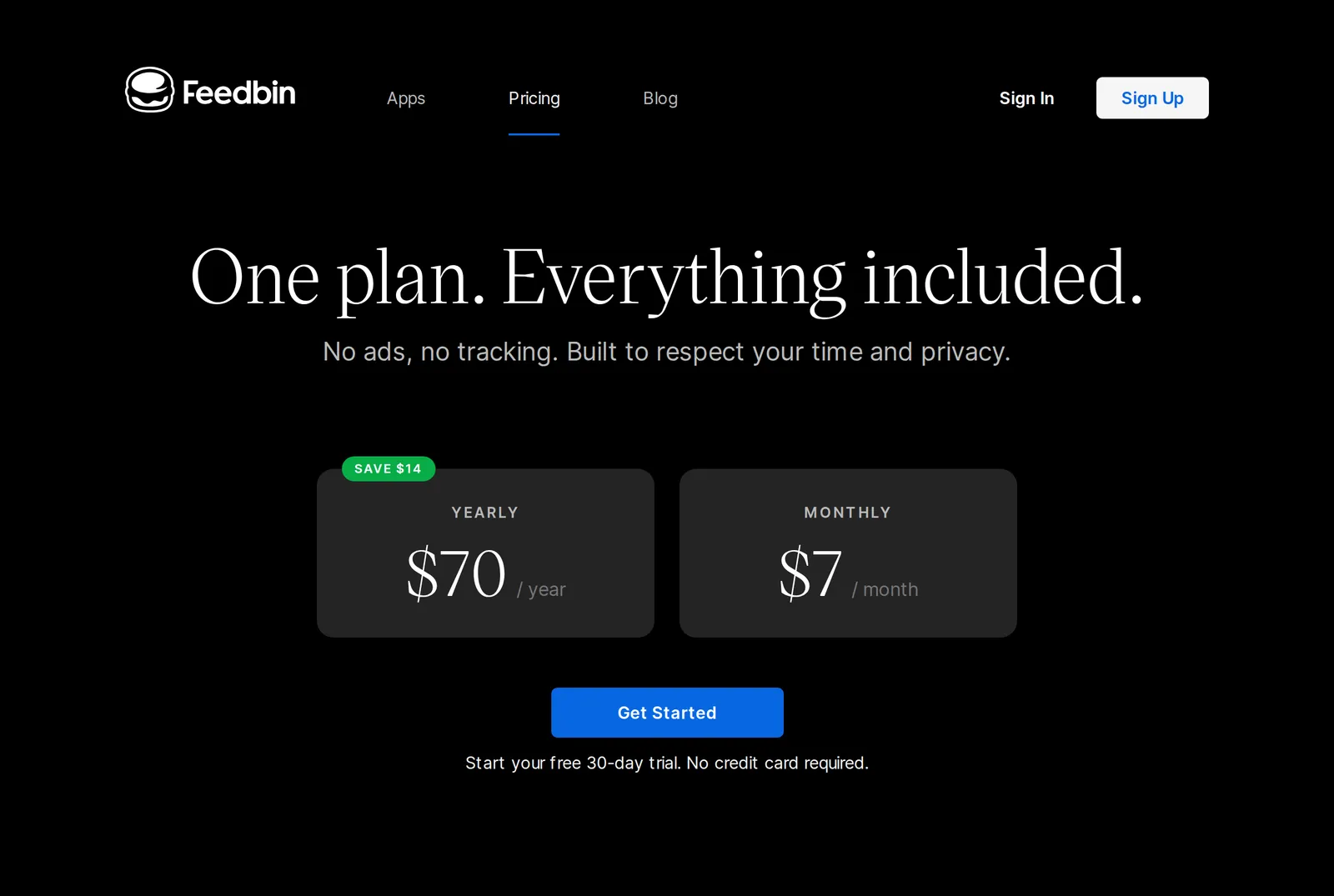 Feedbin’s single plan as shown to an address in India on 9 October 2026. Source: feedbin.com
Miniflux
Miniflux is minimalist, open source (Apache 2.0) and has no AI. You can self-host it (it needs PostgreSQL) or pay $15 a year for hosting after a 15-day trial (Miniflux hosting). It supports the Fever and Google Reader APIs, so mobile apps can connect to it. One Hacker News commenter said its full-text fetching works on nearly all of their 150-plus feeds (HN).
Reeder and The Old Reader
The new Reeder, for iPhone, iPad and Mac, has no AI. It mixes RSS with YouTube, Reddit, Mastodon, Bluesky and more in one timeline, syncs only through iCloud, and costs $1.99 a month or $14.99 a year in the US App Store (App Store), with a free plan for 10 feeds; Reeder’s own help page still quotes $1 a month or $10 a year (Reeder help). It has no unread counts (MacStories), which some people miss. Reeder Classic is a one-time purchase ($4.99 on iOS, $9.99 on Mac) that syncs with Feedbin, Feedly, Inoreader and others (Reeder Classic).
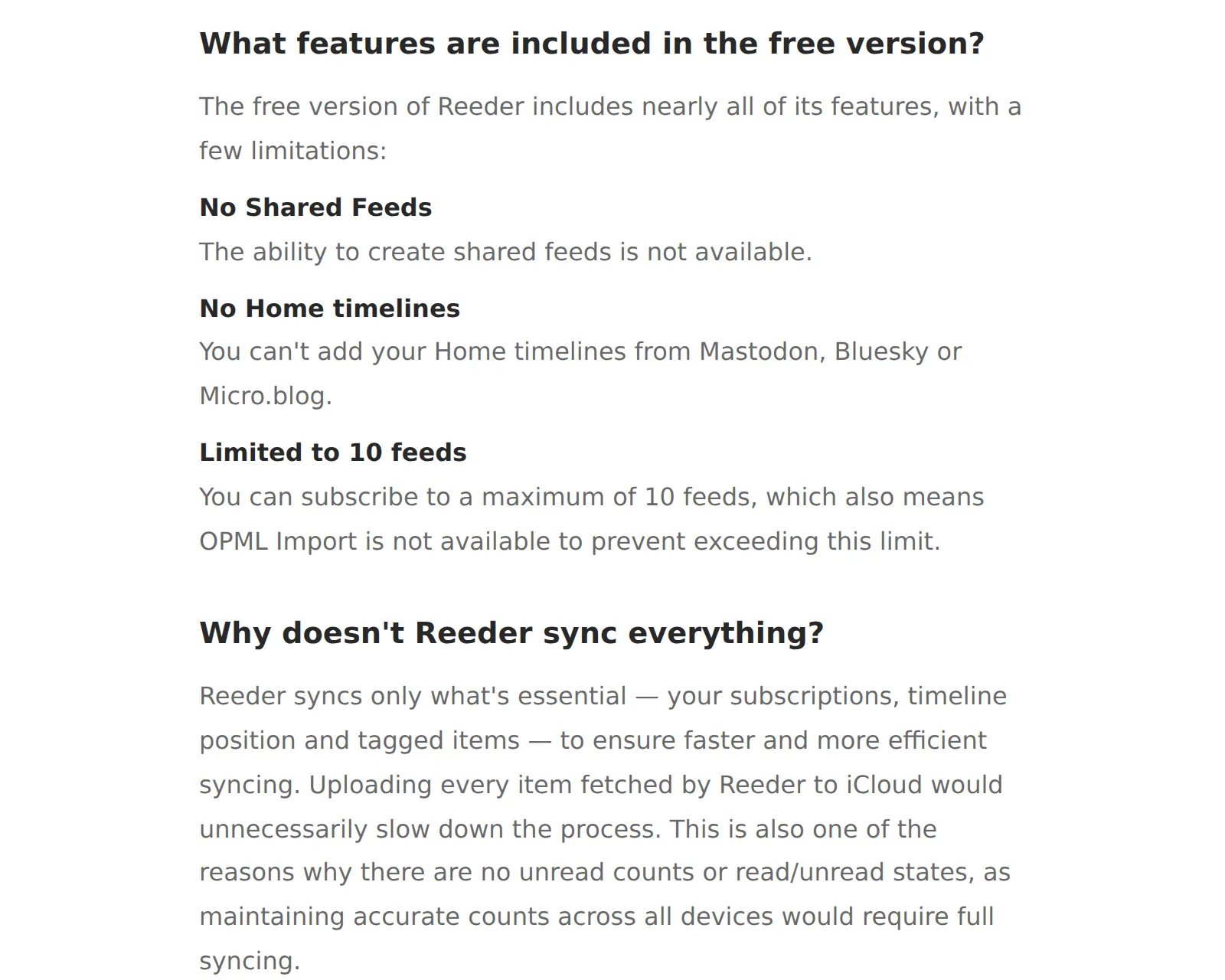 The free-version and sync answers in Reeder’s help, as shown on 9 October 2026. Source: reederapp.com
The Old Reader is a web-only, Google Reader-style reader with no AI features that we found. It changed owners in March 2024 (Wikipedia) and its blog’s last post was in December 2021, so it looks barely maintained.
Readers where AI is opt-in
- Feeder (Android, free, GPLv3) has offered AI summaries since November 2024, but only if you add your own API key. It added AI translation in May 2026 and on-device translation in June 2026 (changelog).
- Readwise Reader’s Ghostreader automatically summarizes documents you save, but auto-summarizing feed items needs your own OpenAI key (Readwise docs). It costs $9.99 a month billed annually with no free plan (pricing), and it’s built for saving and highlighting more than news.
- FreshRSS (self-hosted, free) gained an optional LLM Classification extension in version 1.29.0 (releases). Without it, there’s no AI.
- NewsBlur puts Ask AI and the daily briefing on Premium Archive ($99 a year). Free (64 sites) and Premium ($36 a year, 1,024 sites) don’t include them.
Our best RSS reader guide compares these on everything else, and Inoreader alternatives covers people leaving Inoreader for exactly this reason.
Where Hushread fits: light AI, not AI-free
To be plain: Hushread is not an AI-free reader. If you want no AI anywhere in the app, choose NetNewsWire, Feedbin or Miniflux.
Here is exactly where it shows up:
- Quick takes, and the switch for them. A two-sentence quick take at the top of an article when you open it, or when you swipe a card left for it. Single articles in your feed keep their original headlines. Since October 2026 the iPhone and Android apps have an “AI quick takes” switch under Settings > Reading, on by default. Turn it off and the quick take box disappears from articles, the swipe-left summary stops on the Feed and Trending screens, and shared article cards go out without a summary. The setting is saved to your account, so it follows you between devices.
- Story titles and summaries. Stories covered by three or more outlets get a short AI-written title (shown on the story page) and a summary of how the story developed. The summary sits on the story’s timeline, which you open with “See whole story”.
- The News section and audio. The News section’s top stories and the one-minute briefing script are chosen and written by AI, and if push is on, a morning briefing notification arrives daily. The briefing and article narration use a synthetic voice and play only when you start them.
- Tone rules. The sentiment used by tone-based rules (positive or negative) is scored by AI.
- Matching in the background. AI also helps match articles about the same event into one story and sort articles into sections. That matching doesn’t rewrite anything: the articles inside a story are the outlets’ own, in their own words. More on how that works in our guide to an RSS reader that removes duplicates.
What the switch doesn’t touch: story titles and timeline summaries, the News briefing, tone scoring and the grouping in the background all stay on. With quick takes off, the AI you still meet is on story pages and in the News section, not in your own feed.
What AI doesn’t decide: the order of your feed, which is chronological with nothing ranked or injected. Trending is ranked by a count of distinct publishers, not by your behaviour, though the grouping behind that count uses AI.
So Hushread suits people who are fine with some AI as long as it doesn’t choose what they read, who want it out of the article view when they say so, and who want their own sources grouped into stories. The free plan is 5 sources, and Pro is $1.25 a month billed yearly (regional pricing may differ). It’s not a read-later or highlighting app, and it’s built by one independent developer.
FAQ
Does Feedly have AI?
Yes. Feedly AI, AI Feeds and the AI Core Skills for topics, deduplication and mute filters come with Pro+, which costs about $8 to $9 a month billed annually for the first year, then about $12 (Feedly pricing).
Does Inoreader use AI?
Yes, on Pro. Inoreader Intelligence covers summaries, podcast and video transcripts, suggested tags and Mentions, and you can choose OpenAI, Anthropic or Mistral models. Intelligence reports and email digests cost extra even on Pro.
Is there a free RSS reader with no AI?
Yes. NetNewsWire is free on Apple devices, Miniflux is free if you host it yourself, and the new Reeder has a free plan for 10 feeds. On Android, Feeder is free and has no AI summaries unless you add your own API key.
Does Hushread use AI?
Yes. It writes a two-sentence quick take when you open an article, gives stories covered by three or more outlets an AI title and a timeline summary, and picks, scripts and voices the News briefing. AI also helps group articles about the same event. Your feed’s order is chronological, with nothing ranked or injected.
Can you turn off AI in Hushread?
Partly. In the iPhone and Android apps, Settings > Reading has an “AI quick takes” switch. Off removes the quick take from articles, the swipe-left summaries on Feed and Trending, and the summary on shared cards. Story titles, timeline summaries, the News briefing and the grouping of articles into stories stay on; there is no switch for those.
If you’re fine with some AI as long as it doesn’t decide what you see, and you want the article view clean when you ask for it, Hushread is worth a look; if you want none at all, NetNewsWire, Feedbin or Miniflux will serve you better. Hushread is free with up to 5 sources on iOS, Android and the web. Try Hushread.