
Disclosure: Hushread is my app. I’ve tried to be fair, and I say where the others are the better choice.
When Yahoo News is not working, start with what you see. If the app opens to “To use this app, allow content personalization”, it’s a privacy setting: turn Articles and Media Based on Your Activity back to Allow in Yahoo’s Privacy Dashboard. If the app crashes or shows nothing, update it (iPhones need iOS 16.4 or later), force it closed and reinstall if that fails. If comments won’t open or post, sign in and open the article on the web. And if news.yahoo.com won’t load in any browser on any device, it’s Yahoo’s end and waiting is the fix.
Is Yahoo News down, or is it just you?
Open news.yahoo.com in a private window, then on your phone’s mobile data. If it loads in either, Yahoo is up and the problem is your app, account or browser. Yahoo’s own checklist for a site that isn’t working includes the same test: “See if the Yahoo service works from another computer or mobile device” (Yahoo help).
Outage trackers only tell you other people are complaining too. If the site fails on every device and network, nothing on your side will fix it.
“To use this app, allow content personalization”
This is the one that catches people, because it looks like an error and isn’t. Yahoo’s help says that if the Articles and Media Based on Your Activity setting in your Privacy Dashboard is set to “Don’t Allow”, the Yahoo News app shows this message when you open it and won’t go further (Yahoo help). Yahoo’s reason is that the latest version of the app “provides an even more personalized news feed”, so it won’t run without that permission.
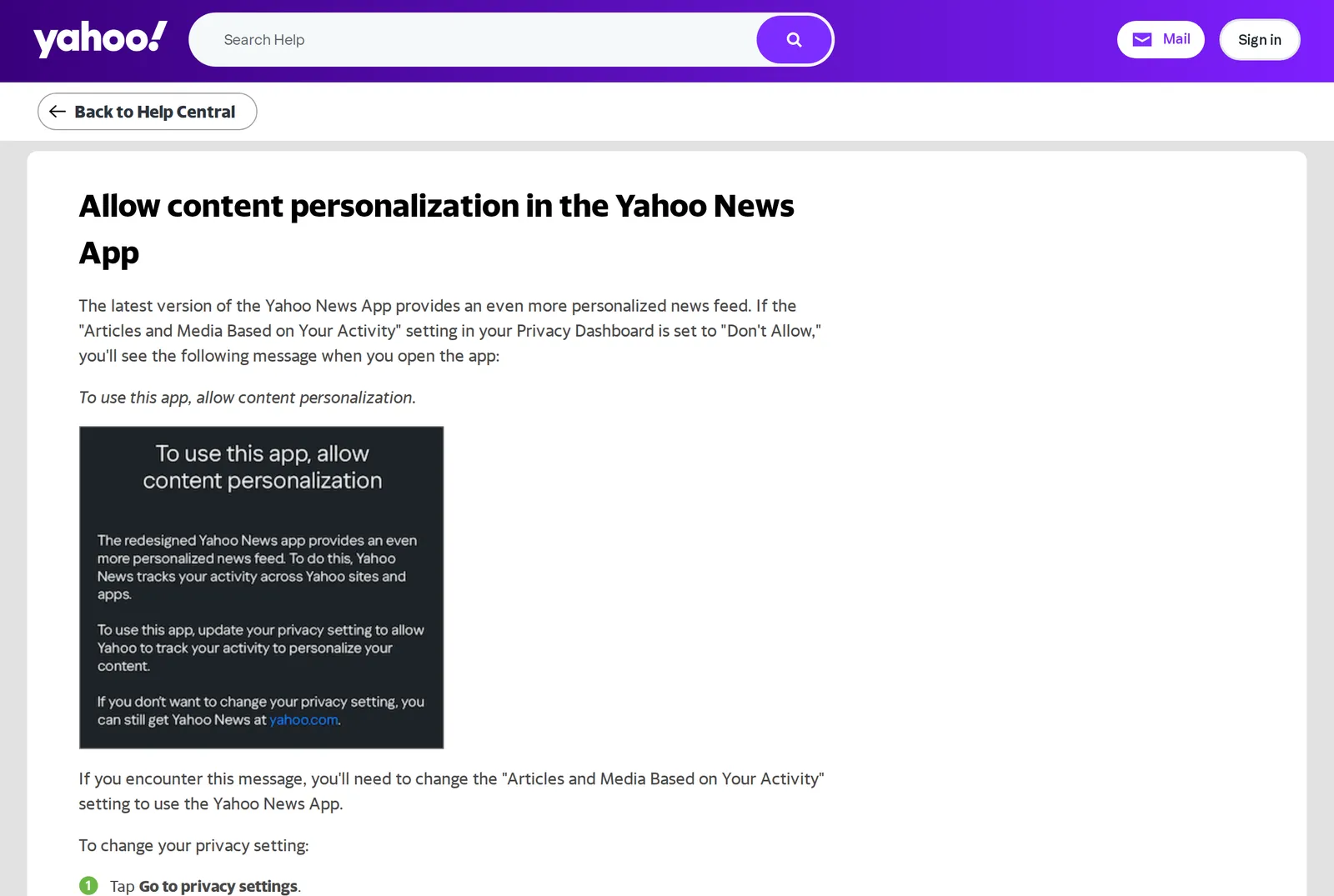 Yahoo’s help page for the personalization message, 12 November 2026. Source: help.yahoo.com
To fix it, per that page:
- Tap Go to privacy settings on the message, then Your privacy controls to reach your Privacy Dashboard.
- Check you’re signed in to the dashboard with the same Yahoo account you use in the app. Guests don’t need to sign in.
- Find Articles and Media Based on Your Activity and tap Manage.
- Slide the toggle under Use my activity to make my content on Yahoo more relevant to Allow.
- Go back to the app, close it fully and open it again.
On Android, if you can sign in to Yahoo everywhere except the News app, Yahoo’s fix is to close the app, set Chrome as your default browser, reopen the app and repeat the steps. And if you’d rather not allow the tracking, Yahoo’s answer is plain: you can still read Yahoo News on the desktop and mobile website. I compared that trade with Google’s in Google News vs Yahoo News.
Yahoo News app not working: crashes, freezes, blank feed
Update the app, and check your phone can take the update
Yahoo’s first tip for its iPhone apps is to make sure you’re on the latest version, then the latest iOS (Yahoo help). The current Yahoo News app needs iOS 16.4 or later on iPhone and iPad (App Store), so an older iPhone that stopped at iOS 15 can’t install new versions. On Android, Google Play lists version 100.1.1, updated November 7, 2026, and it runs on Android 7.0 and up (Google Play).
If the app suddenly felt different, look at the App Store’s version history: it jumped from version 45.0 on May 28 to 95.2.9 on September 8, and the note for 95.2.9 says only “Bug fixes and performance improvements”. Most releases since carry the same line. A screen that changed since then doesn’t mean your phone is at fault.
Yahoo News app not working on iPhone
After updating, work down Yahoo’s list for iOS apps: force the app closed and restart it, restart the iPhone, then delete and reinstall the app.
Yahoo’s own force-stop page still says to “Double press the Home button” on iOS (Yahoo help), which only applies to an iPhone SE, iPhone 8 and earlier. On iPhone X and later, swipe up from the bottom of the Home Screen and pause in the middle, find Yahoo News, then swipe up on its preview (Apple support). Apple says to close an app only if it’s unresponsive, so it’s a fix, not a habit.
Yahoo News not loading on iPhone even after a reinstall? Test news.yahoo.com in Safari on the same phone. If the website loads and the app doesn’t, the app is the problem and the feedback route below is your best move. If neither loads, check your connection: Yahoo’s iOS help says to rule that out before trying more complicated fixes.
On Android
Yahoo’s Android steps go in this order: update Android, clear the app’s data and cache, force stop and restart the app, then uninstall and reinstall (Yahoo help). The same page says to check the app’s permissions if it can’t connect, and to contact your phone’s maker if the problem is specific to the device.
The feed loads but stories are missing
Before blaming a bug, check your own filters. Under Profile > Settings icon > Content preferences the app keeps the topics you picked (you must keep at least 5), the publishers you’ve blocked and any blocked keywords or phrases. A blocked phrase removes every article with it in the title from your For you and topic feeds (Yahoo help). One stray block on a common word can empty more of the feed than you’d expect.
Report it to Yahoo from inside the app
If none of that works, tell Yahoo. In the app, tap Profile, the Settings icon, then Send feedback, type what happens and attach a screenshot (Yahoo help). The same screen has a Shake to report bugs switch, so you can shake the phone when the fault is on screen.
Yahoo News comments not working
Yahoo’s help covers commenting on news articles, stories, videos and blogs, and its steps for posting, editing and deleting all start with signing in.
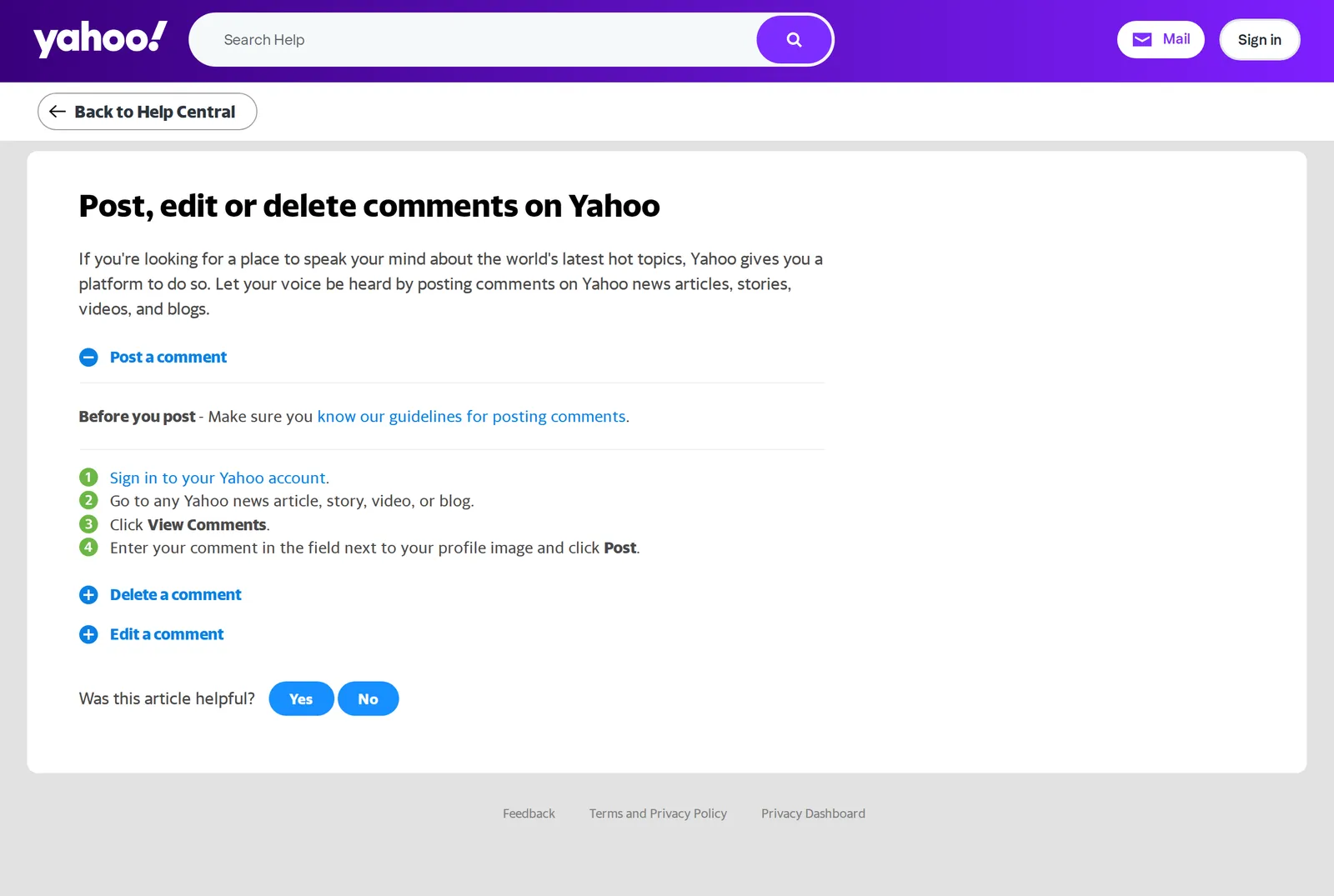 Yahoo’s steps for posting a comment, 12 November 2026. Source: help.yahoo.com
Work through it in this order:
- Sign in. Then open the article and click View Comments.
- Use the website. The comment steps on Yahoo’s help pages are written for Yahoo News on the web. If the comment box won’t show in the app, open the same story at news.yahoo.com.
- Turn off blockers. For Yahoo pages that load slowly or not at all, Yahoo says to turn off add-ons and extensions, switch JavaScript on and empty the cache (Yahoo help). If the article loads but the comment section stays blank, an ad or tracker blocker is the first thing I’d switch off. A private window with extensions off, or another browser, tells you quickly.
- Check the comment wasn’t removed. Yahoo’s comment guidelines say “We reserve the right to remove any comment that doesn’t comply”, and a breach can cost you the account (Yahoo help). Posting HTML or links is against the rules, so leave links out.
To see what you’ve posted, click your profile icon and choose View All next to Comment Activity. If your activity is hidden from others, that’s the Show community activity on profile switch on your commenting profile, not a fault (Yahoo help).
Yahoo News in the wrong country or language
If you’re seeing another country’s headlines or the wrong language, Yahoo’s help points to your account settings. Go to your Personal Settings page, choose Language preference under Preferences, then Update language. Yahoo says setting your location and language helps it show local headlines and weather, and Precise location information under Privacy Controls is the switch for location (Yahoo help).
When nothing is broken
Sometimes Yahoo News works exactly as built and still isn’t what you want. Yahoo rebuilt the app in June 2024 around personalization technology from Artifact, the news platform it bought that April (Yahoo press release). The latest version won’t run without personalization, and the version jumps this year show it’s still changing. Its content preferences let you block publishers and phrases. They don’t describe any way to add an outlet Yahoo doesn’t carry, and in the app personalization can’t be switched off.
If that’s the real complaint, a different kind of app fits better. In Hushread you add the outlets you used to read on Yahoo by pasting their web addresses, and you get every article from them, newest first, with nothing ranked or injected, so no app update or privacy toggle can take the feed away again. I compared Google News, AP News, Kagi News and others in Yahoo News alternatives, and if push alerts are what broke, news notifications not working on iPhone covers the iOS side.
FAQ
Why is Yahoo News not working on my iPhone?
The common causes are an out-of-date app, an iPhone below iOS 16.4, or the app is showing the personalization message because a privacy setting is off. Update, force the app closed with the swipe-up gesture, and reinstall if it still fails.
Why does the Yahoo News app say “allow content personalization”?
The app won’t run if Articles and Media Based on Your Activity is set to Don’t Allow in Yahoo’s Privacy Dashboard. Turn it back to Allow and reopen the app, or read Yahoo News on the website instead.
Why are Yahoo News comments not working?
You need to be signed in to post, and Yahoo’s own fix for pages that don’t load properly includes turning off add-ons and extensions. Open the article on news.yahoo.com, click View Comments, and try a private window with extensions off.
Is Yahoo News down right now?
Open news.yahoo.com in a private window and on mobile data. If it loads anywhere, Yahoo is up and the fault is your app or browser; if it fails everywhere, the problem is on Yahoo’s side.
How do I report a problem in the Yahoo News app?
Tap Profile, then the Settings icon, then Send feedback, and attach a screenshot. You can also turn on Shake to report bugs on the same screen.
If Yahoo News comes back after these steps and you like its mix of headlines, stay: nothing here costs more than a reinstall. If the app keeps changing under you, or you’d rather pick every outlet yourself, try Hushread.