
Disclosure: Hushread is my app. I’ve tried to be fair, and I say where the others are the better choice.
If the Fox News app is not working, start with three checks. Update it: on iPhone, version 5.50.0 arrived on 9 November 2026 with a new For You tab, and the feed you knew as For You is now called My News, so menus may not be where you left them. Make sure your phone is new enough: the iPhone app now needs iOS 18 or later (App Store). And if it’s live TV that fails, check that you’re signed in with a TV provider whose package includes Fox News Channel, because the free app doesn’t stream regular live programming without one.
Which Fox app do you have?
Three Fox apps carry Fox News, and live TV works differently in each. Prices checked on 11 November 2026.
| Fox News app | FOX One | Fox Nation | |
|---|---|---|---|
| What it is | Articles, clips, alerts, live TV with a provider login | Fox’s streaming service, with Fox News among its channels | A separate subscription, viewable through FOX One |
| Price | Free, with ads | $19.99 a month or $199.99 a year | Its own subscription, or $24.99 a month bundled with FOX One |
| Live Fox News Channel | Only with a TV provider login | Yes | See FOX One |
FOX One’s monthly and yearly prices, and the Fox Nation bundle, are in the FAQ on Fox News’s livestream page (Fox News). On fox.com, Fox says you can “log in to your existing FOX Nation account right through FOX One” (fox.com).
The Fox News app’s Play listing is marked Contains ads (Google Play). FOX One’s channel list includes FOX News and FOX Business (FOX Sports).
Fox’s alerts help is out of date
Fox’s help page on missing breaking-news alerts was written for an older iPhone. It tells iPhone owners to open Settings and tap Notification Center, which isn’t where current iPhones keep the switch; the page shows it was written 11 years ago, and 29 of 181 readers found it helpful (Fox News help).
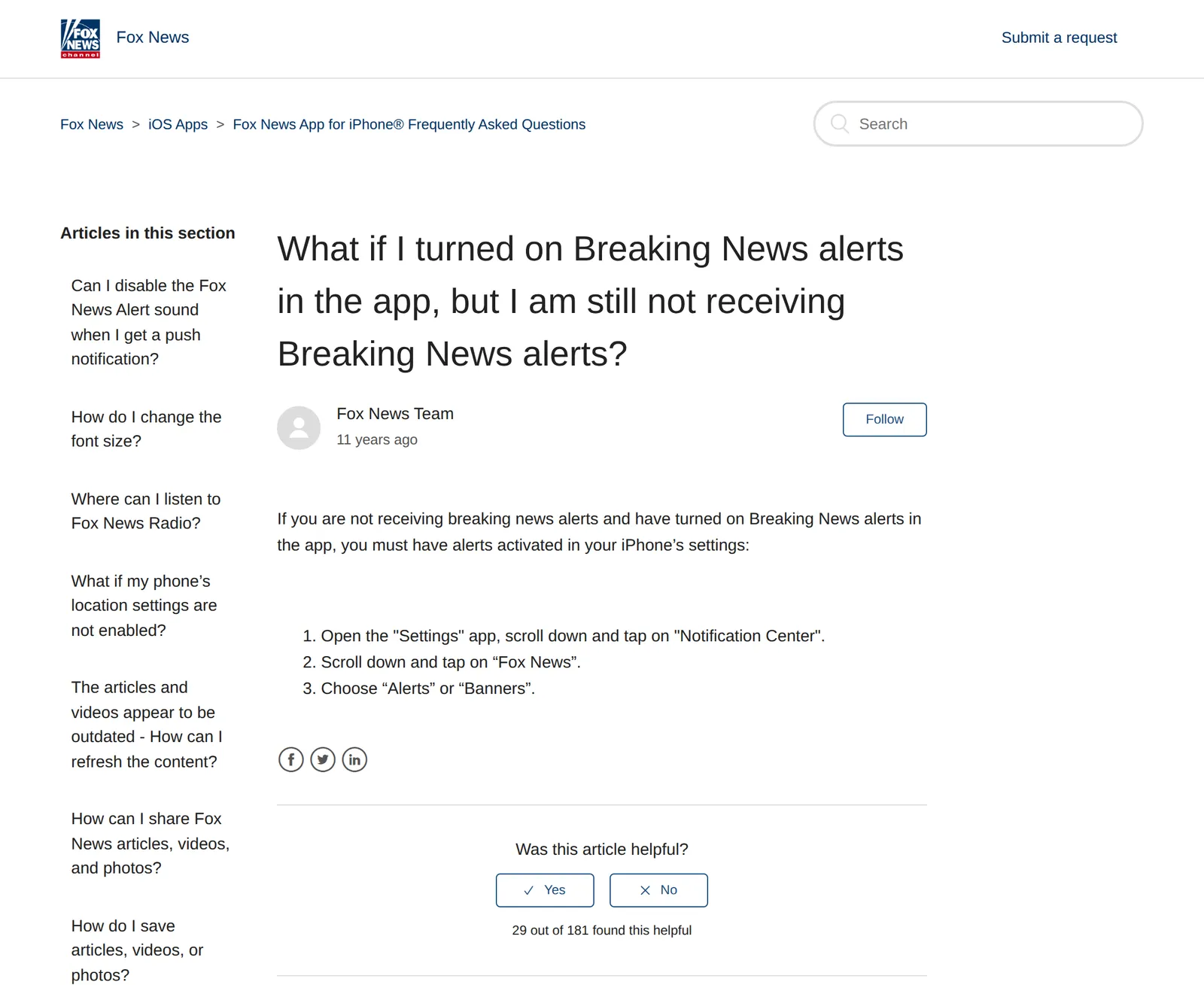 Fox News help center article on breaking-news alerts, 11 November 2026. Source: help.foxnews.com
Fox’s pages on live TV, sign-in and phone requirements are more current, and the steps below follow them, with today’s iPhone and Android menus in place of the old ones.
Fox News notifications not working
Alerts need two switches on: Fox’s and your phone’s.
- In the app. Fox’s help says to tap For You, scroll to Notification Settings and turn on Breaking News Alerts and, if you want them, Programming Alerts (Fox News help). That page predates version 5.50.0, which made For You a new hub and moved the old For You experience to My News, so if the switch isn’t under For You, look in My News.
- On the phone. On an iPhone, open Settings › Apps › Fox News › Notifications and turn on Allow Notifications (Apple Support). On Android, open Settings › Notifications › App notifications, tap Fox News, and check that it and its categories are on; labels vary by phone maker (Android Help).
If alerts arrive but you want them quiet, Fox’s help says iPhone users can turn off the Sounds switch for Fox News in Settings and keep the alerts, but “Unfortunately this isn’t available just yet” on Android (Fox News help). On Android, a silent phone keeps it quiet.
For everything iOS can do to hold back an alert, such as Focus and Scheduled Summary, my guide to news notifications not working on iPhone goes through each one.
Live TV not working in the Fox News app
To watch Fox News Channel in the app, open it, tap For You, then settings, and choose the option to log in to watch Live TV; pick your TV provider and sign in with that provider’s username and password (Fox News help, iOS). The Android steps are the same (Fox News help, Android). Since version 5.50.0, if For You doesn’t show the settings, check My News.
The common snags:
- “Sorry, you do not currently have access to this channel.” Your package may not include Fox News Channel or Fox Business Network; Fox says to contact your cable, satellite or telco provider (Fox News help).
- The stream stops after a few minutes. On the website, Fox lets anyone watch “up to 10 minutes” before asking for a pay TV login (Fox News help).
- No TV provider at all. Live regular programming needs a pay TV package that includes the channel, though Fox says “Major breaking news events and on-demand programming can be accessed online without a subscription” (Fox News help). Fox’s live TV help points to foxnews.com/gowatch to find a provider; otherwise, FOX One is the paid route.
- The app’s live player won’t work at all. If you have a TV provider, FOX One is another way in: Fox says a TV provider login gets you into FOX One at no extra cost (FOX Sports).
- An old Roku. Fox’s Roku page says legacy models stopped getting app updates after 31 October 2022, among them the Roku LT (2700X), Roku 1 and SE (2710X), Roku 2 (2720X) and Roku Streaming Stick (3500X). They still play Fox News, but get no fixes, so a bug on one of them won’t be patched. Find your model under Settings › System › About (Fox News help).
Can’t sign in to Fox News
Fox’s website signs you in with an emailed link. Its help page says ad blockers and private browsing can get in the way, a single typo in the address stops the link arriving, and you shouldn’t keep pressing resend; check Spam and Junk instead (Fox News help).
If you made your account that way and another Fox product now wants a password, Fox says to create one with a password reset at my.foxnews.com, using the link it emails you (Fox News help).
The app won’t install, update or load
- Old phone. The App Store listing requires iOS 18.0 or later. Fox’s own page still describes the earlier cut, when the app dropped iOS 15 in July 2025, and says that without updating you can still use the site in Safari but “will not be able to receive push notifications” (Fox News help). On Android, the Fox News and Fox Business apps stopped supporting Android 7 on 14 September 2022 (Fox News help).
- Old stories. Pull down from the top of the page to refresh. If that doesn’t work, Fox asks you to file a request on its help center (Fox News help).
- No comments. Commenting needs version 5.18.0 or later (Fox News help).
- Everything else. Fox’s help center doesn’t link a status page. Open foxnews.com in a browser: if the site loads and the app doesn’t, update the app, restart the phone, and reinstall as the last step.
Read Fox News without the app
Fox publishes RSS feeds, listed on its own page, for latest headlines, U.S., world, politics, science, health, sports, travel, tech, opinion and video (Fox News). The latest-headlines feed at https://moxie.foxnews.com/google-publisher/latest.xml returned 25 stories when I fetched it, each with the full article text and an image.
A feed lives at a different address from the app, so an app bug or a tab rename doesn’t touch it. In Hushread, paste that address (or a section feed) and Fox’s stories arrive newest first next to the other outlets you follow, with nothing ranked or injected; a Notify rule on a word you care about alerts you to every matching article, and on Pro a source alert can ping you whenever Fox publishes. Hushread doesn’t stream Fox News Channel or play its video live, so for TV you still need a provider or FOX One. Other readers take the same feed; the best news RSS feeds lists more outlets that publish one.
FAQ
Why are my Fox News notifications not working?
Check both switches: Breaking News Alerts in the app’s notification settings, and Fox News under Settings › Notifications on your phone. Version 5.50.0 made For You a new hub and renamed the old feed My News, so the setting may have moved.
What is the difference between the Fox News app and FOX One?
The Fox News app is free with ads; articles and clips need no TV login, but live TV needs a provider sign-in. FOX One is Fox’s streaming service at $19.99 a month, with Fox News among its channels, and Fox says a provider login gets you in at no extra cost.
Is the Fox News app the same as Fox Nation?
No. Fox Nation is a separate subscription; Fox says you can log in to an existing Fox Nation account through FOX One, or bundle the two for $24.99 a month.
Why does Fox News live stop after 10 minutes?
Fox gives visitors up to 10 minutes of the channel online, then asks for a pay TV login. To keep watching, sign in with a provider whose package includes Fox News Channel, or subscribe to FOX One.
Is the Fox News app down?
Fox’s help center doesn’t link a status page for the app. If foxnews.com loads in a browser, the problem is likely on your phone, so update, restart and reinstall.
If you watch Fox for the live channel, FOX One or your TV provider’s own app is the better fix than any reader. If you mostly read the stories, the feed is steadier than the app; put it in Hushread or any reader alongside a few other outlets.