
Disclosure: Hushread is my app. I’ve tried to be fair, and I say where the others are the better choice.
If Flipboard is not working, do the two things Flipboard’s own help puts first: clear the app’s content cache and force close it. On iPhone the cache switch is inside Flipboard, under Profile, Settings, Clear Content Cache; on Android it’s in your phone’s Settings, under Flipboard, Storage, Clear Cache. Then update the app.
If one feature is broken while the rest works, check the table first. Several things that look broken were switched off on purpose.
Flipboard problems and fixes at a glance
| Symptom | Likely cause | Fix |
|---|---|---|
| Slow, blank or showing old stories | Cached content | Clear Content Cache, force close, update |
| Crashes or freezes | Not covered by Flipboard’s help | Its general fixes: clear the cache, force close, update, reinstall |
| Doesn’t update on mobile data | Cellular data off for Flipboard | Turn it on, or use Wi-Fi |
| Won’t install on an old iPhone | iOS older than 15 | Update iOS, or use flipboard.com |
| Widget empty or stale | Old widget, SD card, refresh rate | See the widget section |
| Samsung Briefing panel gone | Panel switched off | Pinch out on the home screen and turn it back on |
| Can’t like or comment on a Mastodon or Threads post | Only testers can | Nothing to fix |
| Twitter or Tumblr feeds empty | Support ended | Search Flipboard for replacement topic feeds |
| Windows app stuck | No longer updated | Use flipboard.com |
Clear the cache and force close
Flipboard says clearing the content cache and force closing the app are “great first steps” for slow loading or outdated content (iOS tips).
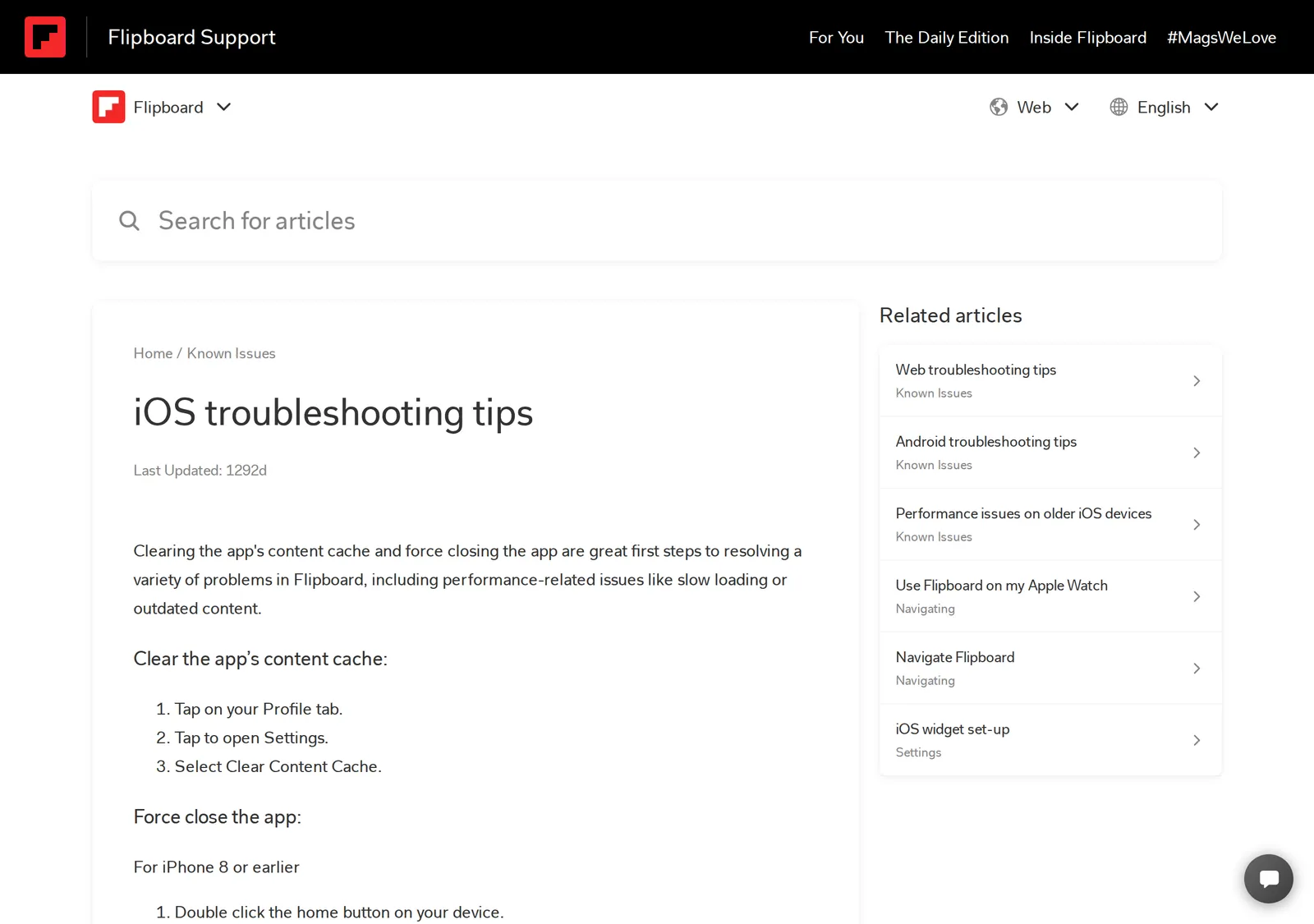 Flipboard’s iOS troubleshooting article, 4 November 2026. Source: flipboard.helpshift.com
On an iPhone:
- Tap your Profile tab, open Settings and tap Clear Content Cache.
- Swipe up from the bottom of the screen, hold, find Flipboard and swipe it away. On an iPhone 8 or earlier, double-click the home button instead.
- Open Flipboard again.
On Android, both switches live in the phone’s Settings, not the app (Android tips):
- Open Settings, find Flipboard in your apps, tap Storage, then Clear Cache.
- Go back one screen and tap Force Stop.
If that doesn’t help, update and then reinstall. On the web, clear the browser’s cache and reopen the tab (web tips).
Still stuck? When I opened Flipboard’s help center, it had a message button in the bottom-right corner, which is the way to reach a person.
Flipboard not working on an older phone
Flipboard’s help still says it supports iOS 12 or newer (older iOS devices). Its App Store listing now requires iOS 15.0 or later. I’d trust the store: if your iPhone or iPad can’t run iOS 15, current versions of the app won’t install, and flipboard.com in Safari is the way in.
On Android the help page asks for Android 5.0 or newer (older Android devices).
Is Flipboard down today?
Flipboard’s help center has no status page. Its own Mastodon account, @[email protected], is active but posts stories, not service notices. Before assuming an outage, open flipboard.com in a browser: if it loads there and not in the app, the problem is on your phone, and the cache steps above are the fix.
Flipboard widget not working
iPhone. Flipboard has a newer widget that needs iOS 15 or later. Adding it doesn’t remove the old-style one, which you have to delete yourself. Add the new one by holding an empty spot on the Home Screen, tapping the plus sign, choosing Flipboard and picking the Following widget. Headlines refresh each time the widget loads, and you must be signed in to open stories from it (iOS widget set-up).
Android. The widget doesn’t work if Flipboard has been moved to an SD card, so move it back to internal storage. To change how often it refreshes, open your Profile, tap the Settings icon and choose Widget Updates. You can’t choose what the widget shows: it’s always your home feed (Android widget set-up).
Samsung Briefing. On some Galaxy phones you reach Flipboard’s Briefing by swiping left on the home screen. If it has vanished, it’s probably switched off. The Google Play listing says to pinch zoom out on the home screen and swipe to Briefing, where a box at the top switches the panel off. If that box is unchecked, check it.
Flipboard notifications not working
Flipboard sends two kinds: content notifications (breaking news, the Daily Edition and recommendations) and social ones (likes, comments, mentions). To choose which arrive as push alerts, tap the bell, then the Settings icon in your notifications feed (Flipboard help). That setting doesn’t change the in-app list. If nothing arrives at all, I’d also check that Flipboard is allowed to send notifications in your phone’s own settings.
Things that look broken but were retired
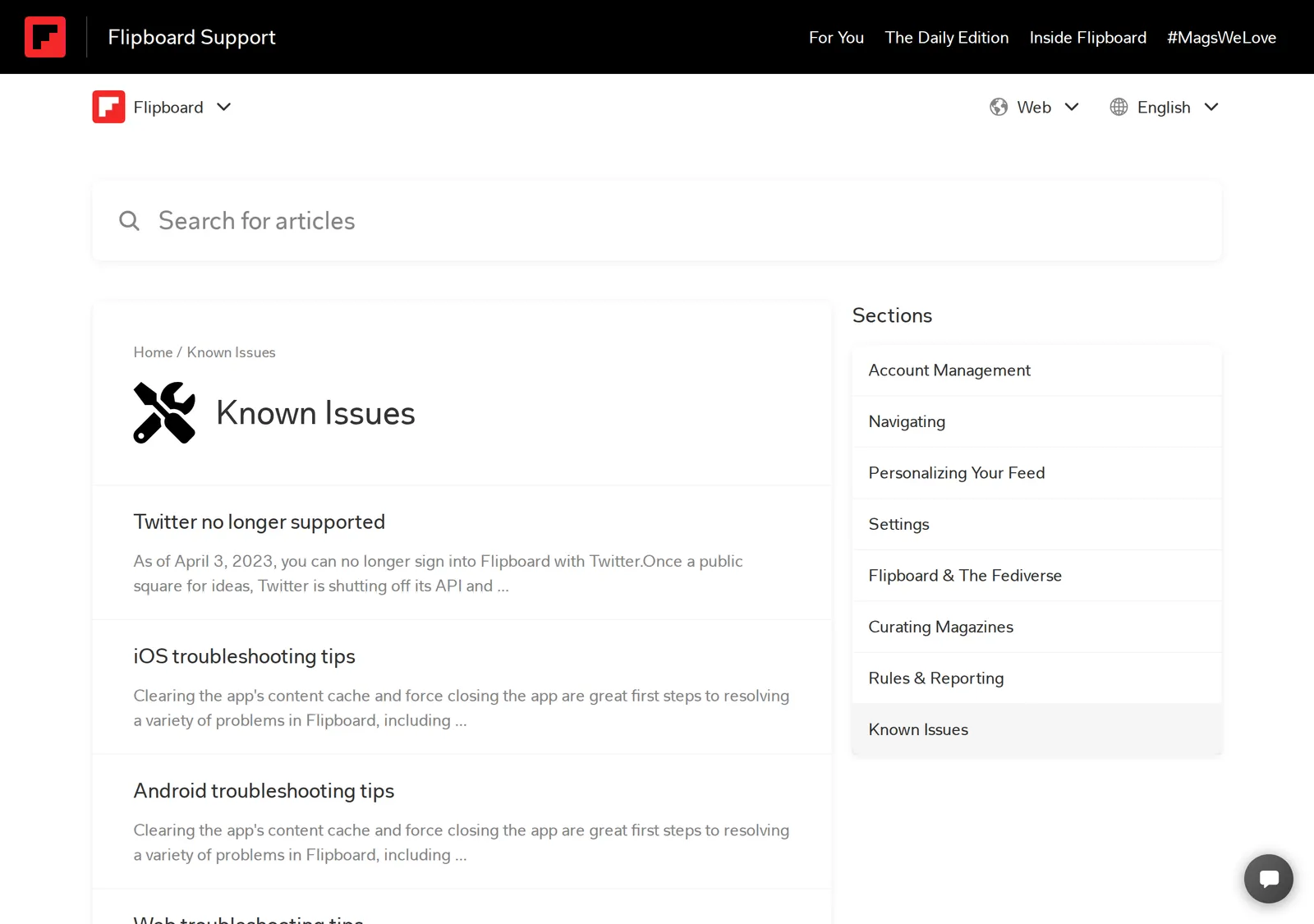 Flipboard’s Known Issues section, 4 November 2026. Source: flipboard.helpshift.com
- Twitter. Since April 3, 2023 you can’t sign in with Twitter, and Flipboard says Twitter feeds “will be broken” (Flipboard help).
- Tumblr. Tumblr feeds you follow “will no longer show content”, though Tumblr posts already flipped into magazines stay (Flipboard help).
- Windows. “Flipboard for Windows is no longer being updated”, and Flipboard points you to the website or the phone apps (Flipboard help).
- Comments on fediverse posts. You can follow people on Mastodon, Threads and other fediverse services, but only Flipboard users in its federated accounts test can like or comment on their posts (Flipboard help).
- Offline reading. “A full offline reading functionality is not something we support at this time” (Flipboard help).
Can’t log in
If you’ve forgotten your username, the app can email it to you: tap Get started, then Log In, choose email, and tap the forgot-username link. You can’t do this on the website. If you’ve lost the email address too, run the password reset with every address you might have used and see which one gets the email (Flipboard help).
When the problem is the feed, not the app
Sometimes Flipboard works fine and the complaint is what it shows. Flipboard says it will “occasionally” surface extra items from sections such as Most Liked or Most Commented, and the fix it offers is Less Like This from the item’s three-dot menu (Flipboard help).
If you’d rather nothing were added at all, Hushread works differently. Paste the addresses of the publications you actually read on Flipboard, and you get every new article from those sources, newest first, with nothing ranked or injected. A site without a feed works too. It’s free, with no limit on sources. It has no magazines, no comments and no Twitter or Tumblr either, so if flipping and the social side are why you use Flipboard, stay put.
Flipboard alternatives compares the other options. If you’re weighing Google’s app, see Google News vs Flipboard.
FAQ
Why is Flipboard not working today?
Usually it’s cached content on your phone, not an outage. Clear the content cache, force close the app and update it. If flipboard.com doesn’t load in a browser either while other sites do, it’s on Flipboard’s side, and waiting is the only fix.
Why is my Flipboard widget not working?
On iPhone, you may still have the old-style widget: add the newer Following widget, which needs iOS 15, and remove the old one. On Android, the widget fails if Flipboard is on an SD card, and its refresh rate is under Widget Updates in Flipboard’s settings.
Why can’t I comment on Flipboard?
If the post is from a Mastodon, Threads or other fediverse account, only Flipboard users in its federated accounts test can like or comment on it. Everyone else can still follow those accounts and flip their posts into magazines. For other comment problems, message Flipboard from its help center.
Why did my Twitter feed disappear from Flipboard?
Flipboard ended Twitter sign-in on April 3, 2023 and says Twitter feeds on Flipboard are broken. Flipboard suggests searching for topic feeds to replace them.
Does Flipboard work offline?
No. Flipboard’s help says full offline reading isn’t supported.
If the cache fix worked, you’re done, and Flipboard is still a good app for browsing magazines. If what’s wrong is that the feed isn’t yours, pick your own sources in a reader instead; Hushread is one.