
Disclosure: Hushread is our app. We’ve tried to be fair, and we say where the others are the better choice.
Pick Google News if you read in a browser or outside the US, or if you want to see how many outlets cover the same event. Pick SmartNews if you are in the US, read on a phone, and want local headlines, a slider that shows political coverage from both sides, points for reading, or the option to pay to remove most ads. Both are free, both carry ads, and we found no way to add a source of your own in either.
Everything below was checked against the linked pages, mostly the two companies’ own, on 8 October 2026.
SmartNews vs Google News at a glance
US listings and prices, checked 8 October 2026:
| SmartNews | Google News | |
|---|---|---|
| Price | Free, with ads | Free, with ads |
| Paid option | Ads-free plan, US only; App Store lists $3.99 and $4.99 purchases | None that we could find |
| Who picks the stories | “Blend of editor and algorithmic curation” | Algorithms |
| Same event from many outlets | Not described on its pages | Yes, Full Coverage |
| Political balance tool | Yes, a slider | No equivalent that we could find |
| Devices | iPhone, iPad, Apple Vision, Android | Android, iPhone, iPad, web |
| Rewards for reading | Yes, US | None that we could find |
| Add your own RSS feed | No option that we could find | No option that we could find |
| Google Play downloads | 50M+ | 1B+ |
Who decides what you see
SmartNews: editors and an algorithm
SmartNews describes its feed as a “thoughtful blend of editor and algorithmic curation” and says “We evaluate articles and publishers to deliver high-quality breaking news” (SmartNews). You shape it by following topics and publishers from its catalog. The homepage counts “Over 4,500 Trusted Publishers”; a 2025 company press release puts the figure at “more than 3,000 trusted global publisher partners” and adds that the company was founded in 2012 (SmartNews press release). We could not tell whether the two numbers count the same thing.
The feature we found no match for in Google News is the political slider. SmartNews says you can “See coverage from reputable sources across both sides of the political spectrum with our easy slider feature” (SmartNews).
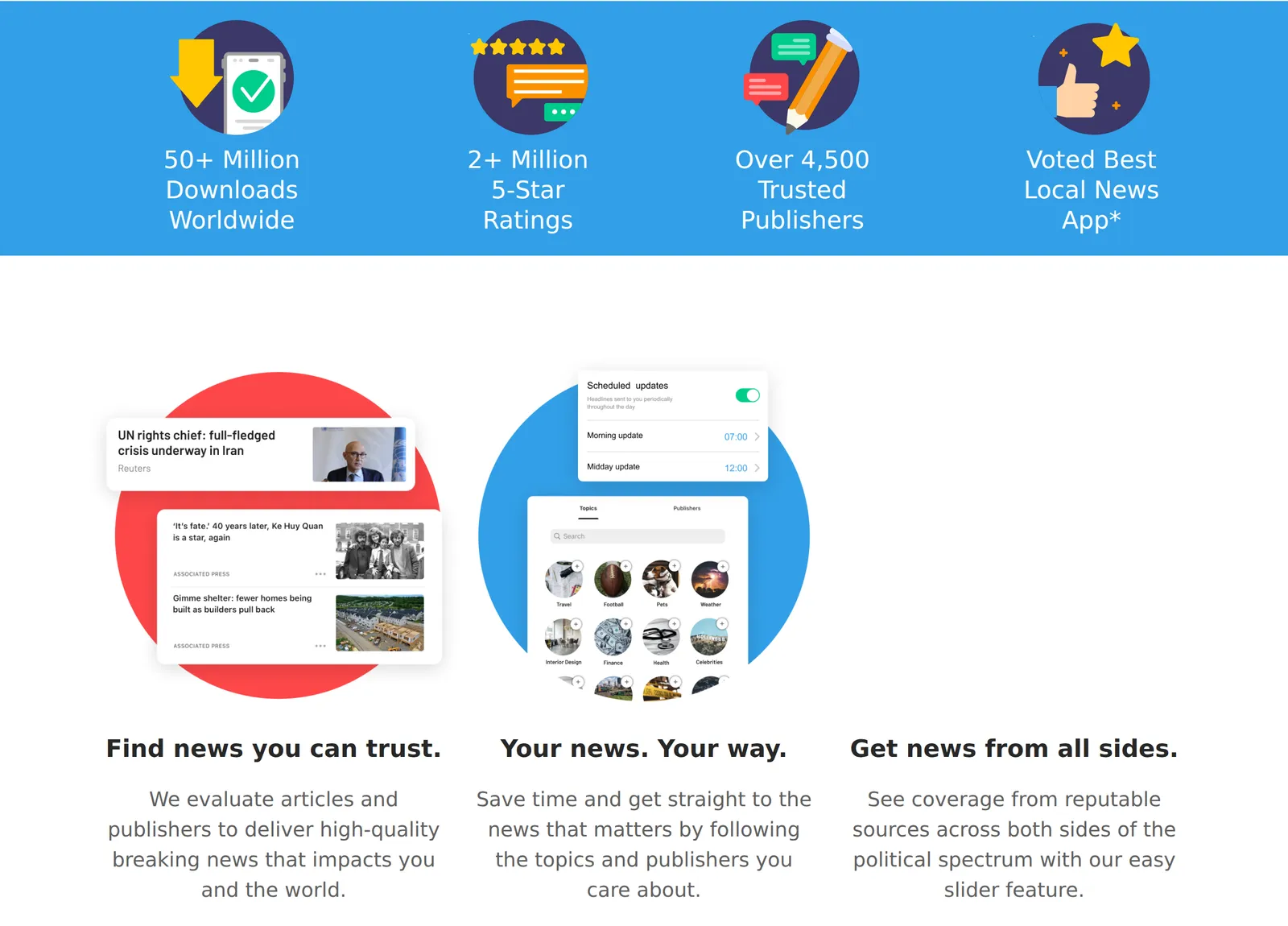 The SmartNews homepage describing its curation and the political slider, 8 October 2026. Source: smartnews.com
Google News: algorithms throughout
Google states it plainly: “Computer algorithms determine which stories show up on Google News and in what order.” Headlines, Full Coverage and search results are picked from your language and region, so everyone in the same language and region gets the same subjects. For you, the topics, sources and locations you follow, and Picks for you are personalized from your Google News settings and your past activity, which Google defines as “Your activity on Google services and YouTube” (Google support).
You steer it by following or unfollowing a topic, location or source, by choosing “Fewer stories like this”, and with “Hide all stories from” a source (Google support).
So the difference is narrower than it sounds. Both apps choose for you from their own catalog. SmartNews puts editors in the loop and gives you a slider; Google leans on your Google activity.
Full Coverage is Google’s advantage
Full Coverage puts one event’s reporting from many outlets on one page. Google’s Play listing says it “organizes everything online about a story, surfacing and highlighting coverage from different outlets and mediums” (Google Play). It is not tailored to you: “Full Coverage has no personalization other than your language, region, and subscriptions” (Google support).
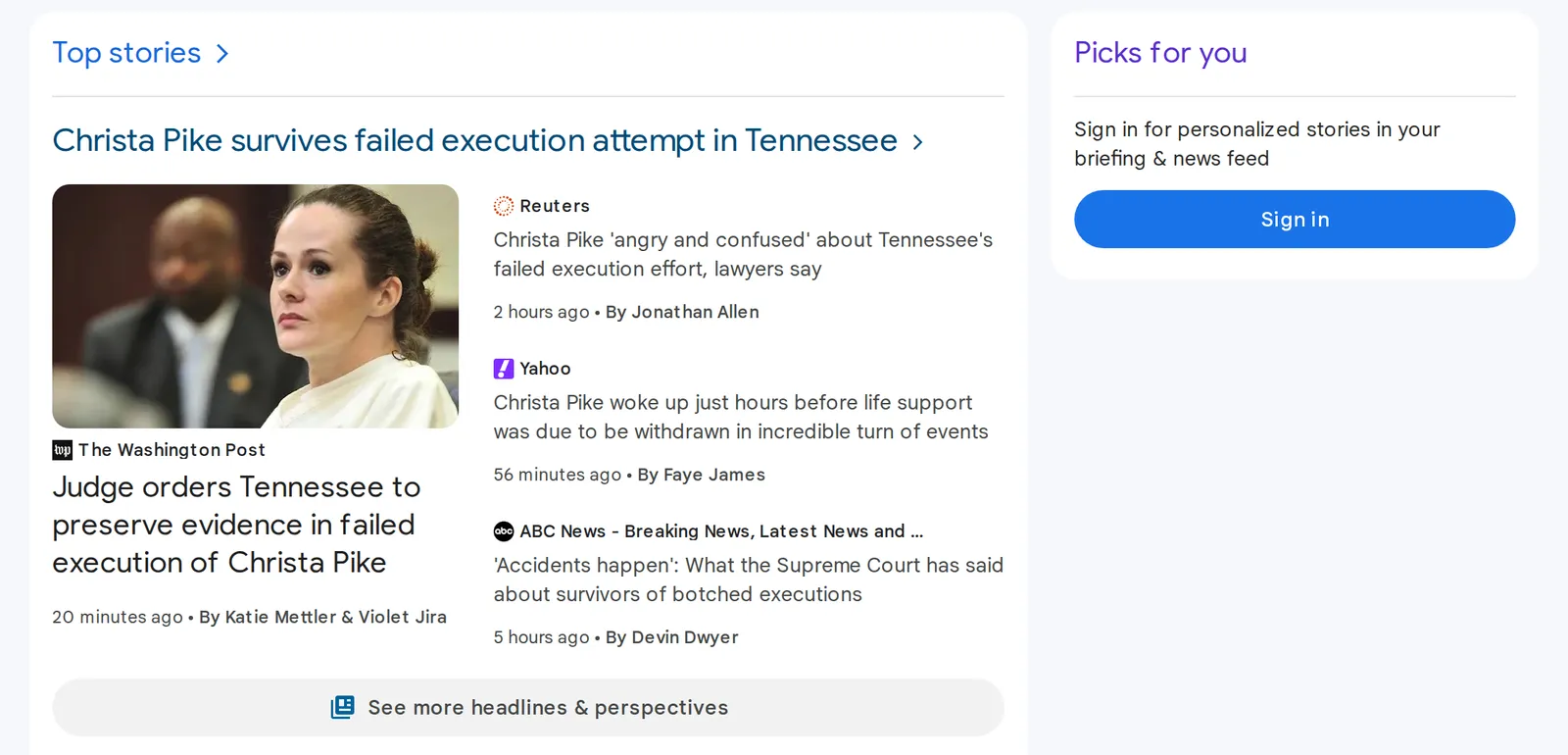 Google News grouping four outlets under one top story, US edition, signed out, 8 October 2026. Source: news.google.com
Neither SmartNews’s homepage nor its store listings describe a page like that. Its slider answers a different question: not “who else is reporting this” but “what are the other side’s outlets running”. If comparing coverage of a single event is why you open an aggregator, Google News is the one to use. Our Google News vs Apple News comparison covers Full Coverage in more detail.
Local news
SmartNews leans on local. Its Play listing promises “local news on government, traffic, weather, politics, school boards, and more”, from “premium publishers based on your location”, and cites a “Best Local News App, 2024 (US)” award from Bestapp (Google Play). The homepage adds “accurate weather reports, crime alerts, and breaking news stories” (SmartNews).
Google News has a Local section too, and you can follow locations the same way you follow topics and sources. Google lists Local news twice: among the sections picked from your language and region, and among the sections its algorithms personalize (Google support).
We have not measured which app carries more outlets for a given town, and neither company publishes that. Check your own town in both before you decide.
Ads, the ad-free plan and rewards
Both Play listings are labelled “Contains ads”, and both App Store privacy labels list third-party advertising among the purposes for data linked to you (SmartNews on the App Store, Google News on the App Store).
Only SmartNews sells a way out. Its Ads-Free Subscription Plan is “a paid service that allows you to view SmartNews content without advertisements, subject to certain exceptions”. To buy it you must be 18 or older (or have a parent’s or guardian’s consent), be using the US edition of the app, and have your Apple or Google ID set to the US (SmartNews terms).
The exceptions matter. The same terms say some content “may contain third-party ads or promotional links added by publishers”, and that sponsored videos or live streams may carry branded messages. So the plan removes most ads, not all of them.
The terms do not state a price: the fee and period “are displayed within the SmartNews App”. The US App Store listing shows two in-app purchases named “Ads-free SmartNews”, at $3.99 and $4.99, without saying what period each covers (App Store). Confirm the figure in the app before you subscribe.
We found no paid or ad-free tier of Google News. Its App Store listing shows no in-app purchases, and Google’s help pages only describe subscribing to “select newspapers” through your Google Account (Google support).
SmartNews also pays you a little to read. In March 2026 it announced a US rewards program in which you earn points by reading a set number of articles in a given period, redeemable for gift cards or charity donations (SmartNews press release). We found no equivalent in Google News.
Devices and languages
SmartNews comes as an app. The App Store listing covers iPhone, iPad and Apple Vision, and there is an Android app with more than 50 million downloads. Its website is a download page, and we found no web reader on it.
Google News runs on Android (more than a billion downloads), on iPhone and iPad, and at news.google.com, where the US edition loads without signing in. Its App Store listing names 46 languages. SmartNews’s listing names two, English and Japanese, though in July 2026 the company added AI translation of articles into Spanish and Chinese on iOS, aimed at multilingual readers in the US (SmartNews press release).
On the US App Store the two are rated the same, 4.6 out of 5, from about 929,000 ratings for SmartNews and 226,000 for Google News.
What neither app does
We found no way to add a source of your own in either app. SmartNews offers topics and publishers from its catalog. On Google’s side, since March 2025 “Google News will no longer use RSS feeds or web locations that were submitted in Publisher Center” (Publisher Center), and its help pages offer readers no way to add a feed.
Neither is a plain newest-first list of only what you chose, either. That is a different kind of tool: an RSS reader, or a reader like Hushread, where you add the feeds, sites and topics, everything arrives newest first, and coverage of one event is linked into a single story. Hushread’s free plan stops at 5 sources, it has no political slider or bias labels, and it has no rewards. Our Google News alternatives roundup compares seven apps of both kinds, and Hushread vs Google News is the direct comparison.
FAQ
Is SmartNews better than Google News?
For US local headlines on a phone, a political slider and an ad-free option, SmartNews is the better fit. Google News is better if you read in a browser, live outside the US, or want Full Coverage of one event from many outlets.
SmartNews or Google News: which has fewer ads?
Both free apps are labelled “Contains ads” on Google Play. Only SmartNews sells an ad-free plan, limited to US users aged 18 or older, and its terms still allow publisher ads and sponsored content.
Is SmartNews free?
Yes, with ads. The US App Store lists two optional “Ads-free SmartNews” purchases at $3.99 and $4.99.
Can you use SmartNews on a computer?
We found no web reader: smartnews.com is a download page, and the app is listed for iPhone, iPad, Apple Vision and Android. Google News works in any browser at news.google.com.
SmartNews vs NewsBreak: which is better for local news?
Both promote local news. NewsBreak lists “Local First” among its features, can be read in a browser at newsbreak.com, and its US App Store listing shows in-app purchases named “Advanced Premium Experience” at $5.99 and “Advanced Premium Experience Yearly” at $71.99. SmartNews adds the political slider and the rewards program.
If you are in the US and mostly read on your phone, install both and check your own town in each for a week: local coverage is the thing that varies most and the one thing no listing can tell you. Everywhere else, or on a laptop, start with Google News.