
Disclosure: Hushread is my app. I’ve tried to be fair, and I say where the others are the better choice.
Google News vs Google Discover: Google News is a news site and app you open on purpose, with sections for the world, business and sport, a Following tab for the topics and sources you chose, and a Full Coverage page that puts many outlets’ reporting on one event side by side. Google Discover is a feed that appears without being asked, on the Google app’s home screen and on Chrome’s new tab on a phone, built from your search history and other Google activity. You open Google News. Discover opens itself.
Google News vs Google Discover at a glance
Checked against Google’s help pages, developer documentation and blog on 13 October 2026.
| Google News | Google Discover | |
|---|---|---|
| What it is | A news app and website, news.google.com | A feed inside Google Search |
| Where you find it | Android and iPhone app, any browser | Google app home, google.com on a phone, Chrome new tab on Android, a right swipe from some Android home screens |
| Sections you can browse | Yes: Home, For you, Following, World, Local and more | No sections. One stream |
| Follow a source or topic | Yes | Unclear: Google’s documentation log says Follow was removed in November 2025, its help page still describes it |
| Hide a source | Yes | Yes |
| Same event from many outlets | Full Coverage, not personalized | No equivalent |
| Social posts and AI previews | Not announced | Yes, since late 2025 |
| RSS feed | Yes, undocumented but working | No |
| How a site gets in | Automatically considered for Top stories | Automatically eligible once indexed |
Where each one lives
Google News has a front door. The Play listing calls it “a personalized news aggregator that organizes and highlights what’s happening in the world” and tells you to “pair the Google News mobile app with our Desktop website, news.google.com” (Google Play). The website works signed out: on 13 October I got Top stories and the sections without an account, and only the Picks for you box (For You in the app listings) asked me to sign in.
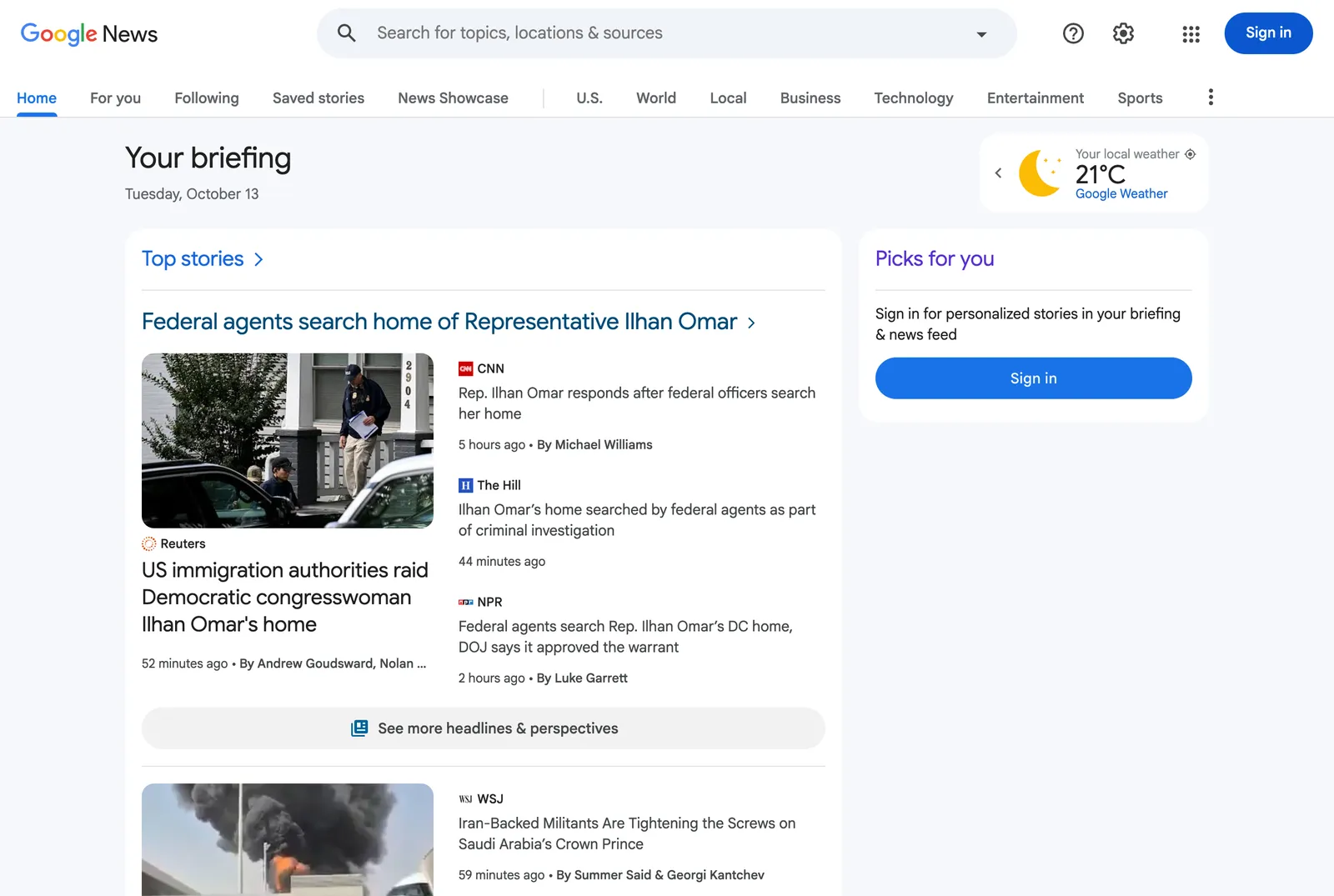 Google News on the web without an account, 13 October 2026. The sections load; personalized picks need a sign-in. Source: news.google.com
Discover has no address of its own. Google’s help page lists three places to find it on Android: “in the Google app”, “in your browser on google.com”, and “on some devices, swipe right from your device’s home screen” (Google support). On iPhone it is the Google app and google.com in a browser. Chrome on Android has a “Discover feed” card on its new tab page, with its own switch (Google support).
Is Google Discover on desktop?
Not as of October 2026, as far as I can tell. Google tested Discover under the search box on desktop in 2023 and, according to Search Engine Roundtable, started rolling it out in 2025. The same site reported in September 2026 that Discover on desktop “just does not exist” in any country (Search Engine Roundtable). I found no statement from Google either way, so treat desktop Discover as gone unless it turns up on your screen.
Who decides what you see
Both feeds are ranked by Google, and neither takes applications from publishers: Google says sites “are automatically considered” for Top stories and the News tab (Google support), and Discover content is “automatically eligible” once a page is indexed.
Google News: algorithms, but sections stay shared
Google is direct about it: “Computer algorithms determine which stories show up on Google News and in what order” (Google support). Only parts of the app are personal. For you, Following and Local news use your settings and past activity on Google services and YouTube. The subject sections are picked “based on your language and region”, so two people in the same country with the same language see the same section.
Full Coverage is the part I would miss most in most news apps. It gathers one event’s reporting from many outlets, and Google says it “has no personalization other than your language, region, and subscriptions” (Google support). Discover has nothing like it.
Discover: your activity, plus whatever Google adds next
Google’s developer page says Discover “makes use of many of the same signals and systems used by Search” and shows people “content related to their interests” (Google Search Central). The reader-side page lists the inputs: your Search Services History, app and contact info from your devices, personalized recommendations, Location History, and “your home location” (Google support).
What Discover contains has changed quickly. In September 2025 Google said the feed would start showing “posts from X and Instagram and YouTube Shorts, with more platforms to come” (Google blog). In October 2025 it added AI previews you can expand, “now available in the U.S., South Korea and India” (Google blog). In February 2026 a “Discover core update” promised less “sensational content and clickbait” and “more locally relevant content”, starting with English in the US (Google Search Central). Google has announced none of this for Google News.
One feature is in dispute. The same September 2025 post let you “follow” publishers or creators inside Discover. Two months later Google’s documentation log recorded “The Follow feature is no longer shown in Google Discover” (Google Search Central). Yet the Discover help page still says “when you search for an interest, you can follow it to get updates in Discover”, and the iPhone version still lists a Following screen under Manage your interests. If you see a Follow button, it works; if you do not, Google’s own log explains why.
What you can control in each
In Google News, the controls are the ones you would expect from a news app. Search for a topic, location or source and tap Follow; under any story, choose “Fewer stories like this” or “Hide all stories from” that source (Google support). Your Following tab then shows only what you picked. There is no switch that turns personalization off inside Google News; the lever is your Google account’s activity settings.
Discover’s controls are mostly reactive: “Not interested in” a topic, “Don’t show content from” a source, and a switch for personalized recommendations. In August 2026 Google announced that you can also “tap any three-dot menu in your feed to tell Google the exact topics or links you want to see more (or less) of”, and that the audio briefings in the Google News app on Android would get easier to customize (Google blog). You can turn Discover off completely in the Google app under Settings and General, or in a browser with “Show Discover on home page” (Google support). Google adds that “some of these features might not be available in all languages and countries”, and the AI previews are a three-country feature so far.
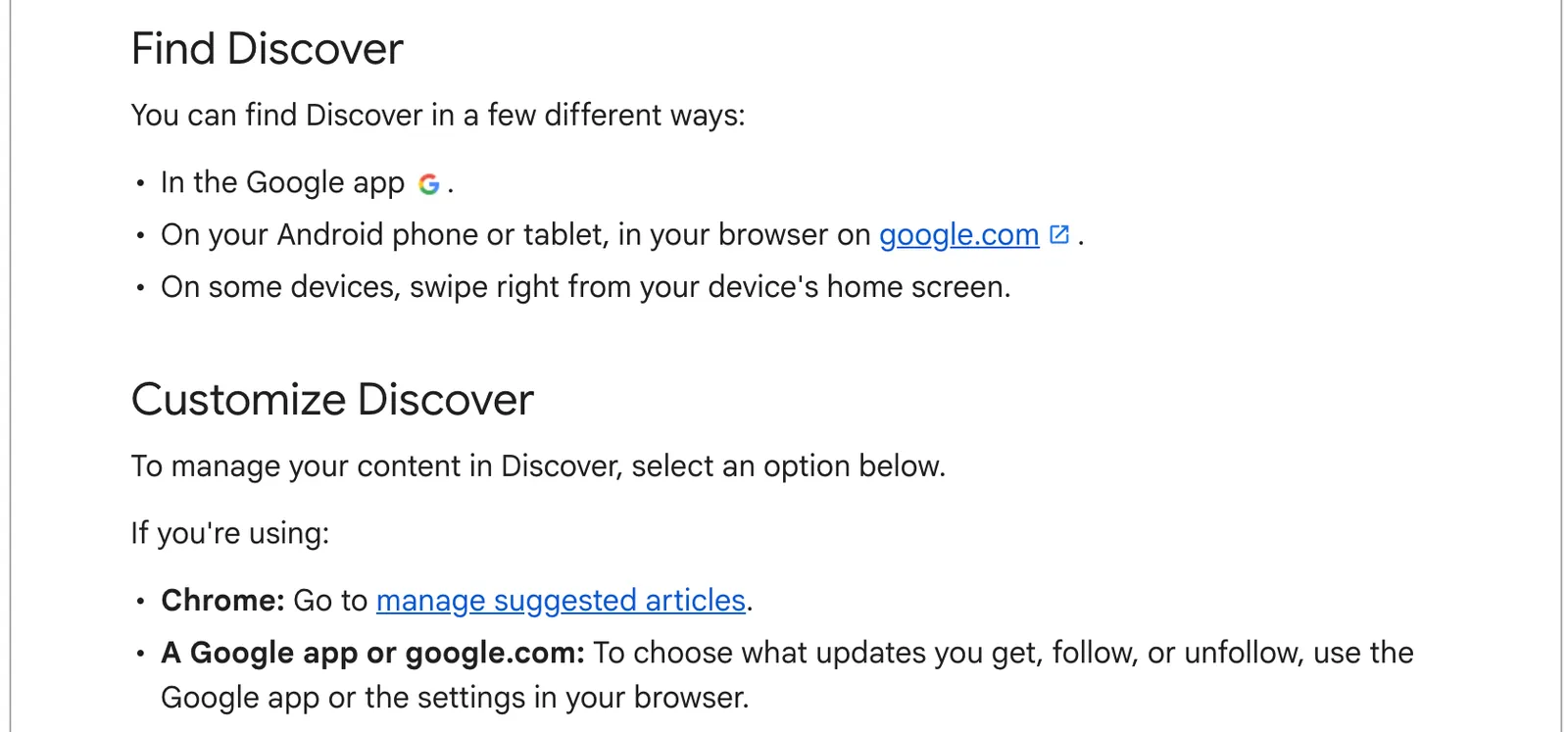 Where Discover lives and what you can change, from Google’s help page, 13 October 2026. Source: support.google.com
Preferred Sources, which Google says is available globally, is often described as a way to shape Discover. Google’s page says it applies to Top Stories in Search, AI Mode and AI Overviews (Google Search Central). Neither Discover nor Google News is on that list.
If either feed has started showing you the wrong things, the fixes are in my posts on Google Discover not working and Google News not working.
Does Google Discover have an RSS feed? Google News does
Google News publishes RSS. On 13 October, https://news.google.com/rss?hl=en-US&gl=US&ceid=US:en returned a valid RSS 2.0 feed titled “Top stories - Google News”, and a search feed at /rss/search?q= returned results for any phrase I tried. Google does not document these addresses anywhere I could find, and the feed itself says it is “made available solely for the purpose of rendering Google News results within a personal feed reader for personal, non-commercial use”.
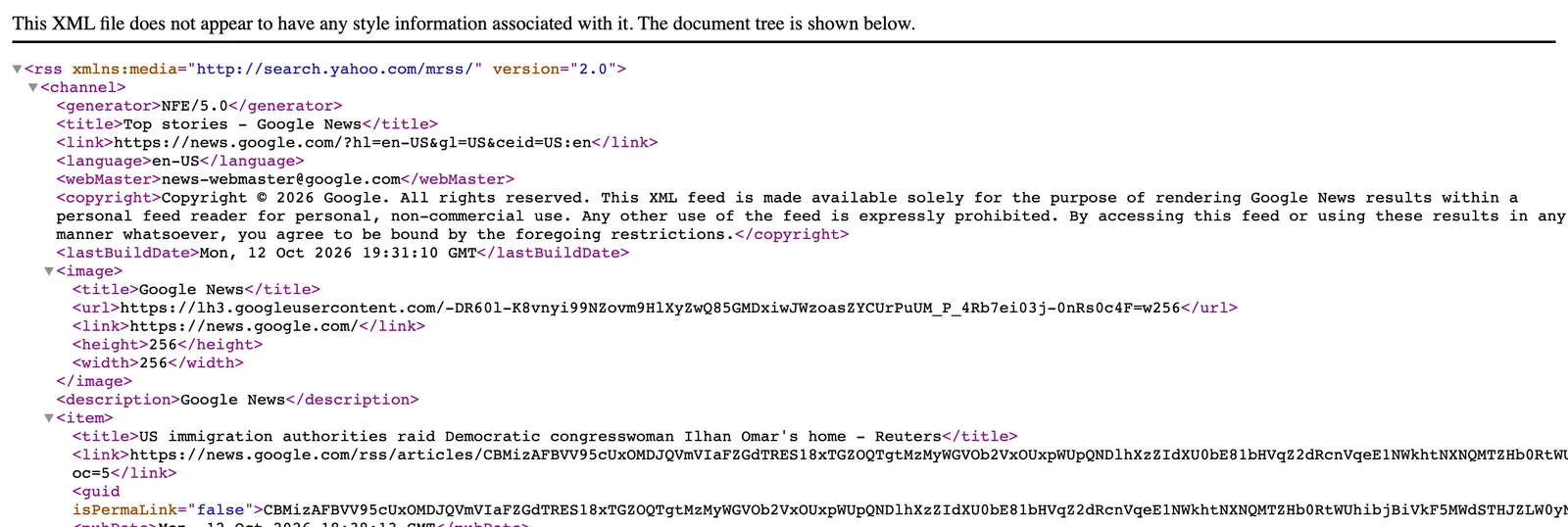 The Google News RSS feed as it loaded in a browser on 13 October 2026. Source: news.google.com
Discover has no feed. Its content depends partly on your search activity, so there is nothing account-independent to subscribe to, and Google’s Discover documentation offers publishers a Search Console report and nothing else.
This is where I use Hushread rather than either Google product. The free Google News RSS feed generator builds the search, topic or top-stories feed address in your browser, and Hushread follows a phrase as a source: it takes the words from Google News search, opens the original article instead of Google’s redirect, and a topic counts as one of the free plan’s 5 sources (Hushread docs). The matches land in the same feed as everything else, “newest first” with nothing ranked above them (Hushread docs). What it does not do is guess: if you want a feed that surprises you, Discover is the better pick, and Hushread will feel empty until you add sources.
FAQ
What is the difference between Google News and Discover?
Google News is a news app and website with sections, a Following tab and a Full Coverage view of one event across outlets. Discover is a feed inside the Google app and Chrome on a phone that picks content from your search and location history, with no sections and no search.
Google Discover vs Google News: which is better?
Google News is better when you want to choose topics and sources and see several outlets on one story. Discover is better when you want Google to guess, since it needs no setup. The price of that is social posts and AI previews mixed in, and controls that mostly remove things rather than add them.
Can I turn off Google Discover?
Yes. In the Google app, open your profile picture, then Settings, General, and switch off Discover. In a browser on google.com, open your profile picture, More settings, Other settings, and turn off “Show Discover on home page”. Chrome’s new tab has its own Discover switch.
Why does Google Discover show things I never searched for?
Discover uses your Search Services History, Location History, home location and personalized recommendation settings, and since late 2025 also includes social posts and creator content. Tap the three dots on a card and choose “Not interested” or “Don’t show content from” to steer it.
If you only ever open the Google app, Discover is already there, and the Google News app is a separate install. For reading on a laptop, Google News is the only one of the two you can reliably open today. And if you do not want Google ranking your news at all, my list of Google News alternatives compares the options, including readers where every source is one you added.