
Disclosure: Hushread is my app. I’ve tried to be fair, and I say where the others are the better choice.
Every Google News search has a Google News RSS feed: put your words after https://news.google.com/rss/search?q= and add &hl=en-US&gl=US&ceid=US:en for the US English edition. Top stories, topics and any town or city have feeds too. A search feed returns at most 100 headlines, each item is a headline and an outlet name with no summary or picture, and every link goes through a Google redirect. Google doesn’t document any of it, so everything below comes from feeds I fetched and counted.
Google News RSS URL formats
Feeds fetched on 19 October 2026. Swap the words, topic or place for your own.
| Feed of | URL | Items I got |
|---|---|---|
| Top stories | https://news.google.com/rss?hl=en-US&gl=US&ceid=US:en | 38 |
| A search | https://news.google.com/rss/search?q=chip+exports&hl=en-US&gl=US&ceid=US:en | 100 |
| One site, past day | https://news.google.com/rss/search?q=site:reuters.com+when:1d&hl=en-US&gl=US&ceid=US:en | 100 |
| A topic | https://news.google.com/rss/headlines/section/topic/TECHNOLOGY?hl=en-US&gl=US&ceid=US:en | 73 |
| A place | https://news.google.com/rss/headlines/section/geo/Seattle?hl=en-US&gl=US&ceid=US:en | 71 |
| One section of a site | https://news.google.com/rss/search?q=site:reuters.com/world+when:1d&hl=en-US&gl=US&ceid=US:en | 42 |
The topic names that work in that path are WORLD, NATION, BUSINESS, TECHNOLOGY, ENTERTAINMENT, SPORTS, SCIENCE and HEALTH. Place names with a space take %20, as in geo/New%20York, which returned New York stories.
Topic and place feeds answer with one redirect to a long /rss/topics/CAAq... address. Feed readers follow redirects as a matter of course; a script that doesn’t gets a redirect, not a feed.
Custom topic feeds
That long address is also how you follow a topic beyond the eight sections, such as a company, a team or a person. Open the topic on news.google.com, copy its address (it starts news.google.com/topics/CAAq...) and put rss/ after the domain. The Seattle feed above lands on news.google.com/rss/topics/CAAqIQgKIhtDQkFTRGdvSUwyMHZNR1E1YW5JU0FtVnVLQUFQAQ, and the same address without rss/ is Google News’s Seattle page.
If you’d rather not hand-build URLs, the free Google News RSS feed generator assembles them, edition and all. Some readers build them too: Inoreader’s Add feed menu lists “Google News alerts” among its source types (Inoreader).
The hl, gl and ceid parameters
These three pick the edition: hl is the interface language, gl the country, and ceid the two together as COUNTRY:language. Feedly’s help page lists the same three (“hl: language”, “gl: country”, “ceid: country: language”) and warns that “the parameters can change over time” (Feedly).
What’s missing from most guides is what happens when you leave them out. I requested news.google.com/rss/search?q=chip+exports with no edition, from a machine in India, and Google redirected it to hl=en-IN&gl=IN&ceid=IN:en. Google picks the edition from wherever the request comes from. Most readers fetch feeds from their own servers, so a feed without these parameters shows you the edition for the country your reader’s servers are in, which may not be yours. Always set all three.
Mismatched values aren’t fatal. A request with gl=GB but ceid=US:en was redirected to the matching US edition, gl=US&ceid=US:en. For other countries, the pattern is usually the same: hl=en-GB&gl=GB&ceid=GB:en for the UK, hl=hi&gl=IN&ceid=IN:hi for India in Hindi (which returned Hindi headlines). Brazil is the odd one: hl=pt-BR&gl=BR&ceid=BR:pt-419.
Google News RSS search operators
Inside q=, the search operators from Google’s own help page work. Google documents quotes for an exact phrase, site: for one domain, a minus sign to leave a word out, and before: and after: for dates, adding “Do not put spaces between the operator and your search term” (Google Search Help).
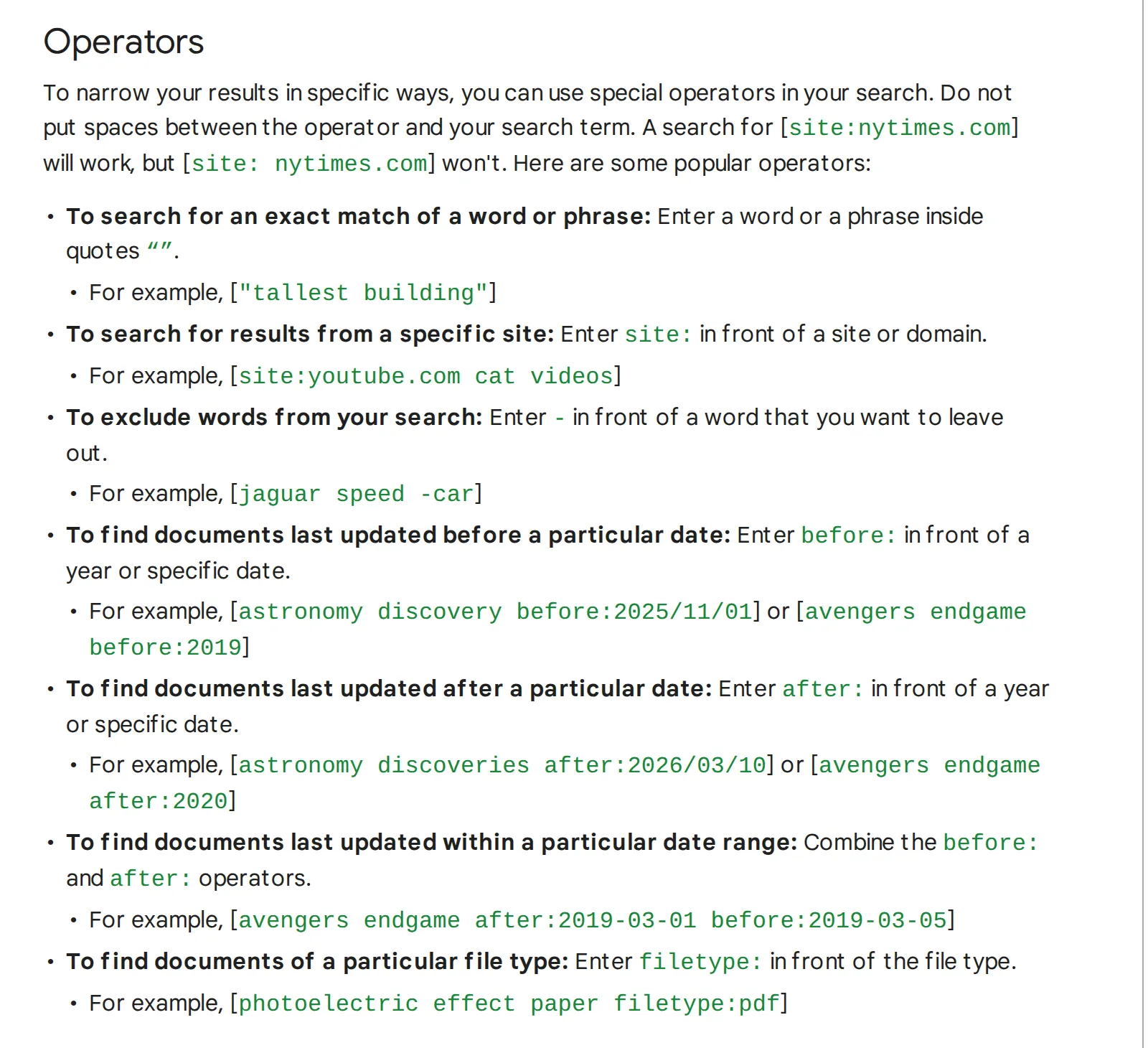 The operators section of Google’s Refine Google searches page, 19 October 2026. Source: support.google.com
Those are written for web search, so I tested each in a news feed:
after:andbefore:work."chip exports" after:2026-10-01 before:2026-10-05returned 12 items, every one dated 1 to 5 October.when:isn’t on Google’s page but works:when:1dfor the past day,when:7dfor the week,when:1hfor the past hour.ORworks, in capitals.Tesla OR Rivian when:1dmixed stories about either.site:with a path works.site:reuters.com/worldreturned 42 Reuters stories, nearly all world news.intitle:works.intitle:nvidia when:1d -stockreturned only headlines with Nvidia in the title.- Spaces become
+in the URL, quotes become%22. Feedly’s example usesintitle:AAPL+when:1h.
Use when: on almost every search feed. My plain chip exports search, with no time limit, returned items dated as far back as January 2026.
What a Google News feed item contains
Very little. The Reuters feed from the table, opened in Chrome:
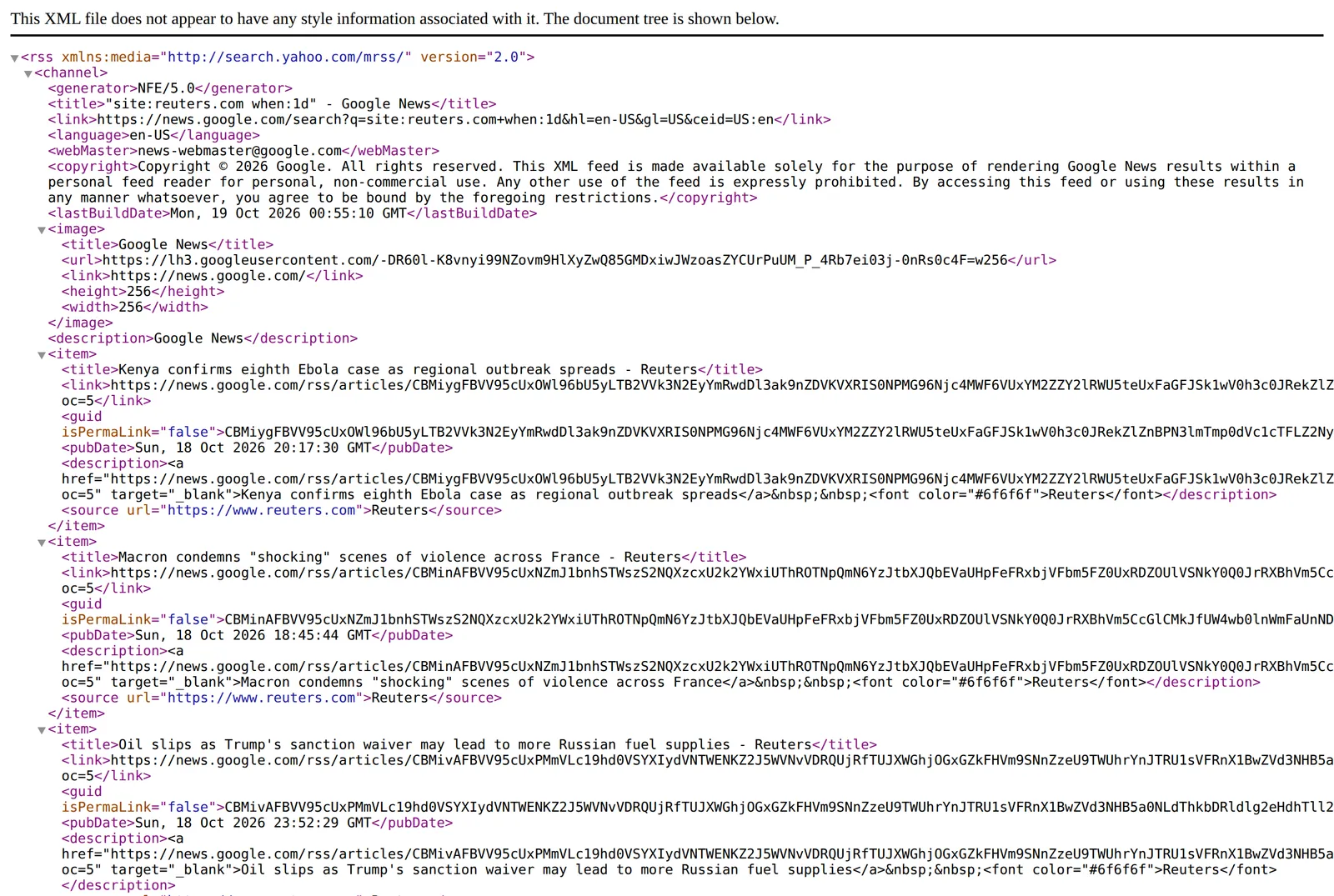 The Google News RSS feed for Reuters stories from the past day, 19 October 2026. Source: news.google.com
Each item has a title with the outlet’s name tacked on (“Kenya confirms eighth Ebola case as regional outbreak spreads - Reuters”), a date, and a source element naming the outlet. The description, where the RSS spec expects “the item synopsis” (RSS 2.0 specification), repeats the headline as a link plus the outlet name. There’s no summary. Some guides mention thumbnails, but none of the six feeds I fetched had a picture on a single item, so if your reader shows Google News items as bare headlines, that is the feed, not your settings; why RSS images go missing covers the general case.
Top stories is the exception to the one-line rule: most of its 38 items carry a short list of other outlets’ coverage of the same story in the description.
The 100-item cap, and why order looks random
No search feed I fetched went past 100 items, and the busy ones stopped at exactly 100. There is no page two. And the items aren’t in date order: in the Reuters feed, a story from 20:17 GMT sits above one from 18:45, which sits above one from 23:52. Google ranks them by relevance, and your reader re-sorts them by date.
The two together matter for busy sources. site:reuters.com when:1d hit the 100 cap, spanning just under 24 hours of Reuters stories, so on a heavy news day some stories won’t make the feed at all. site:reuters.com when:1h returned 7. If you follow a big outlet this way, narrow the search with a topic word or a shorter window rather than trusting one feed to catch everything.
Links go through Google, not to the article
Every item links to news.google.com/rss/articles/CBMi..., not to the publisher. Some guides say you can follow that redirect to get the publisher’s URL. When I followed one the way a feed reader does, without running JavaScript, Google answered with a redirect to another Google URL and then a 585 KB Google page. The publisher’s address wasn’t anywhere in it. A browser runs the page’s script and lands on the article; most readers can’t, which is why their “load full article” button fails on Google News items and why the full text RSS tricks don’t apply here.
In Hushread, type the words into Add source and tap Track ”…” on the internet. It runs the same Google News search and opens the publisher’s article, not the Google redirect (Hushread docs), and you never build a URL. Topics count toward the free plan’s 5 sources.
Reuters and AP through Google News
Neither Reuters nor AP has a public RSS feed I could find (see the 40 news feeds I checked), so a site: search is the practical way to follow them in a reader:
https://news.google.com/rss/search?q=site:reuters.com+when:1d&hl=en-US&gl=US&ceid=US:en
https://news.google.com/rss/search?q=site:apnews.com+when:1d&hl=en-US&gl=US&ceid=US:en
Both returned 100 current items, every one from that outlet (the AP feed). Add a word or a section path to focus them, such as site:reuters.com/world. This is Google’s index of those sites, not a feed from Reuters or AP, and it shows only what Google News includes.
Terms of use
Every feed carries a copyright line that says it is “made available solely for the purpose of rendering Google News results within a personal feed reader for personal, non-commercial use”, and that “any other use of the feed is expressly prohibited”. Reading these feeds in your own reader is what Google allows. Republishing them on a website, or building a product on them, is not.
The feeds are also unofficial, and nothing on Google’s side promises these URLs will keep working.
FAQ
Does Google News have an RSS feed?
Yes, though Google doesn’t document it. Top stories is at https://news.google.com/rss?hl=en-US&gl=US&ceid=US:en, and every search, topic and place has its own feed.
How do I make a Google News RSS search feed?
Put your words after https://news.google.com/rss/search?q=, joined with +, then add &hl=en-US&gl=US&ceid=US:en or your own edition. Add +when:1d to keep only the past day.
What is the Google News RSS URL for one website?
Search with site:, as in https://news.google.com/rss/search?q=site:apnews.com+when:1d&hl=en-US&gl=US&ceid=US:en. It returns up to 100 recent stories that Google News has from that site.
Why are there only 100 items in my Google News feed?
Search feeds stop at 100 items and can’t be paged. Split the search into a shorter when: window or add a keyword to see more of what matched.
Is there a Google News topic RSS feed?
Yes. Use https://news.google.com/rss/headlines/section/topic/ followed by WORLD, NATION, BUSINESS, TECHNOLOGY, ENTERTAINMENT, SPORTS, SCIENCE or HEALTH, plus the edition parameters. For any other topic, open it on news.google.com and put rss/ after the domain in its address.
If what you want is an email when a phrase appears, Google Alerts may suit you better than a feed; the Google Alerts alternatives post compares the options. For a site that publishes its own feed, use that instead: it carries the real links, and often a summary and a picture. If you’d rather type a topic and skip the URL building, get Hushread.