
Disclosure: Hushread is my app. I’ve tried to be fair, and I say where the others are the better choice.
To turn a newsletter into RSS, first check whether it already has a feed: on the big platforms it usually does. Substack newsletters have one at /feed, Ghost newsletters at /rss/, and Buttondown newsletters at buttondown.com/<name>/rss. If there’s no feed, sign up with an address from Kill the Newsletter, a free service that turns the emails it receives into an Atom feed, or use a reader with its own newsletter address (Inoreader Pro, Feedly Pro+, Feedbin).
Step one: look for the feed the newsletter already has
A newsletter on Substack, Ghost or Buttondown is also a website. Issues are published to a web archive, and the platform builds a feed from that archive. Subscribing to the feed means no email address at all: nothing to confirm and nothing to unsubscribe from.
Feeds checked on 23 October 2026, with one real newsletter on each platform:
| Platform | Feed address | Live example |
|---|---|---|
| Substack | <publication>/feed | lennysnewsletter.com/feed: 20 posts |
| Ghost | <site>/rss/ | platformer.news/rss/: 15 posts |
| Buttondown | buttondown.com/<name>/rss | buttondown.com/hillelwayne/rss: about 30 issues back to November 2025 |
| Beehiiv | Only if the writer creates one | No feed linked on the homepage of The Rundown AI |
Substack puts the feed at /feed on the publication’s address, custom domains included. The catch is paid posts, which show only their opening; my Substack RSS feed guide has the details.
Ghost says “adding /rss/ to most URLs on your Ghost publication produces an automatically generated rss feed” (Ghost help). That includes tag and author pages, so you can follow one section of a newsletter.
Buttondown builds the feed from the archive: “If you’ve got web archives turned on, Buttondown automatically exposes an RSS feed” (Buttondown docs). It returns the 30 most recent emails, and ?count=50 asks for more. If the archive is off, there’s no feed.
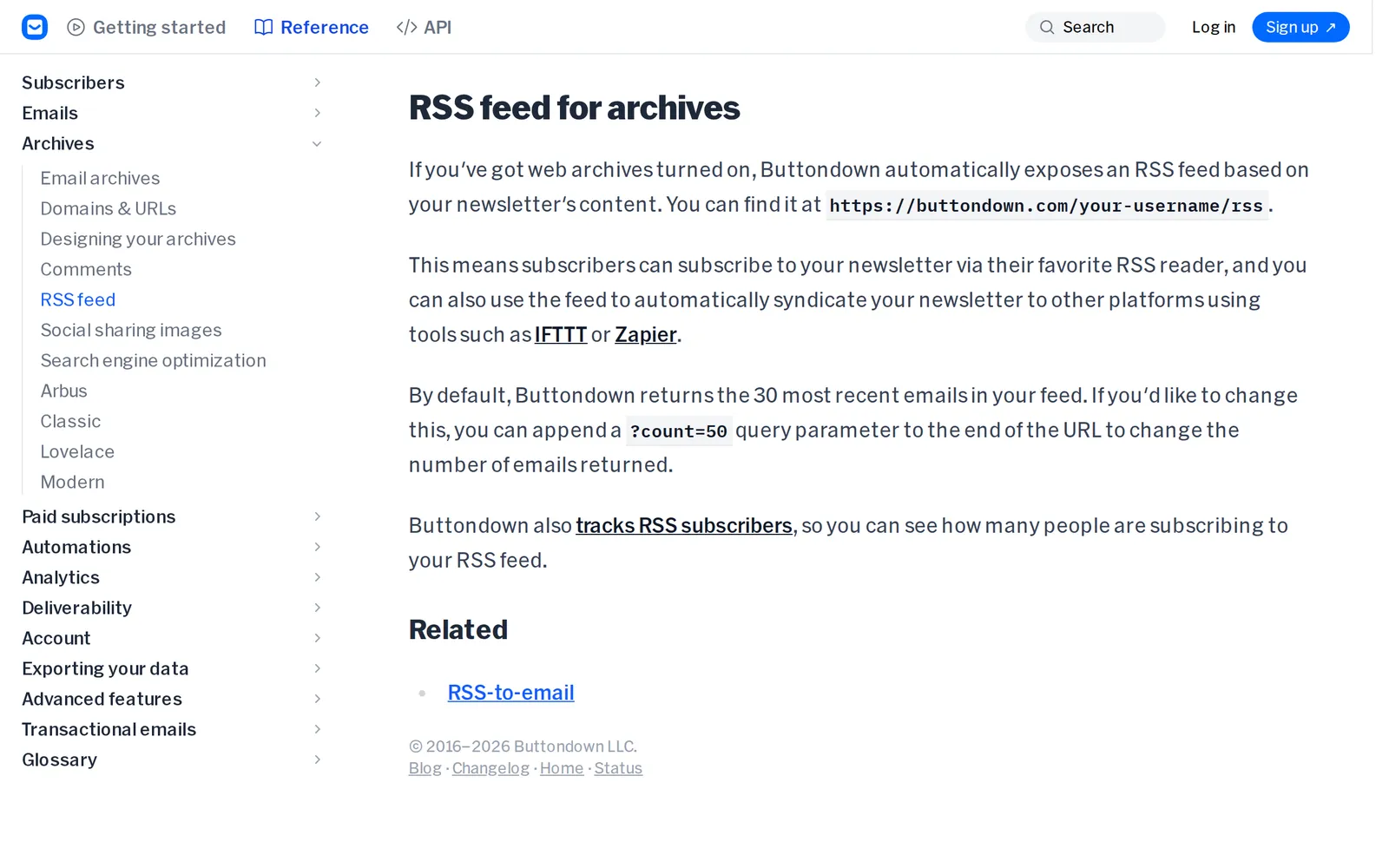 Buttondown’s documentation on archive feeds, 23 October 2026. Source: docs.buttondown.com
Beehiiv is the one to watch. Its help center says an RSS feed is “Available on all plans”, but the writer has to generate it under Settings, and “A unique RSS Feed URL will be generated for your publication” ending in .xml (Beehiiv support). There’s no standard address to guess, and if the writer regenerates it, Beehiiv creates a new URL each time. When a Beehiiv newsletter shows no feed link, ask the writer, or treat it as email-only.
For any other newsletter, open its web archive and look for an RSS link, or try the methods in how to find the RSS feed of a website.
Where Hushread fits
Hushread has no newsletter inbox: there’s no email address to subscribe with. What it does is the step above for you. Paste the newsletter’s web address into Add source and tap Add from link; if the site has a feed, you get a preview and Add feed (Hushread docs). If it has a web archive but no feed, as with a Beehiiv newsletter whose writer never generated one, Hushread usually offers Follow this page: it checks the page regularly and turns new articles into feed items, so you don’t need a converter for that newsletter.
Step two: when there’s no feed, use Kill the Newsletter
Some newsletters only exist as email: company updates, store newsletters, anything without a public archive. For those you need an address that turns email into a feed.
Kill the Newsletter is the free one most people use. It describes itself in one line, “Convert email newsletters into Atom feeds” (Kill the Newsletter), and it needs no account:
- Type a feed title and click Create feed.
- It gives you an email address and an Atom feed URL.
- Subscribe to the newsletter with that email address.
- Add the feed URL to your reader. The confirmation email arrives as the first entry; open it and click the link.
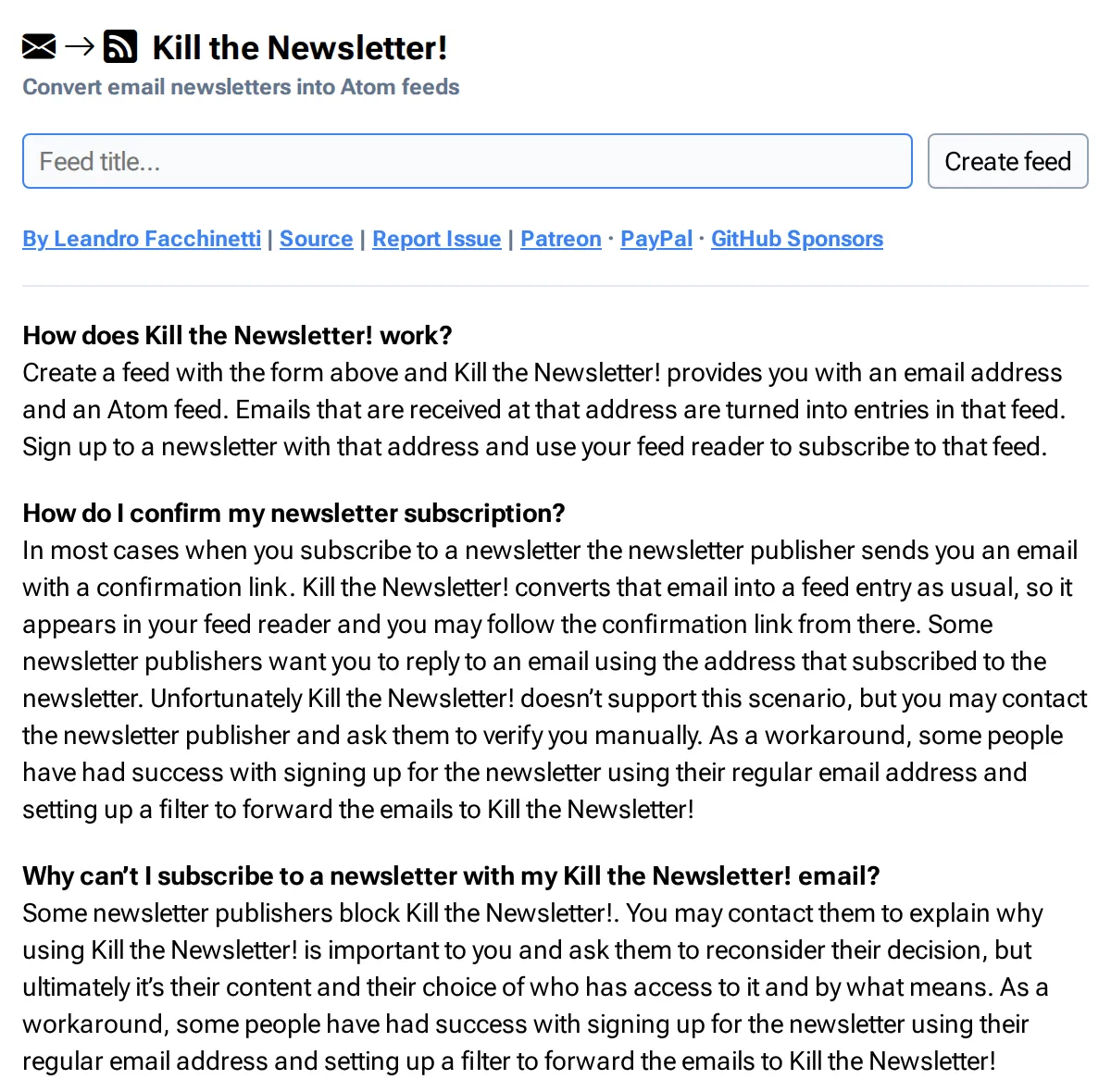 Kill the Newsletter’s form and FAQ, 23 October 2026. Source: kill-the-newsletter.com
Its FAQ is honest about the limits, and they matter more than the setup:
- Some publishers block it. “Some newsletter publishers block Kill the Newsletter!” The workaround it suggests is signing up with your normal address and setting a filter that forwards those emails to your Kill the Newsletter address.
- Reply-to-confirm doesn’t work. If a publisher wants you to confirm by replying from the subscribed address, it can’t. The same forwarding trick gets around it.
- Entries expire. “Entries older than one month are deleted”, and older entries can also be dropped to keep the feed under a size limit. It’s a delivery pipe, not an archive.
- Keep the feed URL to yourself. It contains your address’s identifier, and anyone who has it “may unsubscribe you from your newsletters, send you spam, and so forth”, so don’t share it or post it in a public OPML file.
The forwarding route is the one I’d use for anything important. Your subscriptions stay tied to your own email, and if you change readers, you change one filter. In Gmail, open Forwarding and POP/IMAP in Settings and click Add a forwarding address; Google sends “a verification link to the address”, which shows up as an entry in your new feed, so open it there and click it. Then create a filter for the newsletter’s sender and choose Forward it (Gmail Help).
Step three: or use a reader with a newsletter address built in
Several readers give you an address for newsletters, so the issues land next to your feeds without a third party. Plans and prices checked on 23 October 2026, in US dollars:
| Reader | Newsletter feature | Plan and price |
|---|---|---|
| Inoreader | “Newsletter feeds”, up to 20 | Pro, $7.50 a month billed annually or $9.99 monthly; not on Free |
| Feedly | Up to 75 newsletters | Pro+ (see Feedly pricing) |
| Feedbin | A unique email address on every paid account | $7 a month or $70 a year, 30-day trial |
| NewsBlur | Forward newsletters to your NewsBlur address | Not tied to a plan on newsblur.com |
Inoreader lists “Newsletter feeds” with a cross under Free and 20 under Pro, described as “getting your newsletters as regular feeds in Inoreader” (Inoreader pricing).
Feedly announced newsletters for “all Pro+, Feedly for Market Intelligence and Feedly for Threat Intelligence users”, with Pro+ capped at 75 (Feedly). Its help page gives the steps, Follow Websites, then the Newsletter tab, then Generate Email Address, and says that for newsletters that need a confirmation reply you should sign up with your personal email and forward them, because “from Feedly is currently not possible to send such confirmations” (Feedly docs).
Feedbin says “Every pro account gets a unique email address to subscribe to and follow newsletters” (Feedbin). It costs $7 a month or $70 a year after a 30-day trial.
NewsBlur takes forwarded email rather than direct sign-ups. Its announcement explains why: “if you want a single source of truth for where newsletters are going, you want that in your email client and not on NewsBlur”, and the setup lives under Manage, then Email Newsletters (NewsBlur blog). Its homepage lists newsletters as a feature without tying them to a plan.
If you already pay for one of these, use its address and skip Kill the Newsletter. If you don’t, paying for a reader just to read newsletters is hard to justify when the free converter does the same job.
FAQ
Can you read newsletters in an RSS reader?
Yes. Use the newsletter’s own feed if it has one (Substack /feed, Ghost /rss/, Buttondown /rss), or sign up with an address from Kill the Newsletter or your reader’s newsletter feature and the issues arrive as feed entries.
How does Kill the Newsletter work?
You create a feed, and it gives you an email address and an Atom feed URL. Every email sent to that address becomes an entry in the feed. Entries older than a month are deleted, and some publishers block its addresses.
How do I read a Substack newsletter in an RSS reader?
Add /feed to the publication’s address, for example https://www.lennysnewsletter.com/feed, and paste it into your reader. Paid posts show only their opening in the public feed.
Is there a free way to convert a newsletter to RSS?
Yes: Kill the Newsletter is free and needs no account. If a publisher blocks its addresses, subscribe with your own email and forward the newsletter to it with a filter.
Does Hushread have a newsletter inbox?
No. Hushread follows a newsletter’s feed or its web archive page, not its emails. For an email-only newsletter, create a Kill the Newsletter feed and paste that feed URL into Hushread.
If your reader already gives you a newsletter address, use it; the issues arrive next to your feeds, with no third party in between. If it doesn’t, start with the feeds and keep Kill the Newsletter for the few that only exist as email. Hushread suits the feed half of that, not the email half.