
Disclosure: Hushread is my app. I’ve tried to be fair, and I say where the others are the better choice.
GitHub doesn’t publish RSS, but every public repository has Atom feeds, which any RSS reader accepts. Add .atom to the page you want to follow: https://github.com/OWNER/REPO/releases.atom for releases, /tags.atom for tags, /commits.atom for commits on the default branch. Wikis, discussions and user profiles have feeds too. Issues and pull requests don’t: their .atom addresses return an error. And a few of the feeds that do work don’t contain what their names suggest.
Every GitHub feed URL, tested
I fetched each of these on 22 October 2026, logged out, using Neovim as the example repository. Swap in your own owner and repo.
| What you want | URL pattern | What came back |
|---|---|---|
| Releases | github.com/OWNER/REPO/releases.atom | 10 latest, pre-releases included |
| Tags | github.com/OWNER/REPO/tags.atom | 10 latest |
| Commits, default branch | github.com/OWNER/REPO/commits.atom | 20 latest |
| Commits on one branch | github.com/OWNER/REPO/commits/BRANCH.atom | 20 latest |
| Commits touching one file | github.com/OWNER/REPO/commits/BRANCH/PATH.atom | 20 latest |
| Discussions | github.com/OWNER/REPO/discussions.atom | 25, by latest activity |
| Wiki edits | github.com/OWNER/REPO/wiki.atom | Recently edited pages |
| A user’s public activity | github.com/USERNAME.atom | Pushes, merges, closed issues |
| Issues | github.com/OWNER/REPO/issues.atom | Error 406 |
| Pull requests | github.com/OWNER/REPO/pulls.atom | Error 406 |
All the working ones are Atom only: releases.rss returns the same 406 error as issues. Branch names with a slash work as they are: commits/release/1.95.atom on the VS Code repository returned that branch’s commits.
The releases feed: what’s in it
For most people a GitHub RSS feed means release notifications, and releases.atom is the feed to use. Each entry carries the release title, a link and the full release notes as HTML, so you can read the changelog in your reader without opening GitHub. The feed has three traps.
Pre-releases are in it. The feed lists everything on the releases page, betas and nightlies included. Neovim’s top entry was “Nvim development (prerelease) build”. On the website that release wears a Pre-release badge; in the feed, nothing marks it except its title.
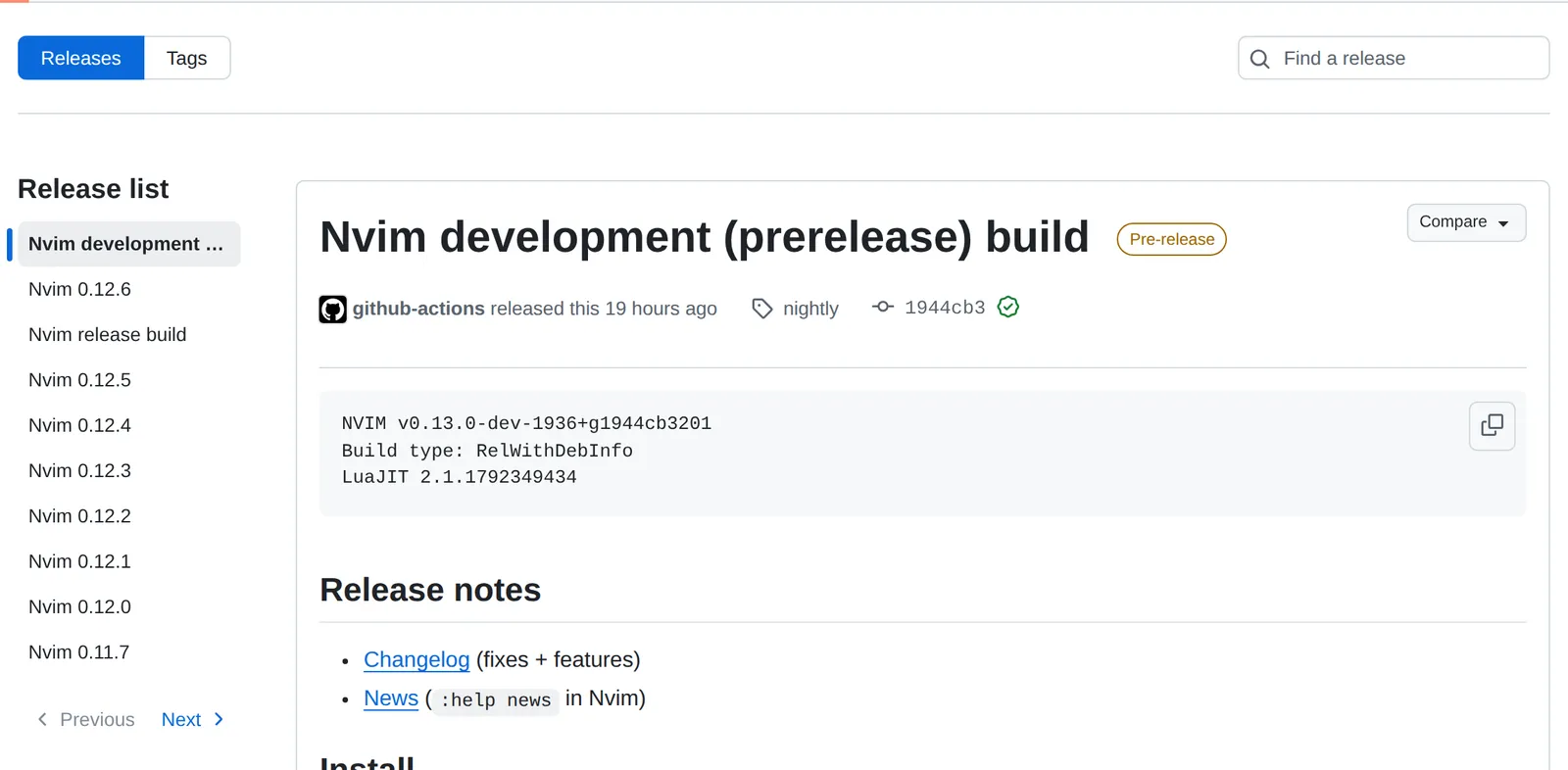 Neovim’s releases page, 22 October 2026. The feed lists the same ten entries in the same order. Source: github.com
Rolling releases update in place. Neovim’s nightly and stable releases are rebuilt under the same tag. In the feed, each entry’s ID is built from the tag name, so it never changes; only the date does. A reader that tracks entries by ID may treat a new build as already seen and never show it. If you want to know what goes into each nightly, the commits feed shows the changes themselves.
No releases means tags. When a project publishes no GitHub releases, releases.atom falls back to its tags. The Linux kernel’s releases page says “There aren’t any releases here” (GitHub), yet its releases.atom returned ten entries: v7.3, every release candidate from rc1 to rc7, and two tags, assoc-array-fixes and assoc-array-fixes-v2, that are nobody’s idea of a release.
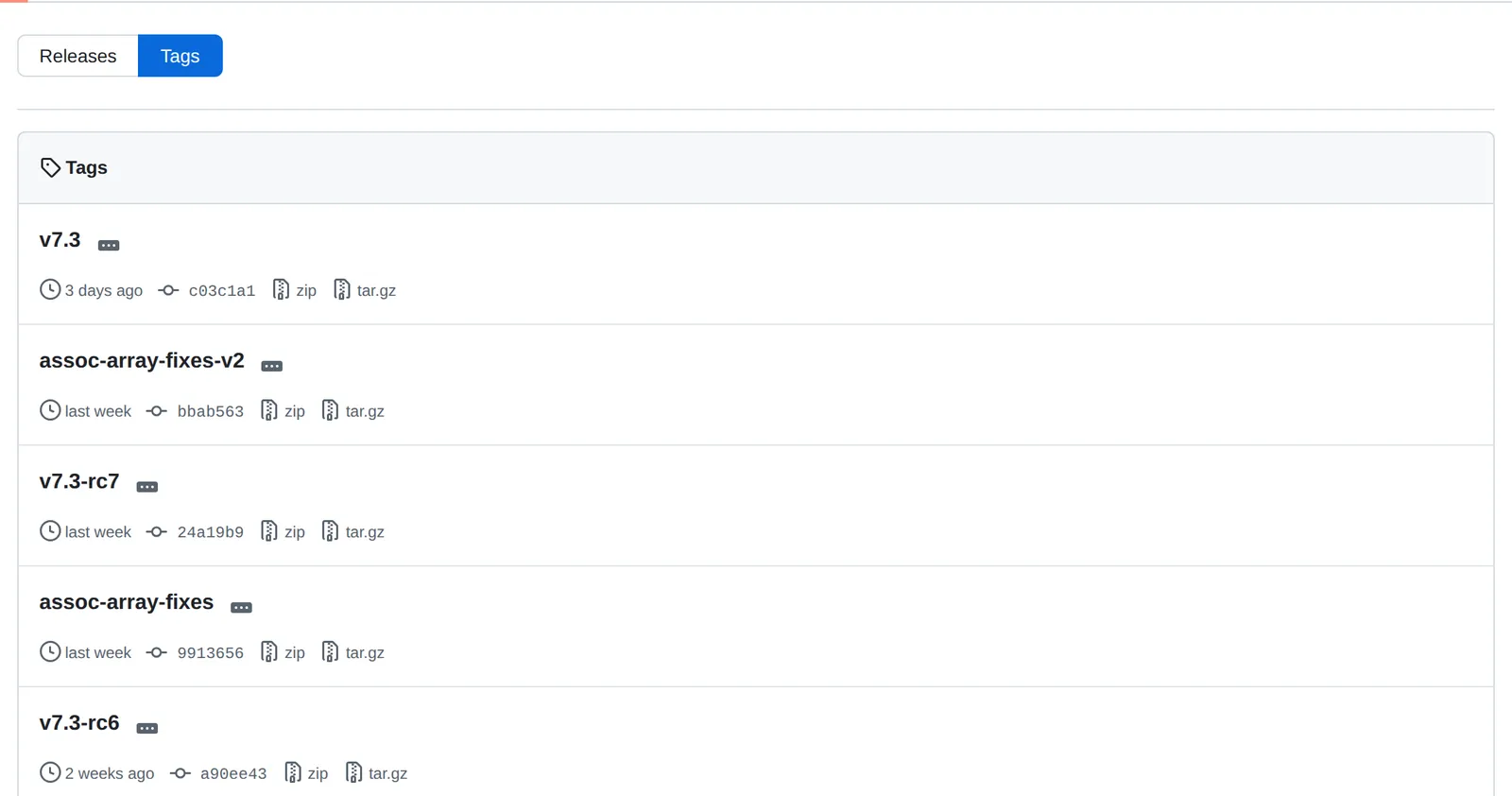 The Linux repository’s tags, 22 October 2026. Source: github.com
So before you subscribe, open the project’s Releases tab. If it’s empty or full of nightlies, expect the feed to be the same.
Commit feeds: branches, files, and the filter that doesn’t work
commits.atom follows the default branch. For any other branch, put the branch name before .atom; to follow one file or folder, add its path after the branch: commits/master/README.md.atom returned only commits that touched Neovim’s README. Each feed holds the 20 newest commits, so on a busy repository a reader that checks hourly can miss some.
Adding ?author=USERNAME to follow one person’s commits, which some guides suggest, does nothing: the feed returns the same 20 commits, from eight different authors. The user activity feed below is the nearest thing.
Discussions, wikis and user feeds
discussions.atom returned Neovim’s 25 most recently active discussions, roughly in order of last activity, so an old thread with a new reply jumps to the top. wiki.atom lists the most recently edited wiki pages, one entry per page, with the author and the page content.
github.com/USERNAME.atom is a person’s public activity: pushes, merged pull requests, closed issues and review comments, all mixed together. It’s noisy, but it’s the only way to follow a developer without signing in. The same pattern on an organisation name returned an empty feed.
Issues and pull requests: no feed, two workarounds
issues.atom and pulls.atom return HTTP 406. There’s no official feed for either, and this is where RSS stops being the right tool.
The first workaround is GitHub’s own Watch button, and for many people it is the better choice. On the repository, open Watch, choose Custom, and pick the event types; GitHub’s docs list “issues, pull requests, releases, security alerts, or discussions” (GitHub Docs). Notifications arrive in the GitHub inbox on the web and in GitHub Mobile, or by email.
The second is a third-party feed builder. Open RSS, for example, makes feeds for issues, pull requests, forks and stars when you put openrss.org/ in front of the GitHub address (Open RSS). It isn’t GitHub, so it can lag and could stop working.
Private repositories
Logged-out feeds only cover public repositories. GitHub’s API does list private feeds for your account, but its docs say “Private feeds are only returned when authenticating via Basic Auth” and that the feed addresses “use the older, non revocable auth tokens” (GitHub Docs). A token you can’t revoke is not something to paste into a hosted reader. For private repositories, use Watch notifications instead.
Following releases in a reader
Paste the full .atom address into your reader’s add-feed box. A releases page does advertise its feeds in its HTML (Neovim’s links both releases.atom and tags.atom), so a reader given that page may offer you the choice, but the repository’s main page links none, so a reader given that address finds nothing. How readers discover feeds in general is covered in how to find the RSS feed of any website, and readers that alert on new items are compared in RSS readers with notifications.
In Hushread, paste the releases.atom address, tap Add from link, then Add feed. With Pro, switch on alerts for that source to get a push in the iPhone, iPad or Android app when a new release lands, one alert per batch rather than one per entry (Hushread notifications). For Neovim, a Mute rule for the word “prerelease” applied to just that source keeps the development builds out (rules). The free plan follows as many repositories as you like, but alerts for each one need Pro (plans); GitHub’s Watch button notifies you at no cost.
FAQ
Does GitHub have an RSS feed?
Not RSS, but Atom, which every RSS reader reads. Add .atom to a repository’s releases, tags or commits address, or to a user’s profile address.
How do I get an RSS feed for GitHub releases?
Use https://github.com/OWNER/REPO/releases.atom. It holds the 10 latest releases with their notes, including pre-releases, and falls back to tags when the project has no releases.
How do I follow commits on a GitHub branch with RSS?
Use https://github.com/OWNER/REPO/commits/BRANCH.atom, or add a file path after the branch to follow only commits touching that file. Each feed shows the 20 newest commits.
Is there an RSS feed for GitHub issues or pull requests?
No. issues.atom and pulls.atom return an error. Watch the repository with Custom notifications, or use a third-party feed builder such as Open RSS.
Can I get a GitHub atom feed for a private repository?
Only through GitHub’s feeds API with Basic Auth, and the feed addresses use older tokens that can’t be revoked. Watch notifications are the safer route.
If you already spend your day in GitHub, Watch with Custom and Releases ticked does this job with no feed at all. A reader earns its place when you want releases from a handful of projects next to your other reading, with the notes in front of you; if you’re new to that, what RSS is explains the basics, and Hushread is one reader that takes these feeds.