
Disclosure: Hushread is my app. I’ve tried to be fair, and I say where the others are the better choice.
Google Discover vs Samsung News is no longer a long-term choice: Samsung News is shutting down on 21 December 2026 at 00:00 UTC, according to an in-app notice first seen in India and South Korea (SamMobile). Until then, both fill the same swipe-right page on a Galaxy home screen. Discover is Google’s feed, picked from your search and browsing history. Samsung News is Samsung’s own app, built around topics, sources and breaking-news alerts you choose. If you use Samsung News today, the real question is which of its features you’ll miss, and where each one goes next.
What’s happening to Samsung News
SamMobile reported in late October that the app, its home screen widget and the swipe-right media page all end on 21 December. Samsung says it will delete user data, profiles and personalization after the shutdown, except where local law requires it to keep records for a while. The notice gives no reason and names no replacement. It appeared in India and South Korea first, and other countries hadn’t been confirmed. SamMobile’s follow-up expects a global shutdown and says Samsung recommends removing the News widget (SamMobile).
Samsung’s US support guide still presents Samsung News and Google Discover as two current options, with sections on notifications, a Podcasts tab and a Following tab (Samsung US support).
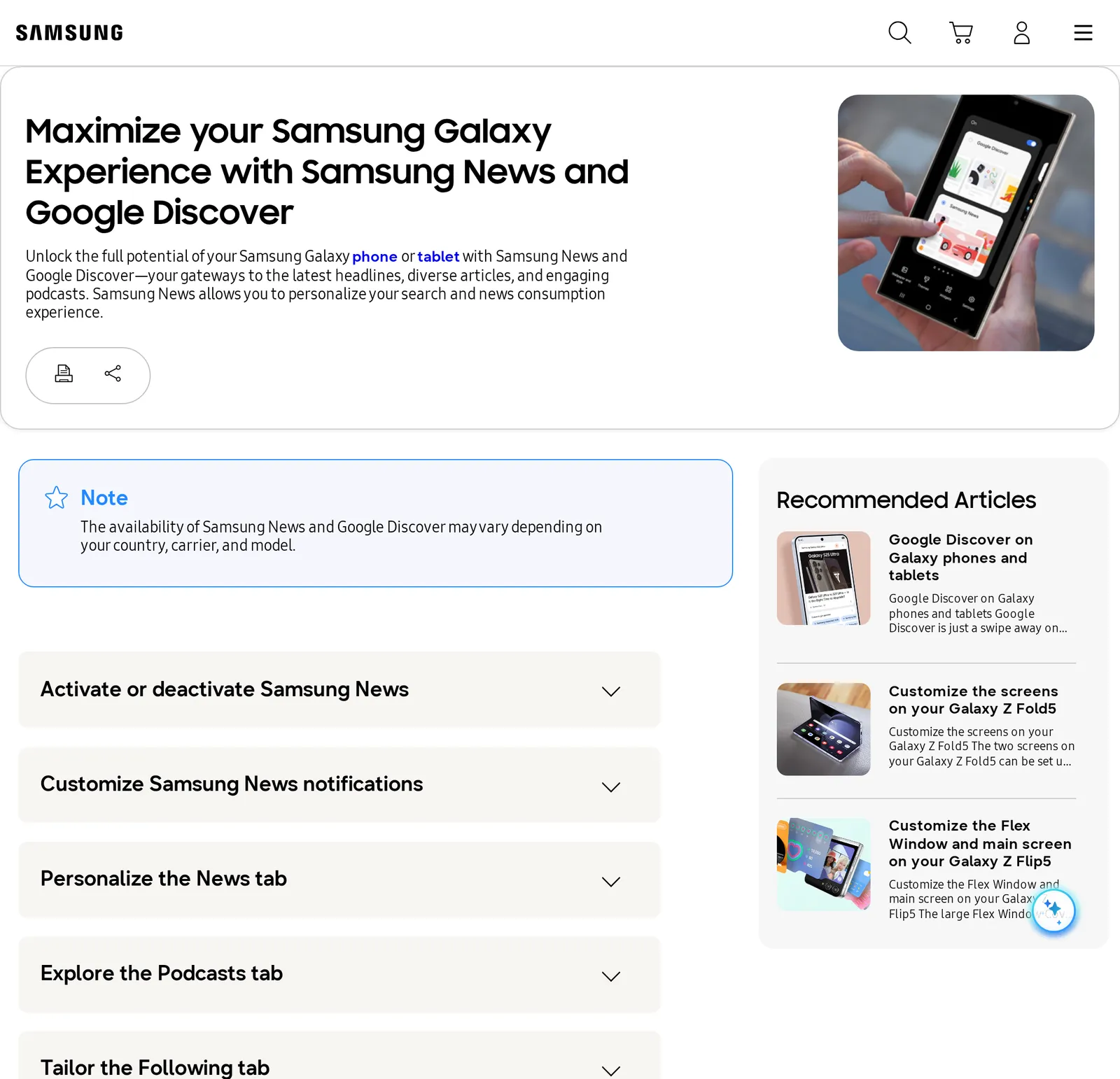 Samsung US support page on Samsung News and Google Discover, 11 November 2026. Source: samsung.com
If you’re searching for Samsung Free: that was the panel’s previous name, after Bixby Home and Samsung Daily (ShiftDelete). Samsung’s Korean service page says Samsung Free mixed news, games and free TV, and that its Watch and Play content now lives in the Samsung TV Plus and Gaming Hub apps (Samsung Service Korea).
Google Discover vs Samsung News, side by side
| Samsung News (until 21 Dec 2026) | Google Discover | |
|---|---|---|
| Who picks the stories | Samsung, steered by the topics and sources you pick | Google, from your activity and interests |
| Follow a specific outlet | Yes, in the Following tab | Indirectly: an outlet can be one of your interests |
| Hide an outlet | Hide stories on an article | Don’t show content from the site |
| Breaking-news push alerts | Yes, a switch in Settings › Notifications | Per followed topic, through the Google app |
| Local news | Local news locations in Following | Based on your home or estimated location |
| Podcasts | Podcasts tab | No podcasts tab |
| Where it runs | Galaxy phones and tablets only | Google app and google.com, plus the Galaxy panel |
The Samsung column comes from Samsung’s own guide (Samsung US support). The Discover column comes from Google’s help page (Google Search Help).
How Samsung News works
Samsung’s store listing pitches it as headlines “from a wide range of trusted sources, both local and global”, alerts “as soon as big news breaks”, and a feed where you “Follow the topics, categories, and sources that matter most to you”. It’s “Exclusively available on Samsung Galaxy devices” (Galaxy Store).
In the app, More options › Settings › Notifications has switches for the alerts, Manage news topics sets your interests on the News tab, and Hide stories on any article drops that source. The Following tab holds local news locations, topics, sources and podcast subscriptions (Samsung US support). Samsung’s Korean support page says it needs Android 9 or later, 4 GB of RAM and a Samsung account (Samsung Service Korea).
How Google Discover works
Google describes Discover as a feed that “shows people content related to their interests, based on their Web and App Activity” (Google Search Central). For it to personalize, Google’s help page says saved history and personalized recommendations need to be on in the Google app (Google Search Help).
You can steer it. Search for something and follow it to add it as an interest; on a card, tap More and choose Not interested in the topic or Don’t show content from the site. Each followed topic has its own notification switch on its interest page (Google app › Settings › Personalization › Manage your interests › Following). Google warns that “Some of these features might not be available in all languages and countries.”
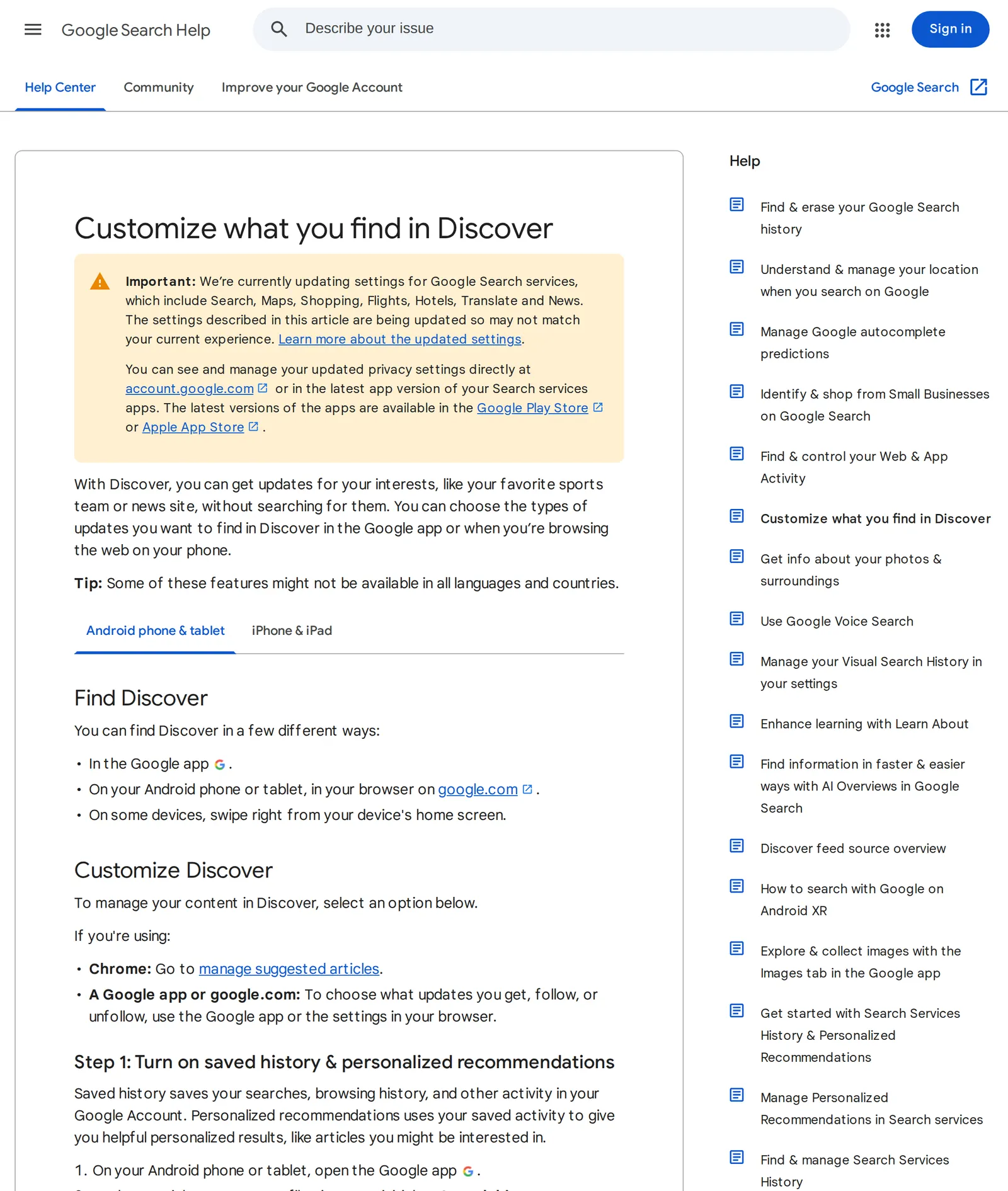 Google Search Help, “Customize what you find in Discover”, 11 November 2026. Source: support.google.com
The difference that matters: Samsung News let you build a feed from the outlets it carried. Discover builds one from you, and even a followed news site is one interest among many. If you liked Samsung News because the feed was yours, Discover is a different product, not a new version of the same one.
How to switch to Google Discover on a Galaxy
- Touch and hold an empty part of the home screen.
- Swipe right until you reach the page that shows Google Discover and Samsung News.
- Tap Google Discover.
The switch at the top of that page turns both feeds off, if you’d rather have no swipe-right panel at all (Samsung US support). If the page doesn’t show up, go to Settings › Home screen, turn on Add media page to Home screen and select Google Discover (ShiftDelete).
Then remove any Samsung News widget: touch and hold it and tap Remove (ShiftDelete). The widget goes on 21 December along with the app.
If you’d like Discover gone too, my guide to turning off Google Discover covers each of its switches, including the ones in Chrome and on google.com.
Where each Samsung News feature goes
Breaking-news alerts. In Discover, follow a topic and leave its notifications on. Google’s app also sends its own alerts about “topics that you might be interested in like TV shows, sports teams, and trending search topics”, plus local weather and crisis alerts; you switch each category off in the Google app under Settings › Notifications (Google Search Help).
Following particular outlets. This is the gap Discover doesn’t fill. The free option closest to Samsung’s Following tab is the Google News app: signed in, you search for a topic, location or source and tap Follow, and updates show up in its Following tab. You can also hide a source with Hide all stories from (Google News Help). If that’s enough, stop there.
If you want the outlets themselves rather than Google’s picks from them, a news reader does that. In Hushread, paste the address of each outlet you followed in Samsung News and you get every article from them, newest first, with nothing ranked or injected between them. The Breaking stories alert, on every plan, fires when a story your sources cover surges, with 8 or more publishers in about 3 hours, at most once an hour (Hushread notifications). The free plan follows as many sources as you like; Pro ($2.08 a month billed yearly) adds an alert the moment a chosen source publishes.
Hushread can’t take over the swipe-right panel, though: on a Galaxy that page only offers Discover or Samsung News. What it has is a Latest Article home screen widget showing your newest article (Apps and devices). Other readers work the same way; the best RSS readers for Android compares them.
Local news. Discover leans on your home location or, failing that, an estimate from things like your IP address. For a town, add your local paper’s site and the town name as a topic in a reader.
Podcasts. Discover has no podcasts tab, and Hushread doesn’t do podcasts. Move your subscriptions to a podcast app before 21 December.
FAQ
Is Samsung News shutting down?
Yes. An in-app notice says Samsung News ends on 21 December 2026 at 00:00 UTC, with the widget and swipe-right page going too. It was first seen in India and South Korea, and Samsung hasn’t named a replacement.
Is Google Discover better than Samsung News?
Discover is better if you want Google to guess from your searches; Samsung News was better if you wanted to follow chosen outlets with breaking alerts. After 21 December only Discover remains on the Galaxy panel, so outlet-following needs a separate app.
What is the difference between Google News and Samsung News?
Google News is a separate Google app with its own feed and alerts, on Android and iPhone. Samsung News is the Galaxy-only app behind the swipe-right panel, and it shuts down on 21 December 2026. Google News vs Google Discover explains how Google’s two feeds differ.
How do I switch from Samsung News to Google Discover?
Touch and hold an empty part of the home screen, swipe right to the page with both feeds, and tap Google Discover. The switch at the top turns both off.
What happens to my Samsung News data?
Samsung says it will delete user data, profiles and personalization after the shutdown, except where local law requires it to keep some records for a set period.
If Discover’s picks suit you, switch now and you’re done. If you used Samsung News to follow particular outlets, pick a reader before the panel goes blank, and import those outlets while you still remember which ones they were. Hushread is one; the others are in Google Discover alternatives.