
Disclosure: Hushread is my app. I’ve tried to be fair, and I say where the others are the better choice.
RSS feed vs newsletter comes down to one trade. A feed costs you nothing: no email address, no tracking of when you read, and unsubscribing is deleting it. A newsletter by email gets you everything the writer sends, the moment it’s sent, including issues that never reach the website and full paid posts. So follow by RSS when the newsletter publishes every issue to the web, as many free Substack and Ghost newsletters do, and stay on email when you pay for it, when the writer sends email-only issues, or when you need the alert the minute it goes out.
RSS vs email at a glance
| RSS feed | Email newsletter | |
|---|---|---|
| What you hand over | Nothing | Your email address |
| What the sender can see | That someone fetched the feed | Often when, and how many times, you opened it |
| When it arrives | When your reader next checks | When it’s sent |
| Email-only issues | Missing | Included |
| Paid posts | Usually a teaser | Full text, if you pay |
| Older issues | The recent ones the feed lists, then everything after | Only issues sent after you subscribed |
| Replying to the writer | Not built in | Often, by hitting reply |
| Leaving | Delete the feed | Unsubscribe link |
What you miss by following a newsletter’s RSS feed
Most newsletter platforms publish each issue to a web archive, and the feed is built from that archive. Anything that isn’t on the web isn’t in the feed. That happens in three ways.
Email-only issues
Ghost and Beehiiv both let writers send an issue without putting it on the site. Ghost’s publish menu has three choices, and the third, Email only, is there to “deliver a newsletter without publishing, great for sending a roundup of the latest content or to promote a special offer to free members” (Ghost help). Beehiiv’s post flow offers “Email and web”, “Email only” or “Web only”, with “Email and web” selected by default (Beehiiv support).
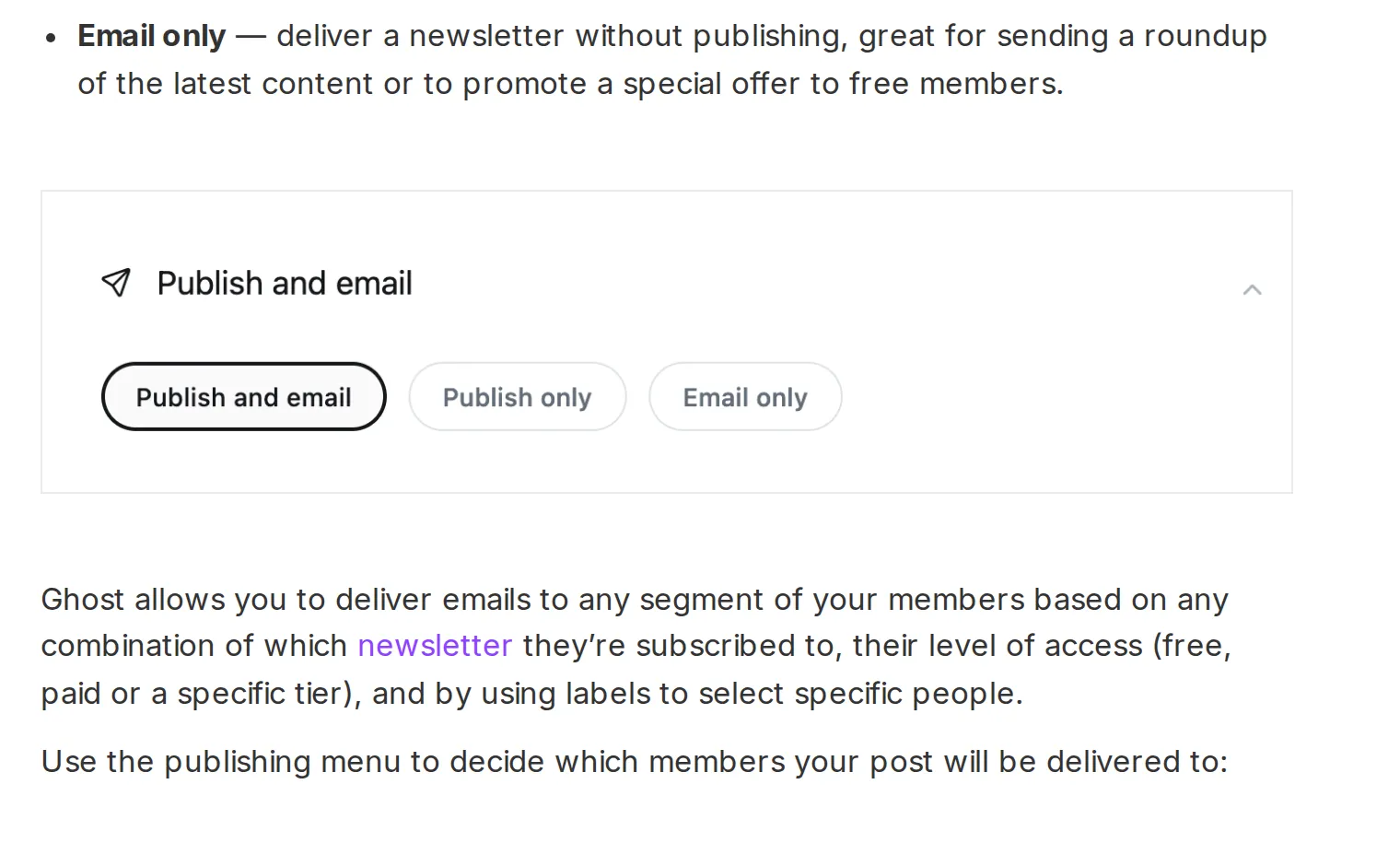 Ghost’s publishing options, 27 October 2026. Source: ghost.org
Ghost pitches email-only sends for roundups and offers, so what a feed reader misses is often the least interesting mail. But if a writer you follow sends something like a weekly links email that never appears on the site, the feed won’t have it.
Paid posts
On Substack, paid posts do appear in the public feed, with real titles and dates, but only the opening, followed by a link back to the post; what that looks like is in my Substack RSS feed guide. The feed becomes a list of headlines you click through to read.
A few paid publications fix this with a feed per subscriber. Stratechery’s FAQ says to “Create a Stratechery Passport account, go to Delivery Preferences, and add your personalized RSS feed”, and warns that “sharing RSS feeds is a violation of Stratechery’s Terms of Service” (Stratechery). If you pay for a newsletter, look in its account settings for a private feed before giving up on RSS.
Newsletters with no feed at all
Substack publications have a feed at /feed, and Ghost builds one automatically at /rss/ (Ghost help). Buttondown has one only “If you’ve got web archives turned on” (Buttondown docs), and on Beehiiv the writer has to create a feed in Settings before one exists (Beehiiv support). A feed also lists only recent issues, 30 by default on Buttondown, so anything older lives in the web archive, not in your reader.
For a newsletter with no feed, a converter such as Kill the Newsletter gives you an address to subscribe with and turns what arrives into a feed, though its FAQ warns that “Some newsletter publishers block Kill the Newsletter!” (Kill the Newsletter). The addresses for each platform and the converter steps are in my guide to reading newsletters in an RSS reader.
What a newsletter learns about you that a feed doesn’t
An email newsletter can track opens. Buttondown’s documentation shows how: when open tracking is on, it injects a tracking pixel at the end of each email, and the image’s address carries an email ID and a subscriber ID. “When a subscriber opens your email, that tracking pixel will be loaded, and based on that we create a record of the open event” (Buttondown docs).
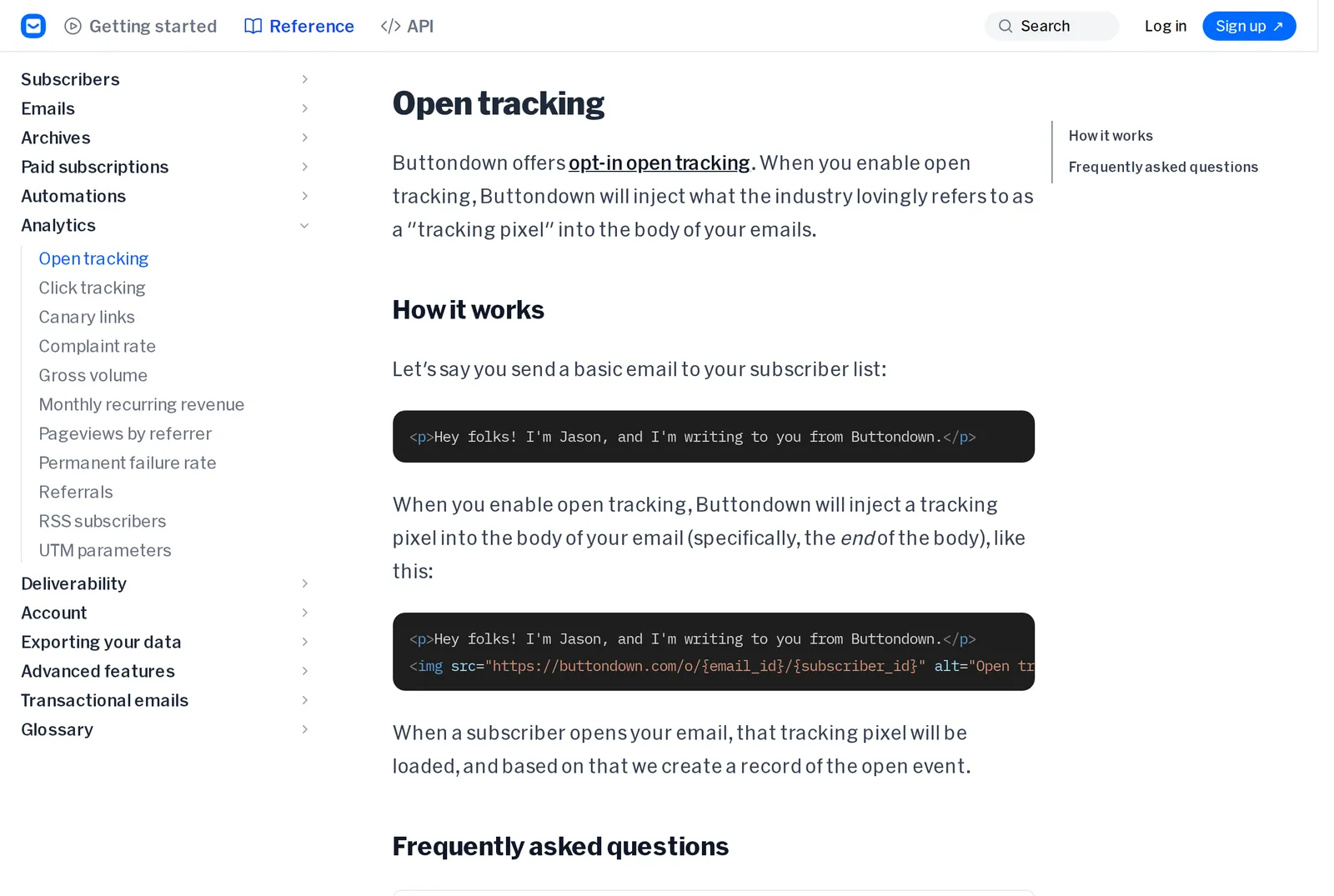 Buttondown’s explanation of its tracking pixel, 27 October 2026. Source: docs.buttondown.com
To its credit, Buttondown makes open tracking opt-in. Ghost’s newsletter analytics show writers “the number of members that opened the newsletter” (Ghost help). Apple describes what senders can get this way: “when and how many times you opened their email”, your IP address and “other data that can be used to build a profile of your behavior and learn your location” (Apple). Apple Mail’s Mail Privacy Protection blunts this by loading that content in the background “regardless of whether you engage with the email”, through two relays, but only if you read mail in Apple Mail with it switched on.
A public feed has no subscriber ID to tie a request to. If your reader is a web service, the publisher’s server sees the service fetching the feed, not you. If it’s an app that fetches on your own device, the server sees your IP address, much as it would if you visited the site. Either way it can’t tell whether you read an issue, skimmed the headline or never opened your reader that week. The exception is a private paid feed like Stratechery’s: it’s tied to your account by design.
That doesn’t make email sinister. Writers use open rates to see what lands, and many readers don’t mind. But if you’d rather a writer not know your reading habits, a public feed gives you that by default.
Timing: email arrives, feeds get checked
Email is pushed: the issue is in your inbox the moment it’s sent. A feed reader pulls: it checks the feed on a schedule, and the schedule can be slow. Feedly, for one, says that for Basic accounts “the polling interval can vary between 30 minutes to 1 day depending on how popular the site is and how often it publishes”, 15 minutes to an hour on Pro, and as low as 7 minutes on Pro+ (Feedly docs).
For an essay you’ll read at the weekend, a few hours don’t matter. For a deal alert, a market note or anything with a deadline, they do, and email is the safer choice.
In Hushread you can keep the “it arrived” moment without the inbox. Add the newsletter by pasting its web address (Hushread docs). With Pro, switch on alerts for that source, and your phone gets a push notification when a new issue reaches Hushread (Notifications). It still depends on the issue being published to the web: Hushread has no newsletter inbox, so email-only issues never show up. The free plan has no limit on sources, and Pro, which the alerts need, is $2.08 a month billed yearly (plans).
Which should you choose?
Go through your subscriptions one at a time. The answer is different for each.
- Free newsletter that publishes every issue to the web: follow the feed. You lose nothing, and your inbox gets lighter.
- Paid newsletter: stay on email, unless the publication gives you a private feed.
- Writer who sends email-only issues, or a newsletter with no archive: stay on email, or use a converter if you want it in your reader.
- Anything time-sensitive: email, or a reader that can notify you per source.
- You want the writer to know you read them: email. Open rates are how many writers judge what to write next.
FAQ
Is RSS better than a newsletter?
Neither is better overall. RSS is better for privacy, for keeping your inbox clear and for unsubscribing in one tap; email is better for paid posts, email-only issues and arriving the moment an issue is sent.
What is the difference between an RSS feed and an email subscription?
An email subscription sends each issue to your inbox and needs your address. An RSS feed is a file the publisher updates on their site, which your feed reader checks on a schedule, without knowing who you are.
Is RSS faster than email?
No. Email arrives the moment it’s sent, while a feed reader only sees a new issue the next time it checks the feed, which can be minutes or, on some plans, up to a day later.
Does an RSS feed include every newsletter issue?
No. Issues sent as email-only on Ghost or Beehiiv never reach the website, so they never reach the feed, and paid Substack posts appear only as a short opening.
Can a newsletter tell if I read it by RSS?
Not individually. Email newsletters can record opens per subscriber through a tracking image, but a request for a public feed carries no subscriber ID, so the publisher can’t tell who read what. Private paid feeds are the exception, since each one belongs to a subscriber.
If most of what you subscribe to is free and published on the web, moving it to a feed reader is the easy win; keep email for the handful you pay for or can’t miss. Hushread handles the feed half, not the inbox half.